
Consistent characters across scenes
Carry the same face, clothing, palette, and character details through verses, choruses, and transitions.
Upload your track, define the characters and art direction, then turn the full song into one connected anime MV with beat-aware storyboards and scenes.
Explore 4 distinct directions shaped around the song: tactile fantasy adventure, graphic multiverse action, watercolor memory, and mythic mecha spectacle.
Create a 6–8 second seamless loop inside a mossy underground kitchen carved into ancient ruins. Keep the red-haired mage, armored cook, horned scout, outfits, packs, and proportions consistent. Begin with a slow push past hanging herbs and copper cookware, then let steam curl into a map-like shape as the party discovers a glowing ingredient. Warm the fire and expressions on the chorus beat, ending on the same drifting steam and camera position used at the opening. Use tactile hand-painted textures, earthy greens, amber firelight, and restrained character motion; avoid modern objects, neon lighting, and spinning cameras.
A warm dungeon expedition where strange ingredients, party chemistry, and a shared meal carry the story.
Create a 6–8 second loop following one masked original hero leaping through 3 connected comic dimensions. Preserve the same suit silhouette, eye shape, emblem, and body proportions while each world changes its treatment: halftone print, rough ink hatching, then torn-paper collage. Use offset color registration, panel borders, impact lettering without readable words, and stepped animation on the beat. Build from a side-on run in the verse to a diagonal frame break on the chorus, then land the hero back in the opening pose for a clean loop. Keep the action readable with 1 dominant movement per shot; avoid photorealism, existing superhero logos, and continuous camera rotation.
Graphic dimensions collide through printed textures, fractured panels, and a hero moving between visual rules.
Create a 6–8 second seamless memory loop at a rural seaside station in late afternoon. Keep the same short-haired student, cream shirt, blue shoulder bag, and red ribbon visible across every cut. Start on a close-up of the ribbon moving in the sea breeze, drift sideways as a local train passes, and reveal the character watching the empty platform across the tracks. Let the watercolor edges bloom and sunlight brighten gently with the chorus, then use the passing train to wipe back to the opening close-up. Favor paper grain, pale sky blue, sun-faded green, natural wind, and subtle facial motion; avoid rapid cuts, dramatic zooms, and crowded backgrounds.
A quiet seaside recollection told through sunlight, passing trains, small gestures, and spaces left behind.
Create a 6–8 second cinematic loop in a wind-carved temple above a sea of clouds. Keep the young pilot, white ceremonial coat, gold arm markings, and the mecha’s carved stone-and-brass design consistent. Open on dust lifting from a dormant hand, cut to the pilot placing a palm on a circular seal, then illuminate the engraved lines one ring at a time with the rising music. Reveal the full guardian only on the drop using a stable low-angle wide shot while clouds part behind it. Return through a match cut from the glowing palm to the dormant hand for the loop. Use mineral textures, weathered gold, ivory cloth, and deep blue shadow; avoid generic sci-fi screens, flashing neon, and shaky camera movement.
Ancient ritual symbols awaken a colossal machine as the arrangement climbs toward its musical peak.
Plan the character, visual motifs, camera language, and story progression before generating scenes, so the final MV feels directed rather than assembled.
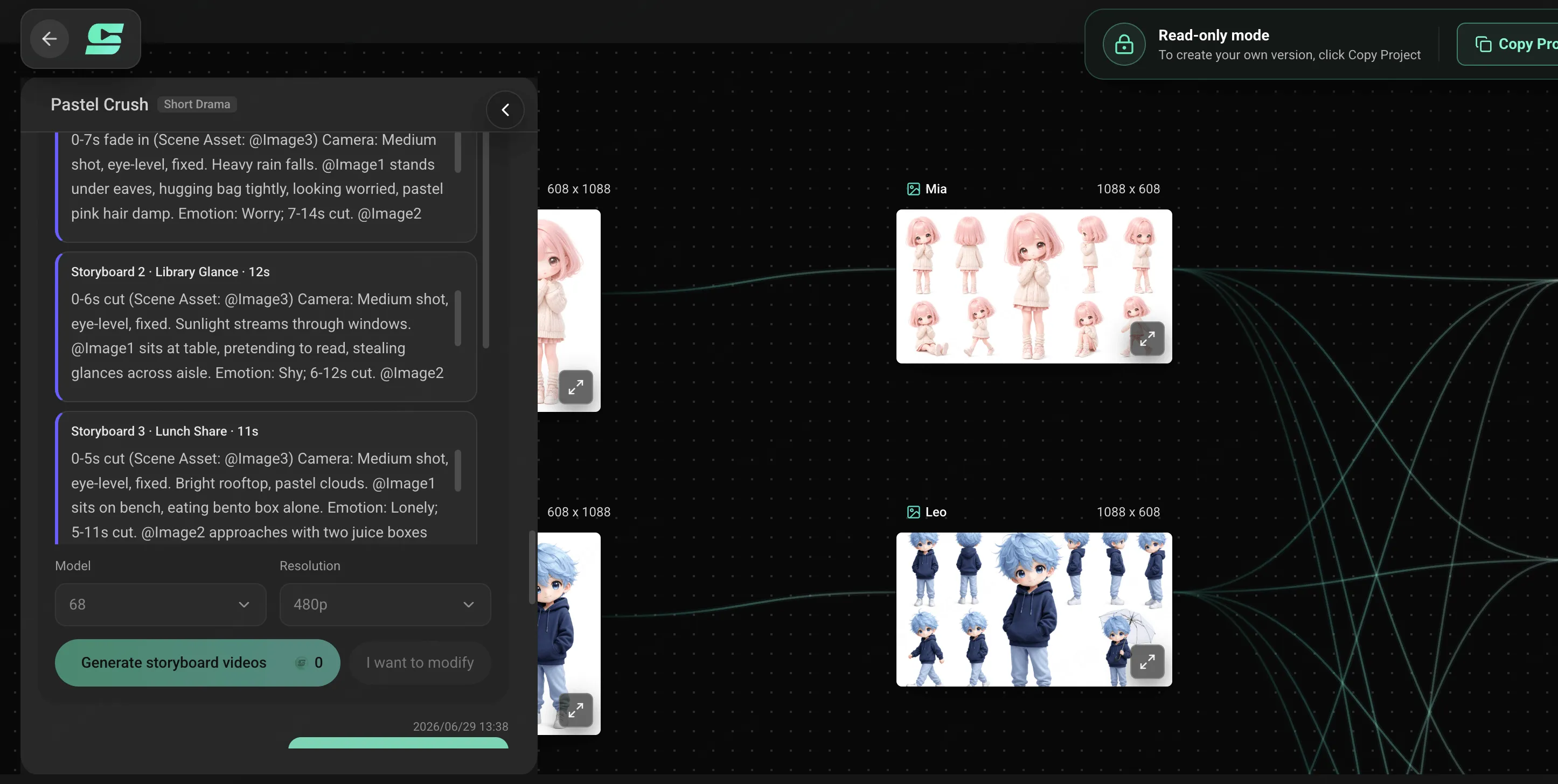
Carry the same face, clothing, palette, and character details through verses, choruses, and transitions.
Give the intro, verse, chorus, bridge, drop, and outro distinct visual roles in one connected arc.
Use changes in energy to guide camera motion, scene density, reveals, cuts, and quiet character moments.
Change one shot, action, or location while keeping the approved character and art direction intact.
Move from the audio and character direction to a song-wide storyboard, generated scenes, focused revisions, and release-ready framing.
Upload your own track, or tell SoulVid the genre, mood, vocals, lyrics, and story you want and let it create the music. Add timestamps or notes for the moments that need the strongest visuals.
Describe the cast, clothing, setting, palette, visual references, camera language, and emotional tone.
Turn the track structure into connected shots that build toward each chorus, drop, bridge, and final beat. For a deeper planning workflow, follow the AI video storyboard guide.
Adjust individual scenes, preserve the elements that work, and frame the MV for widescreen or vertical release.
Use these directions as a starting point, then replace the character, setting, camera, and emotional details with your own. For more visual styles, explore AI music video prompts by genre.
Create a folkloric anime MV about a masked girl carrying a red paper lantern through an old riverside town after midnight. Keep her indigo coat, fox mask, braided hair, and lantern design consistent in every scene. During the verses, follow her past shuttered shops as small spirits emerge from signs, umbrellas, and reflections; at each chorus, let the street unfold into a joyful supernatural procession of lanterns, ribbons, and dancing silhouettes. Use moonlit navy, vermilion, warm candlelight, slow tracking shots, and brief overhead reveals. End at dawn with the spirits returning to ordinary objects while one tiny light remains inside her lantern.
Direct a gothic anime MV inside an abandoned opera house where time stopped during a masked ball. Center the story on a silver-haired violinist wearing a black tailcoat, a cracked porcelain half-mask, and a brass key pendant; preserve these details throughout. In the verses, show frozen dancers, dusty velvet curtains, and clockwork birds waking one by one as he plays. At each chorus, restart the ballroom in sweeping synchronized motion while chandeliers pulse with the rhythm and the stage machinery turns beneath the floor. Use burgundy, antique gold, blue shadow, elegant dolly shots, and sharp cuts on percussion. Finish with the final note repairing the mask as every clock strikes midnight together.
Create a bright adventure anime MV about a young sky courier delivering a sealed letter across floating islands before a storm arrives. Keep the courier’s cropped teal jacket, yellow scarf, leather satchel, goggles, and compact winged glider consistent across every shot. Use the verses for quiet navigation through windmills, cloud farms, and hanging markets; build each pre-chorus with darkening clouds and tightening aerial turns; then open the choruses into fast glides above sunlit cloud canyons with the scarf tracing the melody. Favor clear blue, white, leaf green, warm yellow, wide aerial views, and readable forward motion. End on a distant island as the letter opens and releases a flock of luminous paper birds into the clearing sky.
Build a full release, an original character showcase, or a vertical hook from the same song and creative direction.
Give an original track a designed anime world, recurring performance language, and a clear visual hook.
Introduce a character, carry their design through the song, and build memorable scenes around their story.
Plan a widescreen music video with visual development across the entire track instead of one repeated loop.
Turn the strongest chorus or drop into a focused vertical anime edit for social release.
SoulVid treats the song as one directing timeline, keeping the visual story connected from the opening frame to the final beat.
An AI anime music video generator turns a song, lyrics, character references, and visual direction into storyboarded anime scenes. SoulVid focuses on planning one connected music video rather than producing a collection of unrelated clips.
Yes. Upload your audio, then describe the story, characters, settings, color palette, and anime direction you want. You can also add lyrics or identify the chorus, bridge, and other important song sections.
Yes. Define the character before generating the storyboard and keep the same reference, clothing, colors, and recognizable features in each scene direction. You can then revise individual shots while preserving those details.
No. You can direct the music video through conversation. Describe the visual world you want, review the storyboard, and request changes without starting from a traditional animation or editing timeline.
SoulVid can create an original AI-generated anime music video, often called an AMV. It is designed around your own music and generated visual direction, not a library of copyrighted anime footage for clip editing.
Yes. Add the lyrics and call out important lines, repeated phrases, and emotional changes. SoulVid can translate those moments into recurring symbols, locations, character actions, and storyboard beats. For a lyrics-first workflow, explore the AI Lyric Video Maker.
Yes. Plan a full widescreen release or reshape the strongest hook into a vertical anime music video for TikTok, Instagram Reels, and YouTube Shorts.
Commercial use depends on the rights attached to your music, lyrics, character references, and other uploaded materials. Use assets you own or have permission to use, and review the terms that apply to your project before publishing.
Explore the broader music video workflow, work from a Suno track, or develop stronger anime visual prompts.