The laziest AI music video prompt I ever wrote was probably "cinematic pop music video, stunning, epic." The result? Plenty happening on screen, but almost nothing that felt connected to my song. I eventually realized that genre is not a magic spell. It is a set of visual clues you can translate into color, setting, camera movement, and editing rhythm.
This guide covers 10 popular genres and 20 music video prompts you can copy and adapt. From pop, hip-hop, R&B, EDM, and rock to lo-fi, city pop, anime-inspired visuals, and cinematic scores, each prompt focuses on one controllable shot instead of asking AI to carry an entire song at once.
Quick answer: A useful AI music video prompt should include the song section, subject, action, setting, camera movement, lighting, editing rhythm, aspect ratio, and one visual anchor that keeps everything consistent.
If you want prompts organized by use case, including lyric clips, Reels, animated cover art, and full storyboards, read 30 AI music video prompts next. This guide tackles a different question: what should each music genre actually look like?
The AI video tool I use in the examples is SoulVid. It lets you build videos through conversation and refine visual details step by step. You can keep this guide open while trying the prompts in the SoulVid music video maker.
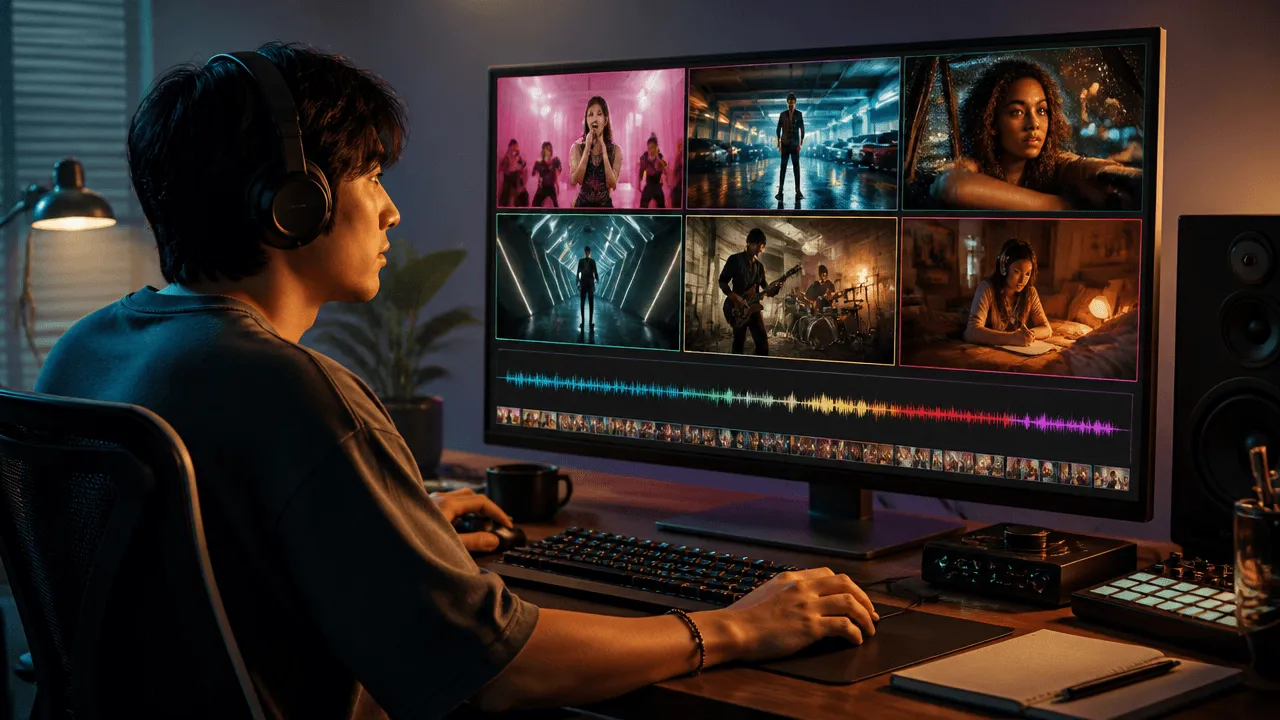
Start by Turning Genre into Shots
The strongest public prompt guides rarely stop at naming a genre. MVLAND groups prompts into styles such as hip-hop, pop, EDM, R&B, and indie. CREATUS.AI breaks them into subject, action, location, time, camera, style, and color. MusicSeed examples repeatedly describe setting, lighting, and atmosphere instead of dropping in a genre label and hoping for the best.
Here is the formula I use most often:
Create a [duration], [aspect ratio] [genre] music video clip for the [song section]. Show [subject] performing [specific action] in [setting]. Use [camera movement], [lighting], and [editing rhythm]. Sync [action or scene change] to the [lyric, beat, or drop]. Keep [character, object, color, or wardrobe] consistent.
Three details make the biggest difference:
- Energy controls camera speed: Quiet verses suit a slow push-in, locked shot, or detail close-up. Save bigger movement and faster cuts for the chorus or drop.
- Emotion needs to become filmable: Replace "lonely" with "at 3 a.m., one person sits by the window in an empty diner, watching rain run down the glass."
- The space should match the scale of the sound: A whispered R&B verse usually belongs in a bedroom more than on a mountain peak. An epic score is the opposite.
I also avoid asking the video model to generate exact lyrics. Text often warps, so leave a subtitle-safe area in the composition and add lyrics during editing instead.
Visual Cheat Sheet for 10 Music Genres
| Genre | Visual language | Camera ideas | Signature colors | Best song sections |
|---|---|---|---|---|
| Pop / Dance Pop | Bright sets, clear expressions, dance hooks | Locked shot, push-in, clean quick cuts | Red, blue, bright yellow | Chorus, promo clip |
| Hip-Hop / Rap / Trap | Streets, garages, strong posture, object details | Low-angle tracking, handheld close-ups | Black, red, cool green | Verse, punchline |
| R&B / Soul | Night scenes, reflections, fabric, intimate distance | Slow push-in, lateral slide, macro | Burgundy, amber, deep blue | Verse, slow chorus |
| EDM / House / Techno | Geometric spaces, lighting events, repeated movement | Orbit, overhead, beat cuts | White, cyan, neon red | Build-up, drop |
| Rock / Alternative / Metal | Rehearsal rooms, stage details, rough grain | Handheld, low angle, fast inserts | Black, steel gray, warm white | Chorus, instrumental break |
| Indie / Folk / Acoustic | Small rooms, roads, daylight, lived-in moments | Slow tracking, locked wide shot | Honey, grass green, gray-blue | Verse, outro |
| Lo-fi / Chillhop | One room, rainy windows, small repeated actions | Gentle drift, seamless loop | Warm yellow, forest green, mist blue | Full-song loop, instrumental |
| City Pop / Synthwave | Night driving, retro streets, analog media | Window tracking, slow pan | Pink, cyan, amber | Intro, chorus |
| K-pop / J-pop / Anime MV | Character anchors, studio sets, dance, emotional close-ups | Locked full-body, quick close-ups | High-saturation multicolor | Chorus, dance hook |
| Cinematic Score / Ambient / Classical | Vast spaces, minimal subjects, natural events | Aerial, slow orbit, long take | White, gold, cool blue | Crescendo, climax, outro |
1. Pop and Dance Pop: Make the First Second Memorable
Pop is not about pouring every color into the frame. It is about making the lead, the action, and the chorus hook instantly recognizable. The cleaner the background, the more room expressions, wardrobe, and choreography have to stick.
Prompt A: Bright Studio Chorus
Best for: Upbeat pop, chorus promotion, artist image clips.
Create an 8-second vertical 9:16 pop chorus clip. A young singer with short hair wears a bright red jacket and stands in the center of a studio with large blue geometric set pieces. As the chorus begins, the singer takes two steps toward the camera and points at the lens. Use a slow chest-up push-in, then cut once to a full-body shot on the strongest drum hit. Keep the lighting bright and crisp. Maintain the same face, red jacket, blue set, and hairstyle, with subtitle space at the top center.
Prompt B: Rooftop Chorus at Dusk
Best for: Youthful pop and hopeful short-form promos.
Create a 7-second vertical 9:16 Dance Pop chorus teaser. A singer performs three simple upper-body moves on a windy city rooftop at dusk while the skyline lights turn on in the distance. Keep the camera locked in a medium shot and sync each move to one of three snare hits. End in the opening pose to create a loop. Use coral red, sky blue, and natural skin tones. Keep the wardrobe, performer position, and horizon consistent.
My tweak: If the frame looks like a rainbow soda exploded, remove the dance crew, smoke, and extra transitions. Keep one performer and one memorable move.
2. Hip-Hop, Rap, and Trap: Let Posture Beat Adjectives
"Luxury," "dark," and "street" are only directions. A rap visual starts to work when you define how the performer walks, how low the camera sits, which object connects to the lyric, and what happens when the punchline lands.
Prompt A: Underground Garage Tracking Shot
Best for: Trap, urban rap, confidence-driven tracks.
Create an 8-second 16:9 hip-hop music video shot. A rapper in a black leather jacket walks alone through an underground parking garage after rain, with red taillights reflecting across the wet floor. Track at knee height from a low angle. On the heavy beat, the rapper turns to the camera and delivers one key lyric as the camera briefly pushes closer. Keep only one black car in the background and no crowd. Maintain the jacket, car, and red reflections consistently.
Prompt B: Object-Led Punchline
Best for: Lyrics built around a clear symbol or contrast.
Create a 6-second vertical 9:16 rap visual. Begin with a close-up of a silver watch that has stopped, then cut to the performer staring into the camera on an empty subway platform. The final train rushes past behind them. Sync the three shots to the bass hit, snare, and punchline. Use cool green fluorescent lighting and subtle handheld movement. Keep the watch, jacket, and platform direction consistent, and do not generate text in the frame.
My tweak: A full city block, ten sports cars, and a huge crowd usually compete for attention. Let one object carry the lyric and the shot often feels more powerful.
3. R&B and Soul: Slow Down and Let Details Speak
R&B works beautifully with reflections, fabric, hands, breath, and small changes in a gaze. One slow, steady push-in often feels more intimate than constant cutting.
Prompt A: Rainy Car Window at Night
Best for: Slow R&B, breakup songs, longing.
Create an 8-second vertical 9:16 R&B verse clip. A singer sits inside a parked car, their profile reflected in a rain-covered window as city lights drift slowly through the reflection. Push in from behind the shoulder toward the profile. At the end of a lyric, the singer looks down at a phone without showing any screen text. Use deep blue, burgundy, and soft amber. Keep the face reflection, rain direction, and wardrobe consistent.
Prompt B: Late-Night Living Room Details
Best for: Soul, slow-burn love songs, understated sensuality.
Create a 10-second 16:9 soul music video clip. In a late-night living room, one person sits on the edge of a sofa and gently runs their fingers over an old record sleeve. A single warm table lamp lights the room. Film a macro shot of the hand, a close-up of the eyes, and a medium room shot in sequence. Keep camera movement slow and edit around pauses in the vocal. Use burgundy fabric, cream walls, and dark wood furniture. Maintain the room and object positions.
My tweak: Instead of writing "sensual," tell the model where the light comes from, what the person touches, and how close the camera is.
4. EDM, House, and Techno: Make the Drop a Clear Event
Electronic music does not automatically mean frantic flashing lights. The best prompts establish a quiet, ordered build-up, then create one visible change in color, space, or movement when the drop arrives.
Prompt A: Mirrored Hallway Drop
Best for: Progressive House and Minimal Techno.
Create an 8-second 16:9 electronic music clip. A dancer in silver-gray clothing walks down the center of a symmetrical mirrored hallway. For the first 3 seconds, use only cool white light and steady footsteps. When the drop arrives, switch both rows of lights to red. The dancer stops and looks up as the camera begins a slow half orbit. Keep the performer, number of reflections, hallway structure, and wardrobe consistent. Avoid extra people and text.
Prompt B: Overhead Solo Dance Floor
Best for: House, disco, and rhythm-led short videos.
Create a 7-second vertical 9:16 House music video. One dancer stands in the center of a black grid floor, filmed directly from above. On each four-on-the-floor accent, red, blue, and gold floor sections light up in sequence while the dancer makes only a simple turn and arm raise. Rotate the camera slowly clockwise, then return to the original orientation for a loop. Keep the dancer centered and maintain the wardrobe and grid lines.
My tweak: If the AI looks like the lighting desk has every switch turned on, remove the crowd and assign the lights to one beat event only.
5. Rock, Alternative, and Metal: Performance Energy Is Not Random Motion
A full band, instruments, audience, smoke, and fast camera movement in the same shot is one of the easiest ways to break an AI video. Film the vocalist, guitarist, or drummer separately, then build the energy in the edit.
Prompt A: Rehearsal Room Vocal Close-Up
Best for: Indie Rock, Pop Rock, and Alternative Rock.
Create an 8-second 16:9 rock chorus shot. In a cramped rehearsal room, a vocalist grips a wired microphone and sings forward while the band remains as soft silhouettes in the background. Use a chest-up handheld close-up. A warm white ceiling light and one red side light reveal sweat and particles in the air. On the strongest drum hit, cut to the microphone and hand detail. Keep the vocalist's face, black shirt, microphone, and background positions consistent.
Prompt B: Metal Drummer Insert
Best for: Metal, hardcore, and heavy instrumental sections.
Create a 6-second 16:9 heavy metal music video insert. Film only one drummer performing on a black warehouse stage. Start with a side medium shot that shows the upper body and kit, then use two short close-ups of the sticks striking the snare and cymbal. Use high-contrast warm white backlight, a deep black background, and slight camera shake. Sync the cuts to three heavy hits. Keep the drum kit, sticks, and clothing consistent, with no audience.
My tweak: One stable instrument detail usually feels more like a real music video than four band members whose faces keep changing.
6. Indie, Folk, and Acoustic: Small Settings Hold Better Stories
These genres often draw their charm from imperfection: daylight, old furniture, a slightly unsteady camera, or a lived-in moment that does not look overly designed. You do not need fireworks. A creaking wooden door may be enough.
Prompt A: Empty Diner at 3 A.M.
Best for: Indie Pop, Americana, and nostalgic story songs.
Create a 10-second 16:9 indie music video scene. At 3 a.m., one person sits alone in the window booth of an old diner while rain falls outside. An unfinished cup of coffee rests on the table. From the opposite side of the diner, begin with a wide shot and slowly push closer. The person looks out the window, then lowers their gaze and turns the coffee cup. Use desaturated teal, warm amber light, and 16mm film grain. Keep the booth, cup, and wardrobe consistent.
Prompt B: Acoustic Guitar by the River
Best for: Folk, acoustic, and singer-songwriter tracks.
Create an 8-second 16:9 folk music video. A songwriter carrying an acoustic guitar walks slowly along a riverside path in the early morning while sunlight filters through leaves onto the jacket and ground. Track parallel to the person from a medium distance. During a pause in the lyric, cut to a close-up of fingers brushing through tall grass. Use soft green, gold, and gray-blue. Keep the guitar, jacket, and walking direction consistent.
My tweak: An intimate song does not need a huge set. When I am unsure, I shrink the setting until every object has a reason to be there.
7. Lo-fi, Chillhop, and Bedroom Pop: One Scene Is Plenty
Lo-fi visuals suit a single room, small repeated actions, and an ending that connects back to the beginning. The goal is not to pack in a story. It is to make the viewer happy to watch one more loop.
Prompt A: Rainy Desk Loop
Best for: Lo-fi, study music, and instrumental livestream backgrounds.
Create a seamless 10-second 16:9 lo-fi music loop. An open notebook, headphones, and a cup of hot tea sit on a desk at night. Light rain continues outside the window and one hand occasionally turns a page. Use only a very slow horizontal camera drift. Let the desk lamp flicker once, then return the final frame to the opening composition. Use warm yellow, forest green, and mist blue. Keep the desktop objects, rain, and lighting consistent.
Prompt B: Faceless Bedroom Pop
Best for: Bedroom Pop, anonymous artists, and short song teasers.
Create an 8-second vertical 9:16 Bedroom Pop clip. Show only the back of one person sitting on the edge of a bed, their canvas sneakers, and a small speaker playing music. Do not reveal a clear face. A poster on the wall moves in the breeze from the window, and the person taps to the beat when the chorus begins. Use natural handheld movement, a warm table lamp, and soft film grain. Leave subtitle space at the top and keep the room layout and wardrobe consistent.
My tweak: If a lo-fi prompt reads like a blockbuster trailer pitch, it probably contains too much.
8. City Pop, Synthwave, and Retro Electronic: Give Neon Somewhere to Land
Retro electronic visuals can quickly become nothing but pink and purple neon. Add a real object, such as a car window, cassette, CRT television, or late-night convenience store, so the frame feels like a story instead of a wallpaper.
Prompt A: Night Drive
Best for: City Pop, Synthwave, and nostalgic choruses.
Create an 8-second 16:9 City Pop music video shot. From the passenger seat, look toward a city street during a night drive. The driver's profile reflects in the window as convenience stores and elevated-road lights pass in sequence. Move slowly closer to the window reflection. When the chorus begins, a distant red traffic light changes to green. Use pink, cyan, amber, and natural skin tones with a subtle analog film texture. Keep the person, car interior, and reflection direction consistent.
Prompt B: Retro Roller Rink
Best for: Disco Pop, retro dance music, and upbeat shorts.
Create a 7-second vertical 9:16 retro electronic music clip. One person in a simple 1980s-inspired jacket skates past the camera in an empty indoor roller rink while a disco ball casts slowly moving light spots from the ceiling. Use a low-angle locked camera. Let the skater make one natural turn and return to the opening position. Use warm amber, bright cyan, and a small amount of pink. Keep the wardrobe, venue, and light direction consistent.
My tweak: Neon is seasoning, not the meal. Decide what the character is doing before choosing which light to switch on.
9. K-pop, J-pop, and Anime MVs: Lock the Character Before Changing Sets
These styles depend on clear character identity, wardrobe, and movement. If every shot redesigns the hair, proportions, and color palette, even beautiful clips will struggle to feel like the same music video. For a song-wide workflow that connects those decisions across scenes, use the Anime Music Video Generator.
Prompt A: Three-Person Dance Hook
Best for: K-pop, Dance Pop, and social dance challenges.
Create a 7-second vertical 9:16 K-pop-inspired chorus dance clip. Three original dancers wear clearly different but coordinated red, white, and black outfits in a clean light-gray studio. Use a locked full-body shot as they complete three simple synchronized moves, each aligned to one beat, then return to a triangular formation. Keep the lighting bright and even. Maintain all three faces, outfits, height proportions, and left-to-right positions, and do not add more dancers.
Prompt B: Original Anime Character Chorus
Best for: J-pop, anime MVs, and character-led songs.
Create an 8-second 16:9 hand-drawn anime-style chorus clip. An original character with short silver hair wears a deep blue school jacket on a rooftop at dusk as the wind moves their hair and coat hem. Slowly pull back from an eye close-up to a waist-up shot. At the chorus peak, cut to the character looking up at a paper airplane crossing the sky, then return to the same waist-up composition. Use an orange-red sky, deep blue clothing, and soft skin tones. Keep the face shape, hairstyle, outfit, and airplane direction consistent.
My tweak: Describe original characters, light, and camera language instead of copying a specific artist, director, or copyrighted work. It is safer and gives you a visual identity of your own.
10. Cinematic Scores, Ambient, and Classical: Let the Space Grow with the Sound
When there are no lyrics to guide the story, space, weather, and camera speed do the narrative work. These prompts do not need many characters. One very small figure can make the music feel much larger.
Prompt A: Snowy Peak Crescendo
Best for: Ambient, Neo-classical, and slow-building climaxes.
Create a 10-second 16:9 cinematic music video. A person in a long dark coat stands at the edge of a snow-covered mountain peak while clouds move slowly below. Hold an extreme wide locked shot through the first half. When the strings begin to swell, slowly orbit one quarter around the person as sunlight breaks through the clouds and illuminates the ridge. Use pure white, cool blue, and a small amount of gold. Keep the person, coat, and ridge shape consistent.
Prompt B: Underwater Cathedral
Best for: Orchestral scores, dreamlike ambient music, and vocal-free visual pieces.
Create a 10-second 16:9 surreal orchestral music video. A Gothic cathedral sits completely submerged in clear water. Sunlight passes through stained glass and casts moving beams over stone columns and floating particles. Move very slowly forward along the central aisle. Just before the musical climax, a small school of fish crosses the light beams. Use cool blue-green, limestone gray, and golden light. Maintain the architecture, current direction, and physical logic, with no people or text.
My tweak: "Epic" is not just about making everything bigger. The moment the camera begins to move and the moment the light appears are what let the image breathe with the music.
Turn One Genre Prompt into a Full Music Video
One prompt can make one useful shot, but it rarely makes a coherent three-minute video. My lazy-but-effective workflow is to start short, then expand carefully.
Step 1: Test 6-8 Seconds of the Chorus
The chorus usually represents the song's energy best. Pick one subject, one action, and one setting. Confirm that the visual direction fits before spending credits on a full sequence.
Step 2: Keep One Visual Anchor
Choose a character, object, color, or location. It might be the rainy R&B window, the silver hip-hop watch, or the City Pop car reflection. Repeat that anchor across later shots so the finished video does not feel like ten unrelated ads.
Step 3: Break Shots Down by Song Structure
Use the intro to establish the space, the verse to introduce the character, the pre-chorus to add movement, the chorus for the strongest image, the bridge for contrast, and the outro to return to the opening motif. For the complete process, see how to make a music video with AI.
Step 4: Organize the Storyboard in SoulVid
Give your song, lyrics, and chosen genre direction to the SoulVid AI music video generator. Use the conversation to settle the visual concept, then turn each song section into an editable storyboard scene. Generating more clips only after the direction feels stable is much easier to control than letting one giant prompt improvise everything.
How I Fix AI Music Video Prompts That Go Off the Rails
| Problem | Common cause | Better prompt direction |
|---|---|---|
| Beautiful visuals that have nothing to do with the song | Only mood and style adjectives | Add the song section, a specific action, and a beat event |
| Every shot looks like a different project | No visual anchor | Repeat the same character, object, wardrobe, or color |
| Faces and hands keep changing | Too many subjects or a camera that is too wide | Use one person in a medium close-up or film a detail |
| The drop does not feel different | The prompt only says "energetic" | Define the light, action, or space before and after the drop |
| The video feels like a random mood board | Every cut changes location | Keep one location and vary the camera angle |
| Subtitles become mysterious symbols | Asking the model for exact text | Leave a safe area and add lyrics in post-production |
Frequently Asked Questions
Should I Write AI Music Video Prompts in English?
English and other languages can both work. Clear structure matters more. Some models understand English camera terms more consistently, but you can still describe the subject, action, setting, and light in the language you know best. Keep useful terms such as push-in, tracking shot, and close-up when testing.
Can a Genre Name Alone Generate a Good Music Video?
You may occasionally get a beautiful frame, but the result will not be reliable. Genre gives the model a broad direction. It still needs to know who is doing what, where the action happens, how the camera moves, and which element must stay consistent.
Can One Prompt Generate an Entire Music Video?
I do not recommend it. Let one prompt create one 6-10 second shot, then extend the idea into multiple scenes using the same visual anchor. This is usually much easier for character, rhythm, and story continuity.
Can I Use These Prompts for Suno or Other AI Songs?
Yes. Export the song, mark the intro, verse, chorus, bridge, and outro, then choose the genre template closest to its energy. For the full workflow, read how to make a music video with Suno.
What Aspect Ratio Should I Use for TikTok, Reels, and Shorts?
Use 9:16 for these short-form platforms. Keep the important subject near the center and clear of bottom controls and right-side interaction buttons. Use 16:9 for full YouTube music videos, website embeds, and cinematic horizontal work.
How Do I Keep the Same Character Across Different Scenes?
Lock the character's hairstyle, facial traits, wardrobe, accessories, and colors, then use a reference image as the visual anchor. Change only the setting and action from prompt to prompt instead of redesigning the character every time.
Can I Name Famous Singers or Directors in a Prompt?
A better approach is to describe the exact traits you need, such as low-angle handheld camera work, warm film grain, a minimal studio set, or rainy-night reflections. Avoid asking for a complete imitation of a living artist, director, or copyrighted work. An original direction is also easier to turn into your own visual identity.
Pick One Genre and Make Your First Chorus Shot
Genre gives you the starting point. Shot details decide whether the final clip works. Pick the closest of the 20 prompts above, replace the character, setting, and colors, and generate a 6-8 second chorus first.
You do not need to plan a three-minute epic on day one. If the eight-second chorus works, that is a win for today.
Once you find the visual anchor that fits your song, use SoulVid to organize the music, lyrics, and genre direction into a complete storyboard, then refine and generate your next AI music video scene by scene.