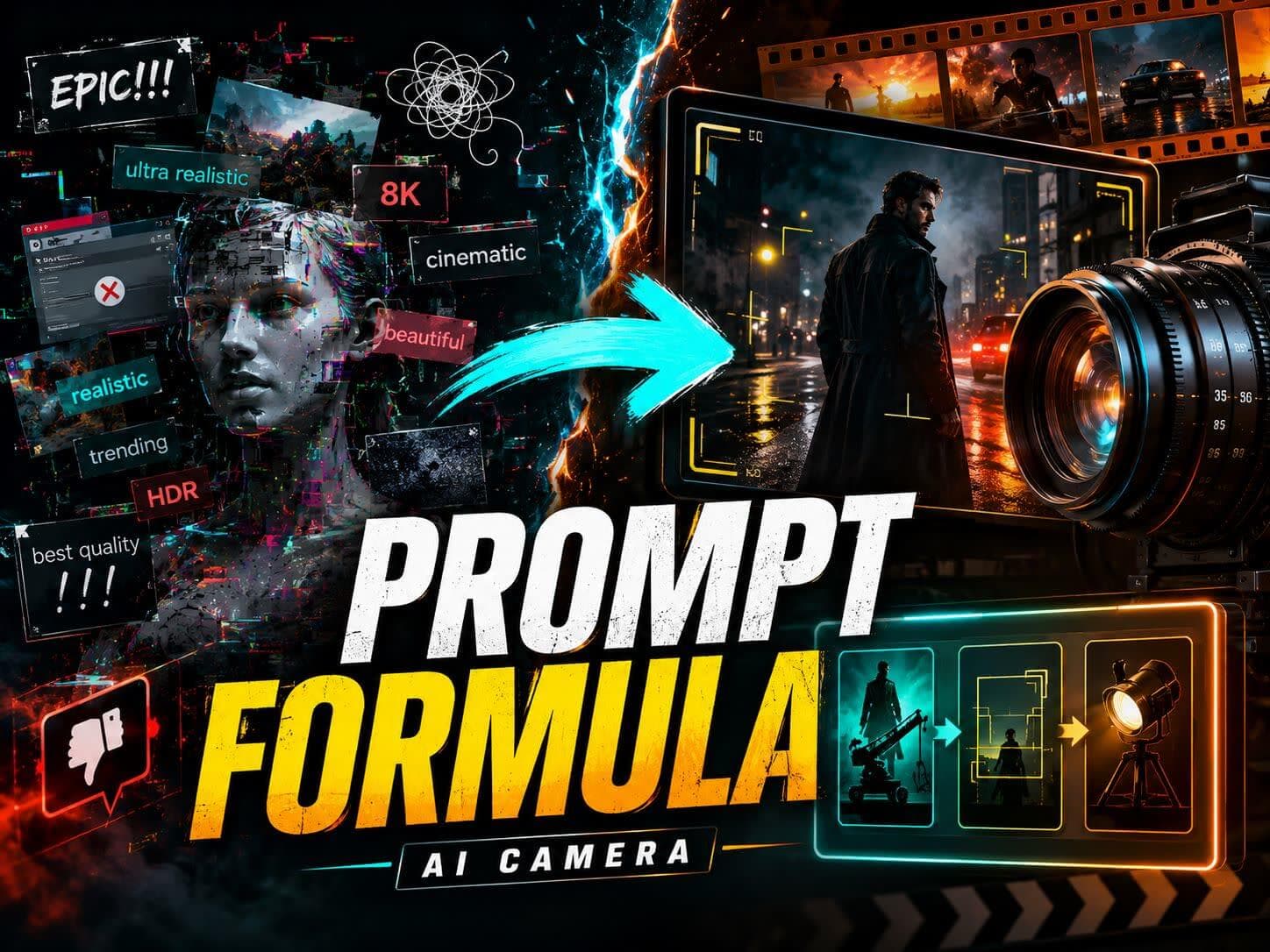
Writing a cinematic video prompt shouldn't feel like a guessing game. Most creators dump vague words like "hyperrealistic," "4K," or "cinematic lighting" into AI generators, only to get a plastic-looking 3D render or a flickering mess.
AI models don't think in abstract hype. They look for specific composition instructions, structural boundaries, and movement markers.
To get more consistent, professional-looking video clips, you don't need magic words. You need a Cinematic Prompt Generator Formula that turns raw ideas into clear visual instructions.
What Is a Cinematic Prompt Generator?
A true cinematic prompt generator isn't just an interface; it is a systematic framework. It takes a raw creative idea, such as "a cool sci-fi scene", and translates it into standard film industry language.
By defining the exact lens, lighting environment, and movement parameters, you drastically reduce ambiguity. A high-utility prompt template gives the model clearer visual direction, making the output easier to control and keeping characters, backgrounds, and outfits more stable from the first frame.
The Unified Cinematic Video Prompt Formula
A reliable cinematic prompt usually works best when arranged in this sequence. This helps guide the model toward a more stable result, processing the core subject before layering complex camera paths or atmospheric effects:
To understand why this formula works, look at how a minor tweak in structural clarity completely changes how an AI video model decodes your text:
Bad Prompt (High Ambiguity):
A cinematic girl walking in the rain, ultra realistic, trending on ArtStation.
Better Cinematic Prompt (Unified Formula):
A medium close-up shot of a young woman walking slowly through heavy rain at night. 50mm prime lens, slow handheld tracking movement. Blue neon reflections on wet pavement, soft rim light highlighting her profile. Natural blinking and breathing micro-expressions. 5-second continuous shot, reduce sudden morphing.
The second prompt leaves less room for error. It locks the camera lens, establishes the exact light reflections, and sets clear motion constraints on character movement to stabilize the scene.
AI Camera Prompts You Can Copy
Camera movement tokens dictate how the AI transforms a static layout into a dynamic clip. Copy these tested AI camera prompts directly into your workflow to control perspective shifts cleanly:
01Slow Push-In
Slow, controlled camera push-in targeting the central focal point, maintaining background alignment.
02Dolly Zoom
Cinematic dolly zoom effect, camera moves forward while lens perspective widens smoothly.
03Arc Shot
360-degree slow arc shot rotating around the main subject, keeping the focus plane completely locked.
04Handheld Tracking Shot
Handheld tracking shot moving parallel to the subject, subtle organic camera shake for realistic stabilization.
05Aerial Pullback
Ultra-wide aerial drone pullback shot, rising vertically while revealing the surrounding landscape.
06Macro Tracking Shot
Macro tracking shot with ultra-shallow depth of field, panning across the micro-textures of the object.
07Crane Shot
Jib crane shot starting from a low angle and sweeping smoothly into a high-angle overhead view.
08Over-the-Shoulder Shot
Over-the-shoulder composition focusing on the target subject in the mid-ground, blurred silhouette in the foreground.
09Locked Camera
Static locked camera composition, zero lens movement, all motion generated exclusively by the subjects within the frame.
10Slow Pan-Up
Vertical slow pan-up camera movement starting from ground level up to the subject's eyes.
11Low-Angle Tracking Shot
Low-angle tracking shot moving close to the pavement, emphasizing the speed and scale of the subject.
20 Cinematic Video Prompt Examples
Here is a comprehensive bank of 20 copy-paste templates tailored for specific aspect ratios, platforms, and artistic styles. Replace the [bracketed text] with your own variables.
Character & Style Anchors
01Character Close-Up Focus
A tight chest-up portrait shot of a [subject, e.g., cyberpunk hacker] looking directly into the lens. 85mm prime lens, soft rim lighting separating the silhouette from a blurred [setting, e.g., matrix-style code wall]. Subtle wind moving hair naturally, realistic facial micro-expressions, 5-second continuous shot.
02AI Camera Movement Showcase
A cinematic tracking shot of a [subject, e.g., vintage sports car] driving fast down a winding mountain pass. Slow 360-degree arc shot rotating smoothly around the vehicle. Harsh high-contrast midday sun, sharp shadows on the asphalt, zero background blurring, 24fps.
03High-End Product Advertisement
An extreme macro detail shot of a [product, e.g., luxury watch dial]. 100mm macro lens, shallow depth of field. High-contrast side lighting highlighting metallic brushed textures and moving gears. Slow mechanical camera rotation, clean rendering with reduced visual artifacting.
04Anime MV Style Sequence
Modern cel-shaded anime style, cinematic composition. A medium shot of an original character standing on a [setting, e.g., rooftop at sunset]. Muted indigo and gold color grading. Slow camera pan-up from the city skyline to the character's face. Smooth fluid character animation at 24fps.
05Image-to-Video Dynamic Anchor
Lock all visual assets, clothing layouts, and background structures from the uploaded reference image. Add only: a slow 3-second camera dolly zoom into the central object, realistic environmental wind interaction, and subtle breathing motion. Keep structural integrity stable.
Content & B-Roll Sequences
06Music Video Performance Shot
A wide shot of a [genre, e.g., rock band guitarist] performing on a dark, hazy stage. Intense volumetric backlighting cutting through the fog, casting dramatic long shadows. Fast tracking camera cuts synced to a heavy rhythm beat. Crowd silhouettes blurred in the foreground.
07Cinematic Narrative B-Roll
A slow-motion close-up shot of [an action, e.g., hot coffee pouring into a ceramic mug] on a rustic wooden table. Diffused morning sunlight streaming through a nearby window, visible dust motes floating in the air stream. Low-angle locked camera, atmospheric film grain texture.
08Mobile Vertical Short-Form Hook
A vertical portrait hook shot of a [subject, e.g., street dancer] executing a sharp move in the center of [setting, e.g., Times Square]. High-speed camera capture with clean motion blur. Dynamic strobe lighting, fast camera push-in on the first beat. Safe zone text area left clear.
09Cyberpunk Widescreen Narrative
A medium shot of a weary traveler walking through a rain-slicked neon alleyway. 35mm anamorphic widescreen lens, low-key high-contrast lighting. Vivid pink and teal reflections bouncing off wet asphalt surfaces. Slow tracking pan left-to-right, minimize sudden morphing.
10Lo-Fi Retro Aesthetic Loop
A seamless 10-second lo-fi loop. A retro [object, e.g., desktop computer setup] inside a cozy bedroom at midnight. Soft warm lamp glow, gentle rain sliding down the window pane in the background. Subtle CRT screen flicker, slow atmospheric camera drift, loopable first and last frame.
Advanced Perspectives & Specific Models
11Epic Drone Landscape Reveal
An ultra-wide aerial drone shot overlooking an expansive desert valley with an [object, e.g., ancient ruin] in the center. Camera glides forward and downward in a smooth sweeping arc. Hard golden hour sunlight creating deep contrast, photorealistic atmospheric haze.
12Macro Industrial Texture
An extreme close-up of [material, e.g., liquid gold bubbling inside a dark foundry mold]. Extreme macro lens setting, high-detail texture capturing small sparks and smoke. Intense orange under-glow lighting, slow mechanical tracking move, crisp render output, 60fps.
13Kling-Style High-Motion Action Prompt
High-Motion Action Prompt for Kling-Style Video Models: A wide action shot of a [character, e.g., martial artist] leaping across a crumbling stone bridge. Dynamic handheld camera movement following the vector of the jump. Sharp lighting, realistic debris particle physics, stable rendering.
14Seedance-Style Character Consistency Prompt
Character Consistency Prompt for Seedance-Style Video Models: A medium close-up of a character talking inside a moving train compartment. Muted cinematic color palette, passing landscape lights blinking across the face. Balanced character profile preservation, reduce structural morphing.
15Higgsfield-Style Vertical Action Prompt
Vertical Action Prompt for Higgsfield-Style Camera Movement: A vertical full-body tracking clip of a character running up a stylized [setting, e.g., neon spiral staircase]. Rapid crane upward pan tracking the ascent. Intense color contrast, smooth anatomical motion tracking, reduce limb warping.
New Niche Expansion Templates
16Atmospheric Horror Cinematic Prompt
Atmospheric Horror Cinematic Prompt: A slow, low-angle tracking shot down a dark, derelict asylum corridor. A single flickering overhead light bulb casts harsh, swinging shadows. Heavy volumetric fog, cold green color grading. A faint silhouette appears at the far end right before a sudden camera static glitch, 24fps.
17High-Fashion Editorial Promo Prompt
High-Fashion Editorial Promo Prompt: Vertical 9:16 layout. A high-fashion model wearing an avant-garde [outfit material/color] dress standing against a stark minimalist concrete backdrop. Harsh studio split-lighting. Slow, smooth tracking tilt-up from shoes to profile, dramatic wind machine movement, high-fashion aesthetic.
18Commercial Food Styling Cutaway Prompt
Commercial Food Styling Cutaway Prompt: 1:1 square aspect ratio. A macro close-up shot of liquid chocolate drizzling slowly over a glossy, rotating dessert plate. Warm, soft-focus studio lighting highlighting texture glazes. Ultra-shallow depth of field, slow pan-left tracking the drizzle, fluid continuous physics.
19Mythical Fantasy World-Building Prompt
Mythical Fantasy World-Building Prompt: An ultra-wide establishing shot of a legendary glowing crystal citadel built into a massive cavern. Massive shafts of ethereal blue light piercing down from the ceiling. Floating ancient runes orbiting the central spire, cinematic slow-drone forward drift, majestic scale, 24fps.
20Lyric-Driven Music Video Sequence Prompt
Lyric-Driven Music Video Sequence Prompt: Vertical 9:16 framing. A medium shot of a solitary listener leaning against a moving subway car window at night. Passing tunnel lights create rhythmic reflections across the face. Leave the lower-middle safe zone completely clear for dynamic lyric kinetic typography overlays. Smooth tracking shot.
Image-to-Video, Model Compatibility, and Multi-Shot Videos
If you already have a high-quality base image, your text prompt strategy must pivot. Redescribing the subject inside an Image-to-Video (I2V) engine triggers semantic collision. The engine attempts to rebuild assets from scratch, causing outfits to change or faces to distort.
To combat this, utilize the Motion Decoupling Protocol. Strip out all descriptive nouns regarding the subject's appearance, and guide only the physics vectors:
The Golden I2V Rule: Do not describe what is in the image. Describe only how the existing image elements should move, shift, or react over time.
Because this formula replaces generic filler adjectives with professional cinematic terminology, it serves as a universal baseline across various generation pipelines.
Whether you are targeting high-motion models or specialized character-centric engines, anchoring your prompt with exact camera constraints reduces generation errors. It helps guide the model toward a more stable result without overloading its text interpretation layers.
Drafting a single prompt for an isolated clip is simple enough to execute by hand. However, the real challenge emerges when you try to build a complete narrative or a multi-shot sequence.
Writing a single great line isn't the hardest part of a 30-second music video or a 5-shot short film. Maintaining continuity is. If your character's face drifts, the lighting shifts completely, or the camera pacing alters abruptly between cuts, the immersion breaks instantly.
This is where a dedicated cinematic prompt generator becomes necessary. SoulVid helps turn a raw idea, lyric, or story concept into a structured, shot-by-shot prompt list, ensuring each generated clip follows the exact same lens metrics, color palette, and visual direction for flawless multi-shot compilation.
Build cinematic shot lists with SoulVid
Use SoulVid to turn a raw idea, lyric, or story concept into a structured multi-shot video workflow.
A cinematic prompt generator is a structural framework or automated utility that translates basic creative concepts into technical film-industry terminology, such as lens, lighting, and camera vectors, so AI models can process them with minimal generation errors.
Can I use these prompts for Runway, Veo, Seedance, Kling, or Higgsfield?
Yes. These templates rely on standard cinematic keywords rather than platform-specific hacks. This universal vocabulary ensures balanced cross-compatibility regardless of the underlying diffusion architecture.
What is the best prompt format for image to video?
The best format uses motion decoupling. State a clear instruction to lock the image reference geometry, then describe only the scene dynamics: camera trajectory, environmental shifts like wind or rain, and subtle micro-expressions.
Can a cinematic prompt generator create a full multi-shot video sequence?
Yes. By mapping a single concept across sequential scenes, such as establishing shot, character close-up, and detail cutaway, while keeping consistency tokens locked, a prompt generator builds a cohesive multi-shot list. Tools like SoulVid automate this entire workflow seamlessly.
How do I fix face or background warping?
Reduce ambiguity by isolating a single, clean camera path. Avoid blending high-velocity camera movements with chaotic subject actions in one sentence. Use tracking phrases like micro-expressions to keep features anchored.
How do I get a clean blurry background (bokeh)?
Never write the words "blurry background." Instead, use precise lens tokens such as 85mm prime lens, shallow depth of field to guide the model toward rendering natural depth.
How do I convert an existing video into a prompt?
Deconstruct the clip by extracting three primary technical values: the focal layout, such as wide, medium, or close-up; the camera trajectory, such as pan, tilt, or tracking; and the dominant lighting blueprint, such as low-key, diffused, or split-lighting.