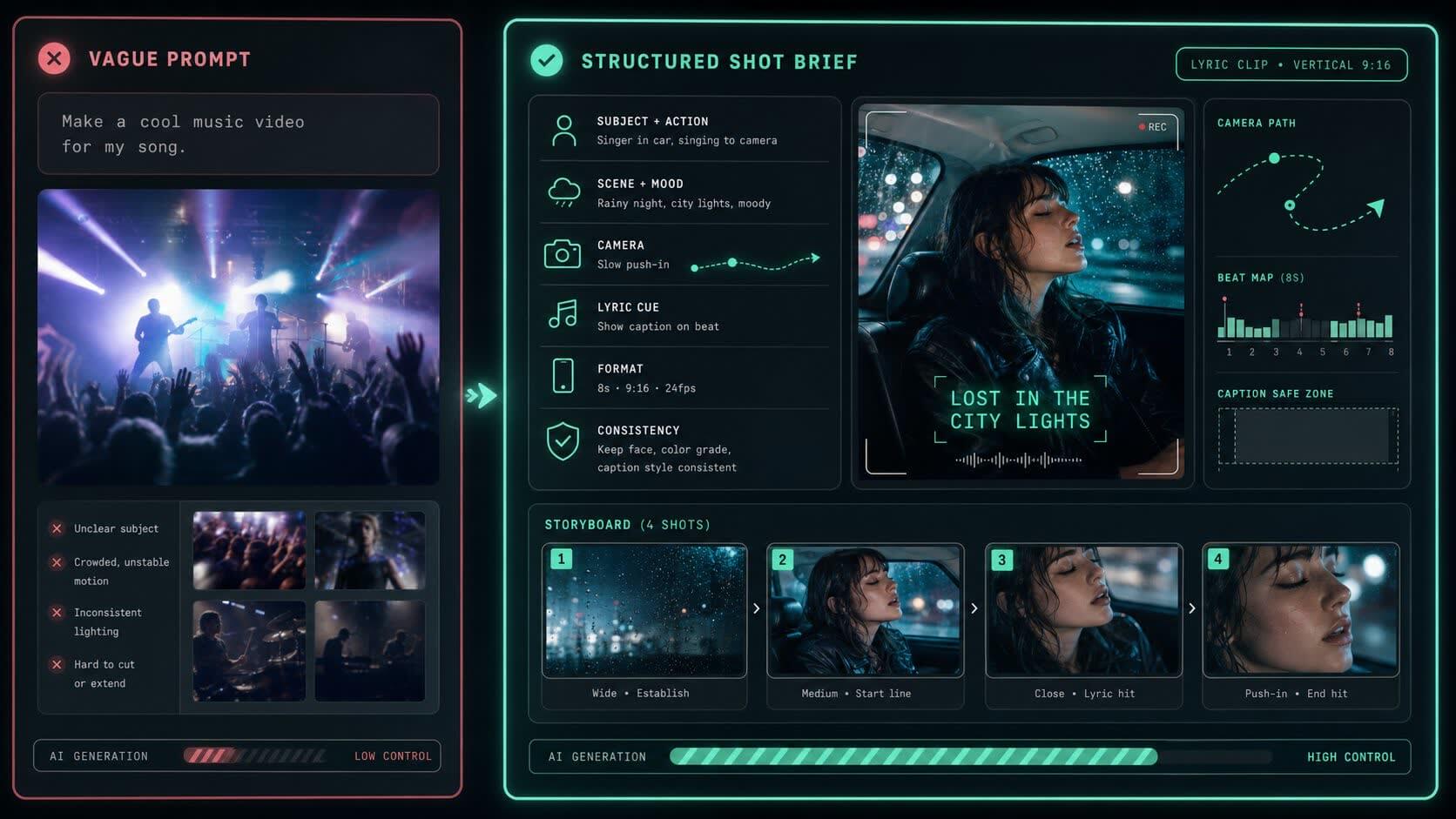
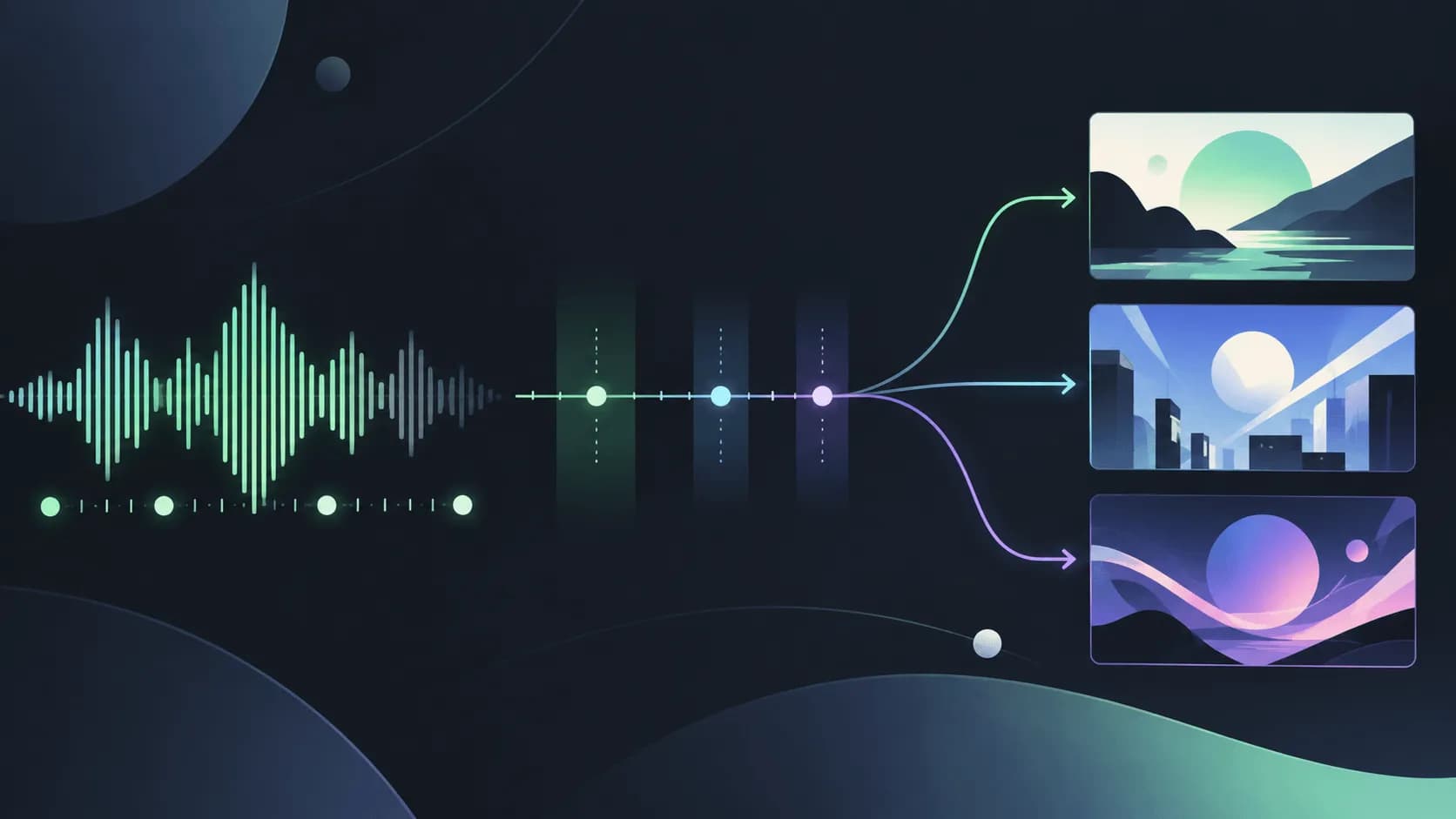
Most AI music video prompts fail because they ask for a mood instead of a shot. A useful prompt needs a subject, action, setting, camera move, lyric cue, format, and one consistency rule.
This guide gives you 30 copy-ready prompts for lyric clips, song promos, AI anime MVs, visualizers, cover-art loops, and short-form teasers. Pick the prompt that matches your next shot, replace the bracketed parts, then expand the best result into a full MV workflow.
Quick answer: the best AI music video prompt formula is duration + aspect ratio + song section + subject + action + setting + camera move + lyric cue + consistency rule.
So this is not a list of fake "viral" magic words. Each prompt is written to create one controllable shot first, not a random mood board or a full music video that the model has to invent from scratch.
If you do not want to copy-paste and rewrite every scene by hand, use a music video prompt generator after you know the shot you want. The prompt still needs a clear subject, scene, camera move, lyric cue, and consistency rule.
How Current AI Music Video Prompts Perform in Reality
You do not need to study every prompt guide or test result yourself. I used current AI video prompt guidance and output-based tests as source checks, including Google Veo, Replicate, and Tom's Guide's Veo 3 prompt tests. The useful pattern is simple:
They start with a clear visual job: a family of ducks walking by a river, an alien moving toward camera, a product drifting on a wet street, a singer alone in a car.
They describe the camera and setting, not just the vibe.
They avoid asking the model to solve too much at once.
A strong music video prompt works like a shot brief: one controlled subject, camera path, lyric cue, format, and consistency rule.
One tested Veo 3 prompt for a rock band performance looked reasonable, but it exposed a real problem: broad "band on stage" prompts can break faces, hands, crowd motion, and audio alignment. That matters for music videos because performance shots are some of the hardest AI clips to hold together.
For music videos, the safer workflow is the same: do not ask one prompt to carry the whole song. Build one strong shot first, then expand it into a sequence with the same subject, palette, caption style, and beat logic.
A Better Music Video Prompt Generator Formula
Use this structure when you write your own:
Create a [duration] [aspect ratio] music video clip for [song section]. Show [subject] doing [specific action] in [setting]. Use [camera movement], [lighting], and [edit rhythm]. Sync [visual moment/caption/action] to [lyric/beat]. Keep [character/object/color/text style] consistent.
Do not start with "make a viral music video." Start with the shot.
Complete AI Music Video Prompt Workflow Example
Here is a real workflow for a creator with one chorus line.
Song
sad pop chorus
Hook lyric
"I still hear your voice in the rain"
Goal
8-second 9:16 teaser for TikTok, Reels, and Shorts
1
Generate the hook shot
Create an 8-second vertical 9:16 music video teaser for a sad pop chorus. Open with a close-up of a singer sitting in a parked car at night, rain sliding down the windshield. Reveal the lyric "I still hear your voice in the rain" word by word on the strongest vocal beats. Use blue dashboard light, soft red street reflections, and a slow push-in camera move. End on the singer looking at an unread message. Keep the phone, rain, color palette, and caption style consistent. Leave the bottom and right side clear for platform UI.
2
Keep the best frame
If the face, rain, and caption timing work, keep that clip as the anchor. If the model drifts, do not add more adjectives. Tighten the prompt around the subject, the camera move, and the lyric timing.
3
Expand into a 4-shot MV
Turn this chorus idea into four 8-second vertical shots: 1) parked car close-up with rain on the windshield, 2) phone screen with an unread message, 3) empty street reflected in the car window, 4) singer looking up as the chorus ends. Keep the same singer, blue-red night palette, rain motif, and caption style across every shot.
That is the difference between a prompt and a workflow. The prompt makes one usable clip. The workflow gives you enough control to build a music video.
Want to turn a chorus line into planned scenes faster? Try SoulVid's AI music video generator after you choose the prompt direction, then use the strongest shot as your visual anchor.
30 Free AI Music Video Prompts You Can Copy Right Now
Use this quick finder before you scroll. Pick the job you have today, then jump to that prompt range.
Source pattern: TikTok-first creative advice favors a hook, body, and close. This prompt turns that into a music video shot.
Use when: one chorus line is the whole selling point.
Prompt:
Create an 8-second vertical 9:16 chorus teaser for a [genre] song. Start with a tight close-up of [artist/character] looking directly into camera in [setting]. Reveal the lyric "[hook lyric]" in three short caption beats. Use [lighting style], slow push-in camera movement, and a final frame that returns to the opening pose for a clean loop. Keep the subject centered and leave platform UI space clear.
02Lyric Text Message
Source pattern: Social lyric videos often work when the lyric appears inside an object viewers instantly understand.
Use when: the song is about breakup, regret, distance, or late-night texting.
Prompt:
Create a vertical 9:16 lyric video where the line "[hook lyric]" appears as an unsent phone message. Show a close-up of the phone reflected in a rainy window, hands hovering over the keyboard, blue and red night reflections, and a slow camera push-in. The final word appears right before the screen goes dark. Keep the phone position, text size, and rain texture consistent.
03Rap Punchline Visualizer
Source pattern: AI rap visuals often map punchlines into literal scenes. This version keeps it readable and avoids random chaos.
Use when: a rap bar has 3-5 words that need to hit hard.
Prompt:
Create a 7-second vertical 9:16 rap visualizer for the line "[rap line]". Show bold kinetic typography hitting on each snare, with quick close-ups of [object 1], [object 2], and [location detail]. Use handheld camera energy, streetlight reflections, and one glitch cut on the ad-lib. Keep the main words large enough to read on a phone.
04POV Listener Moment
Source pattern: Short-form music posts often sell a situation, not a plot.
Use when: the song is built around a mood people recognize.
Prompt:
Create a vertical 9:16 POV music video for listening to a [genre/mood] song while [real-life moment]. Show [specific object] in the foreground, [environment detail] in the background, and one short lyric caption appearing at the emotional beat. Use natural handheld movement, realistic lighting, and a loopable final shot.
Cover Art, Performance, and Artist Identity Prompts
05Cover Art Comes Alive
Source pattern: Image-to-video examples work better when the image supplies the identity and the prompt controls motion.
Use when: you already have cover art or a strong promo image.
Prompt:
Animate this cover art into an 8-second vertical 9:16 music video loop. Keep the main character, logo placement, colors, and composition unchanged. Add subtle motion: [hair/clothing/object] moving in the wind, background light flicker, slow camera push-in, and a final beat where [small detail] reacts to the music. Do not change the face, outfit, title text, or color palette.
06Performance Close-Up Without Crowd Chaos
Source pattern: Public Veo tests show broad band-stage prompts can break faces, hands, and crowds. This prompt narrows the shot.
Use when: you want performance energy without asking AI to handle a full concert.
Prompt:
Create an 8-second 16:9 music video shot of one singer performing the chorus on a small stage. Use a tight chest-up close-up, microphone in frame, warm backlight, shallow depth of field, and only blurred silhouettes of the audience. Cut once on the strongest drum hit. Keep the singer's face, microphone, and jacket consistent.
07Guitar Detail Shot
Source pattern: Detail shots are safer than full-body performance shots and work well between chorus clips.
Use when: guitar, bass, or instrumental texture matters.
Prompt:
Create a 6-second 16:9 music video insert of [instrument] being played during a [genre] chorus. Focus on hands, strings, pick movement, and stage light reflections. Use a low side angle, shallow depth of field, and cuts synced to the rhythm. Keep the instrument color and hand position consistent.
08One-Room Bedroom Pop Video
Source pattern: Creator-style videos feel more believable when they use one real location instead of a huge fantasy scene.
Use when: the track is intimate, lo-fi, acoustic, or bedroom pop.
Prompt:
Create a vertical 9:16 bedroom pop music video clip. Show [artist/character] sitting on the floor beside a bed, singing quietly into a small microphone. Add warm lamp light, posters on the wall, soft grain, and a slow pan from the microphone to the face. Reveal one lyric caption near the top safe area. Keep the room layout and outfit consistent.
Anime and Dance Music Video Prompts
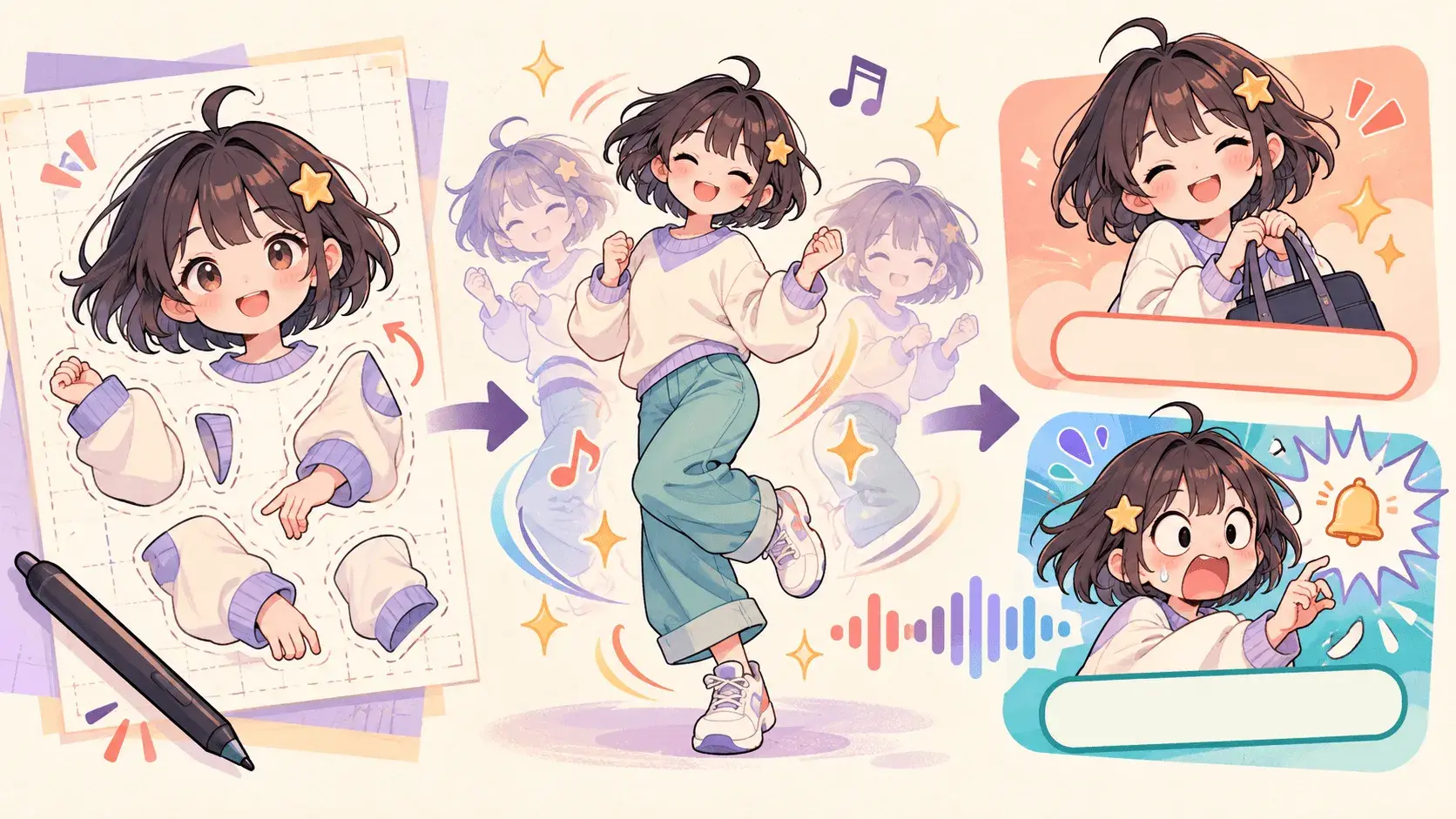
09Anime Character Anchor
Source pattern: Anime MV prompts only work across scenes when the character identity is locked first.
Use when: you want a recurring original character.
Prompt:
Create an anime-style character anchor for a music video. The same original character has [hair], [eye color], [outfit], and [signature accessory]. Show three short shots: bedroom close-up during the verse, night street walk during the pre-chorus, rooftop close-up during the chorus. Keep the face, outfit, proportions, and color palette consistent.
10Anime Chorus Close-Up
Source pattern: Many anime-inspired music clips rely on one memorable face shot with hair, light, and lyric timing.
Use when: the chorus needs a strong emotional image.
Prompt:
Create an 8-second vertical 9:16 anime-style chorus clip. Open with a close-up of an original character looking into camera, [background lights] behind them, wind moving their hair, and handwritten lyric captions appearing on the strongest words. Cut to hands, eyes, and skyline on the beat, then return to the same close-up for a loop.
11Rainy Train Platform
Source pattern: Public anime MV examples often use transit, rain, and night lighting because the emotion is readable fast.
Use when: the song is sad, nostalgic, or piano-driven.
Prompt:
Create a 16:9 anime-style music video scene on an empty train platform at night. Show falling rain, muted blue tones, passing train lights, close-up eyes, and [lyric object] held in one hand. Use slow zooms that match a quiet piano melody. Keep the same character, outfit, umbrella, and platform layout across the clip.
12Dance Hook Loop
Source pattern: Social music clips need simple movement that can loop.
Use when: the chorus has a clear rhythm but you do not need complex choreography.
Prompt:
Create a 7-second vertical 9:16 dance hook for an upbeat chorus. Start with [dancer/character] facing camera in [clean background]. Use three simple upper-body moves, cuts on the snare, one lyric caption, and a final pose that matches the opening frame. Keep the camera locked and the body centered.
Social Teaser and Visual Symbol Prompts
13Beat Drop Color Switch
Source pattern: Short AI video prompts perform better when the transition is tied to one clear beat event.
Use when: the song has a drop, beat switch, or chorus explosion.
Prompt:
Create an 8-second vertical 9:16 clip for the two seconds before a beat drop and the first six seconds after it. Start with dim light, close-up stillness, and slow motion. On the drop, switch to [color palette], faster cuts, camera shake, and [visual element] bursting into motion. End on a clean loopable frame.
14Product-Style Artist Shot
Source pattern: Product prompt examples often work because they specify surface, lighting, and camera rotation. Apply that control to an artist object.
Use when: you want a polished promo shot around merch, a cassette, vinyl, mask, or symbol.
Prompt:
Create a 6-second 16:9 cinematic promo shot of [artist object] on [surface]. Use soft light from the left, slow 180-degree camera movement, shallow depth of field, and small reflections synced to the beat. Keep the object shape, logo, and color unchanged.
15Hyperreal Object Symbol
Source pattern: Specific object prompts are more stable than vague emotional prompts.
Use when: one symbol carries the lyric.
Prompt:
Create a hyperreal 8-second music video shot of [symbolic object] in [setting]. The object reacts subtly to the chorus: [motion detail]. Use close-up framing, [lighting], and a slow camera move. The lyric "[short lyric]" appears once, small and readable. Keep the object centered and unchanged.
16Street-Level Walking Shot
Source pattern: Strong video prompts specify character, time of day, street type, emotion, and camera movement.
Use when: the song needs motion but not a big story.
Prompt:
Create an 8-second vertical 9:16 music video shot of [artist/character] walking alone through [specific street/location] at [time of day]. Show [emotion] through posture and facial expression. Use a handheld tracking shot from medium distance, [lighting detail], and one lyric caption timed to the step change. Keep outfit and location consistent.
17Empty Venue After the Show
Source pattern: Behind-the-scenes social music content works when the setting tells the story before the lyric appears.
Use when: the song is reflective, post-tour, or lonely.
Prompt:
Create a 10-second 16:9 music video scene inside an empty venue after a show. Show [artist/character] standing under one stage light, cables on the floor, empty seats, haze in the air, and a slow pull-back camera move. Reveal the lyric "[line]" as small text on the final beat. Keep the stage layout and lighting consistent.
18Fast Cut Mood Board, But Controlled
Source pattern: AI mood boards get messy unless every cut has a role.
Use when: you want quick visuals for a teaser but not random footage.
Prompt:
Create an 8-second vertical 9:16 music video teaser with four fast cuts: 1) [subject close-up], 2) [object detail], 3) [location wide shot], 4) [final emotional image]. Cut exactly on the beat. Use the same [color palette], lens style, and caption font across all shots. Keep each shot simple and readable.
Storyboard and Release Promo Prompts
19Lyric-to-Scene Storyboard
Source pattern: Rap and AI MV creators often turn lyric lines into scene prompts. This makes it safer and more reusable.
Use when: you have several visual lyrics.
Prompt:
Turn these four lyric lines into a four-shot music video storyboard. For each line, create one scene with subject, setting, camera movement, lighting, and the exact lyric caption. Keep the same main character, color palette, and visual symbol across all shots. Lyrics: [paste 4 lines].
20No-Face Visualizer
Source pattern: Avoiding faces can make AI clips more stable and easier to post for anonymous artists.
Use when: the artist does not want to show a face.
Prompt:
Create a vertical 9:16 no-face music visualizer for a [genre] track. Show [hands/shoes/silhouette/object] moving through [setting]. Use close-ups, reflections, shadows, and beat-synced light changes. Never show a clear face. Keep the color palette, object, and caption style consistent.
21Lo-Fi Loop
Source pattern: Loopable ambient clips work because they have one scene and one repeated motion.
Use when: lo-fi, study music, ambient, or instrumental tracks.
Prompt:
Create a seamless 10-second 16:9 lo-fi music loop. Show [character/object] in [cozy setting] with [small repeated motion], warm lamp light, gentle rain outside, and slow camera drift. The last frame should match the first frame. Keep all objects and lighting consistent.
22Vertical Album Trailer
Source pattern: Social promos need a beginning, middle, and close, not just visuals.
Use when: promoting an album, EP, or single release.
Prompt:
Create a 12-second vertical 9:16 album trailer. Shot 1: [cover art/object] appears in close-up. Shot 2: [artist/character] enters [setting]. Shot 3: lyric caption "[hook lyric]" appears on the beat. Shot 4: final frame shows "[release text]" with the cover art. Use [color palette], clean typography, and a loopable ending.
23Visualizer for an Unreleased Snippet
Source pattern: Snippet posts usually need one memorable action and one readable caption.
Use when: posting an unreleased song preview.
Prompt:
Create an 8-second vertical 9:16 unreleased-song visualizer. Show [artist/character/object] in [setting], with one repeated motion synced to the hook. Add the caption "[short tease line]" at the top safe area. Use [lighting], slow camera movement, and a final frame that loops back to the start.
24Car Window Chorus
Source pattern: Car interiors are common in music promo because reflections, faces, and motion create emotion quickly.
Use when: night drive, breakup, R&B, pop, or sad rap.
Prompt:
Create an 8-second vertical 9:16 chorus clip from inside a moving car at night. Show [artist/character] reflected in the side window, city lights passing, soft dashboard glow, and the lyric "[line]" appearing with the vocal. Use a slow push-in and keep the face reflection, window rain, and caption style consistent.
Advanced Reference and Full MV Planning Prompts
25Live Photo Style Clip
Source pattern: Creator posts often feel better when the AI clip looks like a captured moment, not a fake trailer.
Use when: you want something casual and believable.
Prompt:
Create a 6-second vertical 9:16 live-photo-style music clip. Show [artist/character] in [everyday setting], caught in a small real moment: [action]. Use natural phone-camera movement, available light, slight motion blur, and one short lyric caption. Keep it imperfect, intimate, and realistic.
26Surreal But Grounded
Source pattern: Surreal prompts work better when one impossible element is placed inside a specific real setting.
Use when: the song feels dreamlike but still needs coherence.
Prompt:
Create an 8-second 16:9 surreal music video scene. Show [artist/character] standing in [real setting] while [one impossible visual event] happens slowly around them. Use realistic lighting, a steady camera, and minimal cuts. Keep the character calm and the environment physically consistent.
27Genre-Specific Visual Pack
Source pattern: Prompt guides often include genre, but genre alone is not enough. This adds scene and motion.
Use when: you need visuals that match a genre without naming another artist.
Prompt:
Create three 8-second music video shots for a [genre] track. Shot 1: [performance or subject close-up]. Shot 2: [symbolic object or location]. Shot 3: [chorus reveal]. Use [genre-specific lighting], [camera style], and [edit rhythm]. Keep the same palette, subject identity, and typography across all shots.
28Safe-Space Caption Edit
Source pattern: Platform-ready clips need text that does not fight the app UI.
Use when: captions are central to the clip.
Prompt:
Create a vertical 9:16 lyric edit for [song section]. Keep all important text in the upper-middle safe area, away from bottom controls and right-side UI. Show [subject] in [setting], use [camera movement], and reveal one short lyric phrase per beat. Keep the font, size, and color consistent for the whole clip.
29Reference Image Motion Prompt
Source pattern: Multi-modal prompt guides recommend using images for exact style or subject, then text for motion.
Use when: you have an artist photo, cover art, character sheet, or mood reference.
Prompt:
Use the uploaded reference image as the identity and style anchor. Create an 8-second music video shot where [subject/object from image] moves through [specific action]. Keep the face, outfit, logo, color palette, and composition close to the reference. Add only these motions: [motion 1], [motion 2], [camera movement]. Do not redesign the subject.
30Full MV Shot List
Source pattern: The strongest public AI music video workflows use scripting and scene planning instead of one giant generation.
Use when: you are ready to build a full 30-60 second MV.
Prompt:
Create a shot list for a 45-second AI music video for a [genre/mood] song. Break it into 6 shots: intro, verse, pre-chorus, chorus, bridge, outro. For each shot, write the subject, action, setting, camera movement, lighting, lyric or beat cue, and consistency rule. Keep the same [character/object/color palette] across the entire video.
Use These Music Video Prompts With a Generator
Do not paste all 30 prompts into a generator. Pick the one that matches your next job:
Need a post today: use a chorus hook, text-message lyric, or live-photo prompt.
Need a stronger visual identity: start with the cover-art, object-symbol, or anime-character prompt.
Need a full music video: generate one anchor shot, then expand it into a shot list.
The fastest workflow is:
Test one 6-8 second hook clip.
Keep the best frame, color palette, subject, and caption style.
Build 3-6 more shots around the same visual anchor.
Edit the sequence after the direction is stable.
Plan your MV shots with SoulVid
Use SoulVid to shape lyrics, references, and scene ideas into a shot-by-shot music video workflow.
A good AI music video prompt names the song section, subject, action, setting, camera movement, lighting, aspect ratio, caption rule, and consistency rule. The model needs a shot, not just a mood.
Are these prompts copied from social media?
No. They are rebuilt from public prompt examples, AI video tests, creator workflows, and platform rules. Copying someone else's exact prompt usually gives weaker results because your song, lyric, and visual identity are different.
Why do AI music video prompts often look fake?
They ask for too much at once. A full band, crowd, camera moves, lyrics, lighting, and story in one short prompt can cause face drift, hand glitches, random cuts, and bad timing. Start with one shot.
Should I make AI music videos in 9:16 or 16:9?
Use 9:16 for TikTok, Reels, and Shorts. Use 16:9 for YouTube, website embeds, and cinematic visualizers. If the same song needs both, generate the vertical hook first, then rebuild wider scenes for YouTube.
Can I use these prompts for TikTok, Reels, and YouTube Shorts?
Yes. Start with the vertical 9:16 prompts, keep captions in the upper-middle safe area, and leave the bottom and right side clear for platform UI. Test one hook clip first before expanding the song into more scenes.
What is the best prompt for turning lyrics into a music video?
Use a prompt that turns one lyric line into one controlled shot: name the song section, subject, action, setting, camera movement, caption timing, and consistency rule. Do not ask the model to create a full music video from the whole song in one prompt.
Can I use artist names in prompts?
Avoid asking the model to imitate a living artist or copy a copyrighted music video. Describe the genre, camera style, lighting, mood, and scene instead.