Introduction: Why Are AI BLEACH MVs Trending?
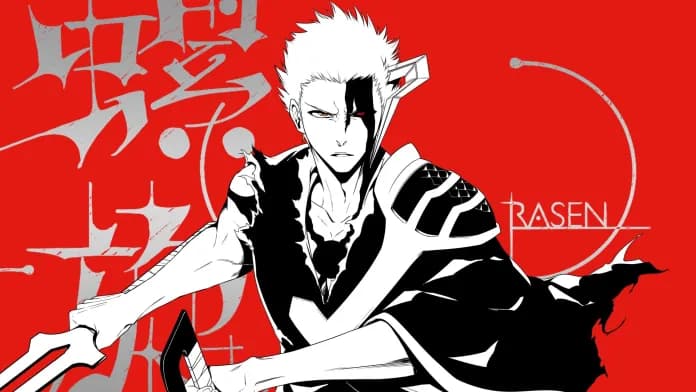
AI BLEACH searches bring together two active creator interests: the return of BLEACH: Thousand-Year Blood War and the rapid growth of AI music video workflows. The final cour gave that overlap a fresh reason to move. Its final promotional video arrived on July 5, 2026, before the July 25 broadcast premiere, and used both jo0ji's opening theme "I-BULL" and 9Lana's ending theme "RASEN."
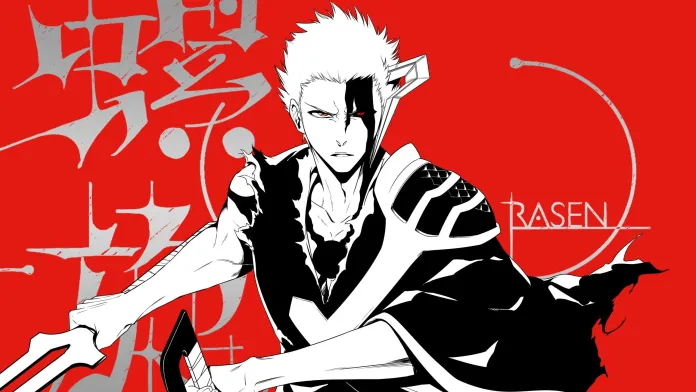
The timing continued beyond the trailer. Sony Music premiered the official "RASEN" music video on August 1, giving fans another example of how character imagery, musical tension, and a clear dramatic progression can work together. You can watch the official final promotional video and read the official Sony Music announcement for "RASEN" before studying the workflow below.
This tutorial does not reproduce either official video shot for shot. Instead, it examines why that kind of anime trailer feels powerful, then follows a real 50-second SoulVid project from its music and reference assets through four storyboards and one finished AI BLEACH MV.
BLEACH and its characters belong to their respective rights holders. If you plan to publish or monetize your own project, use music, character designs, artwork, logos, and other assets that you created or have permission to use.
What Makes a BLEACH MV Like the Thousand-Year Blood War Final Trailer Feel So Powerful?
The strongest BLEACH trailers do not begin at maximum intensity and remain there. They create pressure, reveal the characters, raise the scale of the conflict, and save the largest visual release for a musical turning point. That contrast makes the final attack or transformation feel earned.
The SoulVid AI BLEACH project uses the same principle in a compact form. Its four storyboard titles describe a complete progression:
| Storyboard | Duration | Dramatic role |
|---|---|---|
| Desperate Defense | 14 seconds | Establish pressure and put the characters at a disadvantage |
| Shattered Limits | 13 seconds | Escalate the conflict and push beyond the opening situation |
| Awakened Power | 12 seconds | Deliver the central turning point |
| Triumphant Shine | 11 seconds | Resolve the buildup with the strongest release |
The four segments total exactly 50 seconds, matching the music node. This matters because the sequence is planned as one MV rather than four unrelated AI clips.
Character reveals come before the largest action
A weapon, face, stance, or silhouette can carry more tension than an immediate wide battle shot. A restrained opening gives the viewer time to understand who matters. Once the conflict expands, later shots can move faster without becoming visually confusing.
Recurring references hold the world together
The reference project does not ask every storyboard to invent its own characters, location, stage, and weapon. It establishes those elements first, then connects them to the storyboard sequence. Reusing the same references helps the final MV feel like one production with a deliberate visual identity.
The music and story reach the climax together
The final promotional video for Thousand-Year Blood War uses both an opening and an ending theme to change the emotional temperature of the edit. The SoulVid example uses one shorter track, but the underlying lesson is the same: the visual progression should follow the music's changing intensity. A transformation feels stronger when the preceding sequence has created room for it.
What You Need Before Creating the AI BLEACH MV
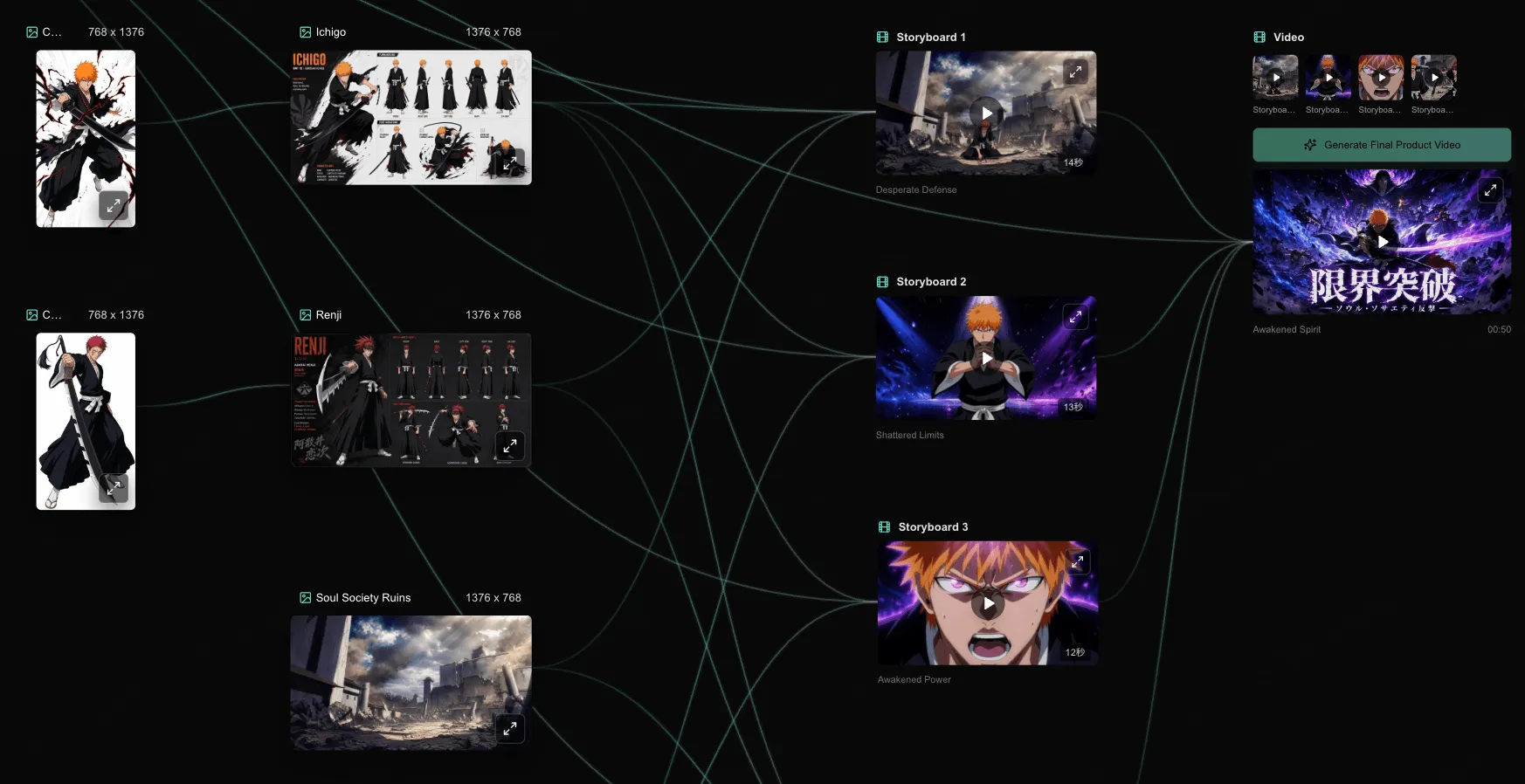
The public SoulVid example is already organized as a connected canvas. Before generating video, it establishes the music, two character branches, three reusable visual references, and four storyboard segments.
| Project element | Nodes in the SoulVid example | Purpose |
|---|---|---|
| Music | Generate Music - 00:50 | Sets the total duration for the MV |
| Character branch 1 | Character1 and Ichigo | Keeps the first character recognizable across scenes |
| Character branch 2 | Character2 and Renji | Keeps the second character recognizable across scenes |
| Environment references | Soul Society Ruins and Studio Performance Hall | Establishes the two recurring spaces |
| Prop reference | Zanpakuto Sword | Preserves a recurring weapon design |
| Storyboards | Desperate Defense, Shattered Limits, Awakened Power, and Triumphant Shine | Divides the music into four connected dramatic stages |
| Final output | Awakened Spirit - 00:50 | Combines the four storyboards into the finished video |
If you are adapting the workflow for an original project, prepare the same categories before you generate the final video:
- Music: one finished or generated track that you have permission to use.
- Characters: clear reference images for the main figures appearing across multiple storyboards.
- Environments: the small number of locations that define the video's world.
- Props: weapons or signature objects that must remain recognizable.
- Progression: a beginning, escalation, turning point, and ending that fit the track's duration.
For a deeper explanation of reference design, use the SoulVid character consistency guide before building the storyboards.
How to Create an AI BLEACH MV with SoulVid
Open the public AI BLEACH MV project to inspect the complete canvas. The shared version opens in read-only mode. Choose Copy Project when you are ready to create an editable version and adapt its connected workflow.
Step 1: Generate the 50-Second Music Track
The project begins with a node titled Generate Music. Its track runs for 50 seconds, so it establishes the duration that every later storyboard must cover.
Keep this music node connected to the visual workflow instead of treating the soundtrack as something to add after the scenes are finished. The four storyboard durations in this example add up to the same 50 seconds, which prevents an uncovered ending or a group of clips that run longer than the music.

Step 2: Create the Character References
The example contains two connected character branches: Character1 as Ichigo and Character2 as Renji. These references are established before the storyboard nodes so the same figures can appear throughout the MV.
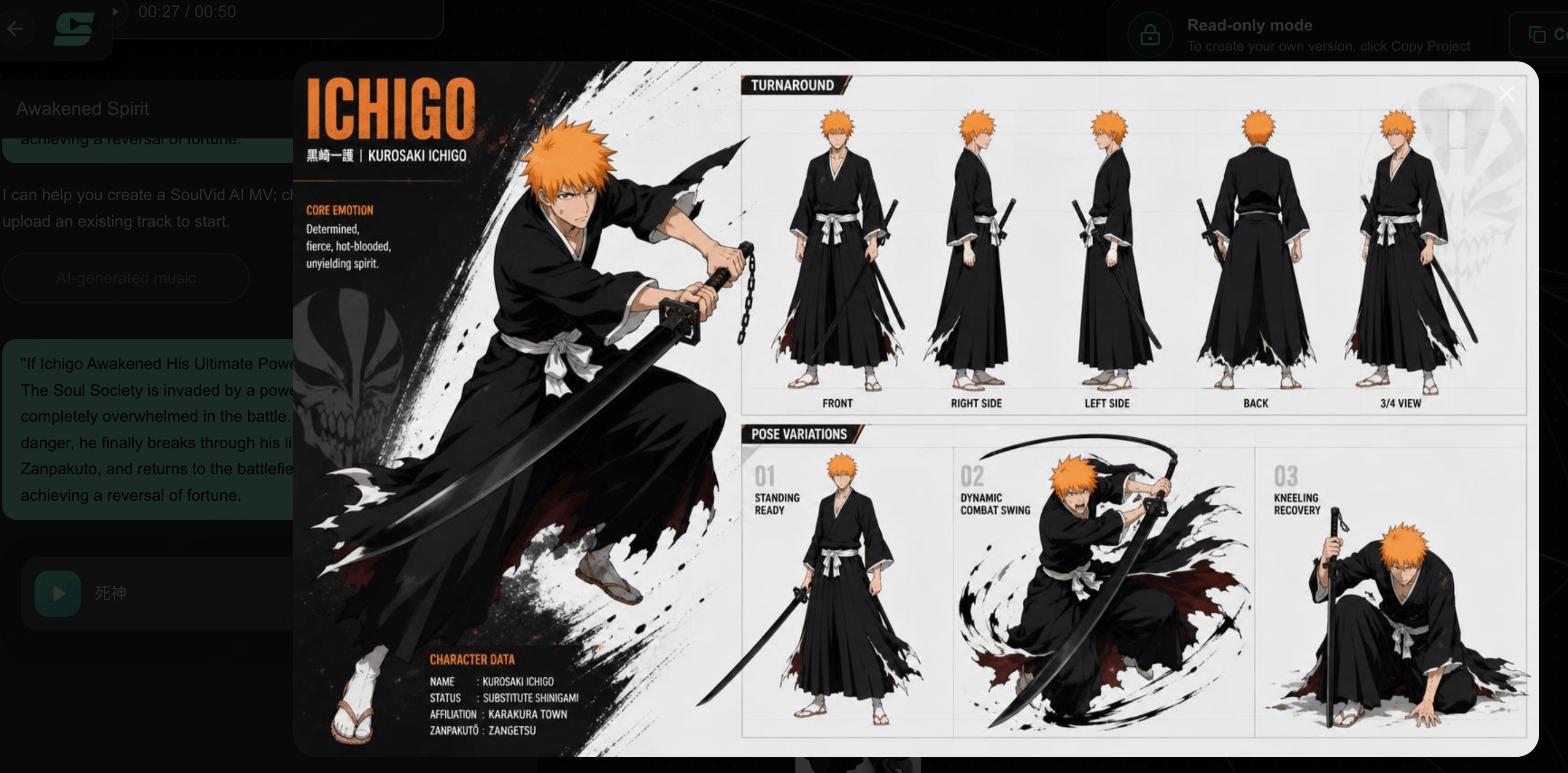
Review each reference as a continuity source rather than as an isolated illustration. The details that matter most are the character's silhouette, face, hair, clothing structure, primary colors, and weapon relationship. If those elements are unclear in the reference, every storyboard has more room to reinterpret them.
For an original AI anime MV, replace recognizable copyrighted characters with your own designs while keeping the two-branch structure. That lets you preserve the workflow without depending on an existing franchise's artwork.
Step 3: Create the Scene and Weapon References
The project establishes three more visual sources before generating the storyboards:
- Soul Society Ruins provides the damaged battle environment.
- Studio Performance Hall provides a contrasting performance space.
- Zanpakuto Sword provides the recurring weapon reference.
These references give the storyboards shared visual anchors. A location can return from a different camera angle while still feeling like the same place, and a weapon can remain recognizable even when the action changes.
Keep the set small. Adding a new environment, costume, or weapon to every segment may create variety, but it also weakens continuity. Two recurring locations and one important prop are enough for this 50-second structure.
Step 4: Build the Four Storyboards
The example divides the track into four storyboards rather than trying to generate the complete MV in one request. Each segment has a title, a duration, and a distinct place in the dramatic progression.

Open under pressure. Introduce the conflict and make the characters' starting position clear before the sequence accelerates.
Escalate the situation. The second segment should feel more dangerous or demanding than the first without delivering the final release yet.
Deliver the turning point. This is where the power balance changes and the visual energy can expand with the music.
Resolve the progression. Use the final segment for the strongest payoff and a clear closing image.
The durations become slightly shorter as the sequence advances. That gives the second half a faster sense of movement while preserving enough time for each stage to remain readable.
Review each storyboard separately before assembling the final output. Check whether it still uses the intended character, environment, and weapon references, then confirm that its ending can lead naturally into the next segment.
Step 5: Combine the Storyboards into the Final Video
The Video node receives Storyboards 1 through 4 in order. Together they produce the final 50-second output titled Awakened Spirit in the shared project.
Before generating the final version, confirm three things:
- The storyboard order still follows defense, escalation, awakening, and resolution.
- Their combined duration matches the 50-second music track.
- The same character, environment, and weapon references remain visible across the complete sequence.
This final assembly is why the project works as a reusable workflow. You can revise one reference or storyboard without replacing every part of the canvas, then return to the Video node when the connected pieces are ready.
Create your own AI BLEACH MV or inspect the complete workflow
Start a new AI music video, or inspect the music, character, environment, prop, storyboard, and final video nodes in the connected example.
Create an AI Music Video with SoulVid Open and Copy the AI BLEACH MV ProjectCommon AI Anime MV Problems
- The characters change between storyboards: Return to the character branches and make the identity-defining details clearer. Do not solve every drift problem by adding a new character image with different clothing or proportions.
- The reference assets conflict: A character image, location image, and weapon image may imply different palettes or production styles. Align the references before connecting them to several storyboards.
- The storyboard durations do not cover the track: Add the segment lengths before final generation. In the reference project, 14 + 13 + 12 + 11 seconds covers the complete 50-second music node.
- Every segment feels equally intense: Keep a readable progression. If the opening already contains the largest effect and fastest action, the awakening and final payoff have nowhere to grow.
- Locations change without a reason: Reuse a small set of environment references. A new background in every shot can make one MV look like several unrelated demos.
- Effects hide the characters: Energy, smoke, particles, and flashes should support the action. Preserve the silhouette, face, weapon, and direction of movement at the most important moments.
- The project depends on copyrighted material: A public tutorial or commercial release needs assets you own or are licensed to use. Do not assume that AI generation removes the rights attached to an existing character, song, logo, or frame.
Frequently Asked Questions
What is an AI BLEACH MV?
Can I copy the SoulVid AI BLEACH project?
How many storyboards does this AI BLEACH MV use?
How does SoulVid keep the characters consistent?
Can I use official BLEACH footage or music in my AI MV?
Can I use the same workflow for an original anime MV?
Conclusion
An effective AI BLEACH MV is not a folder of dramatic clips placed over a song. It is a connected progression in which the music establishes the duration, the reference assets stabilize the world, and the storyboards move from pressure to escalation, awakening, and resolution.
The public SoulVid project makes that structure visible on one canvas: a 50-second music node, two character branches, two recurring environments, one weapon reference, four storyboards, and one final video. Use the workflow as a practical reference, then build your own publishable version with music and visual assets you have the right to use.
Build your AI anime MV from a connected workflow
Bring your music, character references, environments, and storyboards into one connected project, then shape them into a complete video.
Create Your AI Music Video with SoulVid