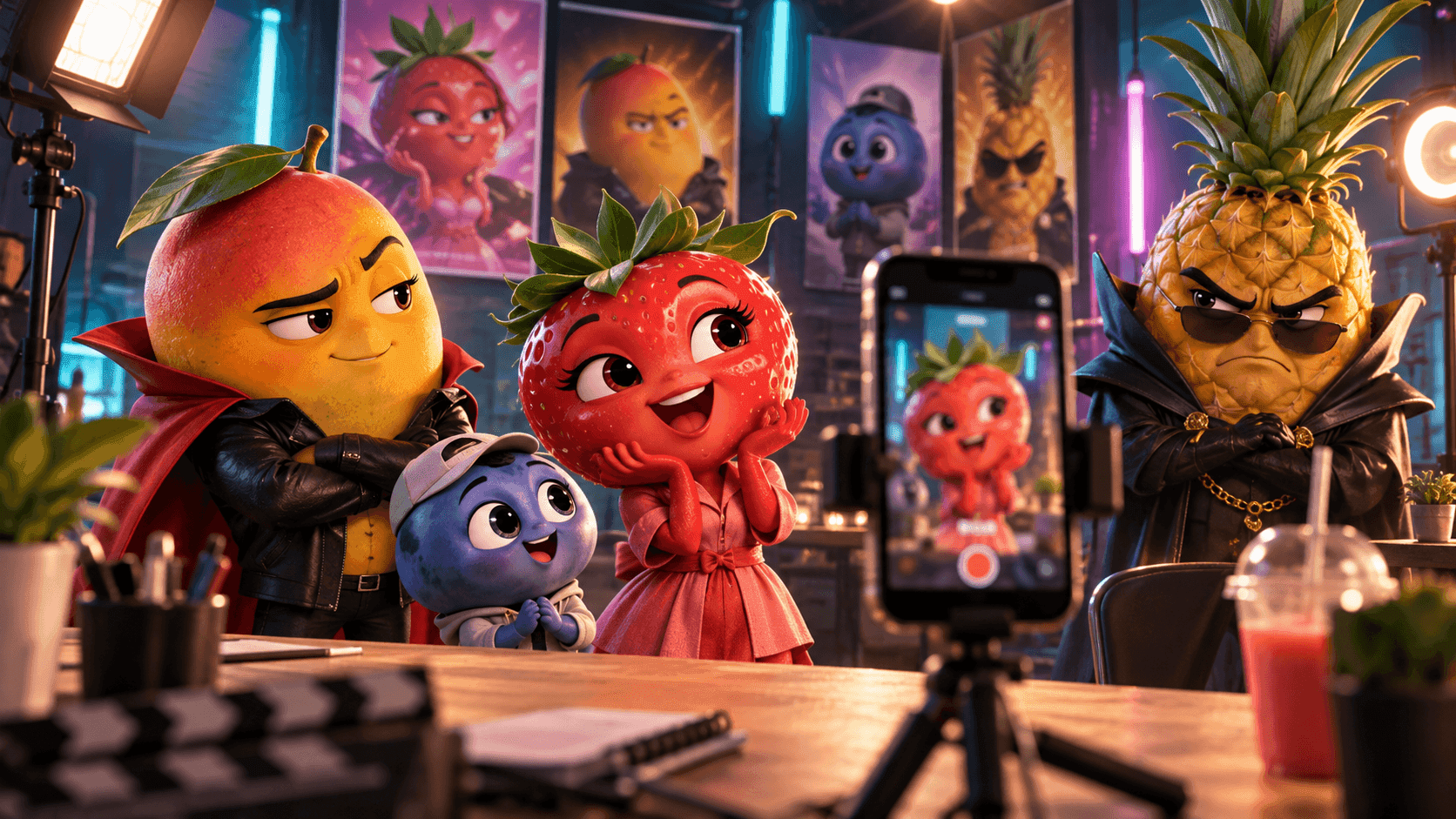
The first shot looks right. The second shot is beautiful. By the third shot, the lead has a different jawline, a shorter jacket, lighter hair, and a new age. Nothing is technically broken, but the audience no longer believes they are watching the same person.
Creating consistent characters in AI video is less about finding one magic prompt and more about controlling a production pipeline. You need an approved character reference, a short list of identity anchors, a storyboard that separates the video into manageable shots, and a review process that catches drift before it spreads across the edit.
To keep an AI character consistent, approve one clear reference first, define the details that cannot change, reuse the same reference set in every shot, prompt mainly for action and camera movement, generate the video shot by shot, and replace only the clips that lose the character. A connected workflow matters more than repeating "same person" in a longer prompt.

This guide gives you one practical workflow, then adapts it for AI short dramas, anime music videos, and commercial videos. The goal is not to produce identical frames. The goal is to preserve identity while the character moves through different angles, emotions, locations, and story beats.
What Character Consistency Actually Means
Character consistency is the audience's ability to recognize one person or designed character across a sequence. Facial similarity is part of it, but a face alone is not enough. A character can keep the same eyes and still feel wrong because the body, costume, age, palette, or movement language changed.
Think about consistency as several connected layers:
| Layer | What can drift | What to lock |
|---|---|---|
| Identity | Face shape, age, skin tone, eye color | Approved portrait and a few facial anchors |
| Body | Height, build, proportions, posture | Full-body reference and silhouette |
| Styling | Hair, clothing, accessories, makeup | Costume reference and continuity notes |
| Performance | Expression, gesture, voice, lip movement | Character intention and scene emotion |
| Visual treatment | Rendering style, palette, texture | Shared art direction and lighting rules |
| Story continuity | Injuries, props, relationships, location | Storyboard and scene-by-scene continuity log |
Not every detail needs to remain frozen. Expressions should change. Clothing may change when the story moves to another day. Lighting should respond to the location. Good continuity separates intentional changes from accidental redesigns.
Why AI Characters Change Between Shots
Every generation asks the model to interpret a new combination of image, text, motion, and composition. Small differences in that input can produce a different valid interpretation of the character.
Common causes include:
- Text-only identity: descriptions such as "young woman with dark hair" leave too much room for variation.
- Conflicting references: different outfits, ages, color treatments, or facial angles can be blended together.
- Too many simultaneous changes: a new location, costume, action, lens, expression, and lighting setup place identity under more pressure.
- Extreme camera angles: profiles, overhead shots, wide lenses, and fast rotations reveal information missing from the original reference.
- Complex motion: running, dancing, fighting, turning, and interacting with objects can distort the face or body.
- Long one-shot requests: the model must preserve identity while also inventing several actions and transitions.
- No continuity review: one attractive but inaccurate shot becomes the reference for the next mistake.
Reference-to-video and image-to-video workflows reduce this uncertainty because the model begins with approved visual information. They do not remove the need for direction. A reference can preserve a face while the outfit, hands, proportions, or signature prop still changes.
Prepare a Character Reference Pack
Do this before generating final scenes. A small, coherent reference pack is usually more useful than a folder of unrelated portraits.
Choose a golden reference
Start with the clearest version of the character. A front or three-quarter portrait should show the facial structure, hairline, eye shape, skin tone, and the styling that matters. Use even lighting and avoid an expression so extreme that it hides the normal face.
The golden reference is the source of truth. Do not quietly replace it after three shots because another generation looked more fashionable. If the design must change, approve a new version and treat it as a deliberate production decision.
Add views that answer missing questions
A useful character sheet can include:
- A clear face close-up
- A three-quarter portrait
- A full-body front view
- A side or profile view when the video uses profile shots
- One neutral expression and one important story expression
- A separate costume or signature-prop reference when those details are essential
Do not add views simply to reach a number. Each image should clarify something the other images do not show. Remove references that depict another colorway, an older costume, conflicting anatomy, or a different visual style.
Write a compact identity block
Choose five to eight durable anchors. Favor details that remain readable at different distances.
Mara is a woman in her early 30s with a heart-shaped face, warm medium-brown skin, wide dark eyes, a straight nose, and shoulder-length black curls parted on the left. She has a slim athletic build and calm upright posture. Her signature look is a dark teal coat, narrow silver pendant, and oxblood shoulder bag.
This is more controllable than a page of poetic description. Tiny embroidery, complex jewelry, and delicate surface details often disappear in motion. A distinctive silhouette, hair shape, color block, or signature object survives more reliably.
Separate fixed details from flexible details
Create two lists before storyboarding.
| Fixed unless the story says otherwise | Flexible by shot |
|---|---|
| Facial structure and age | Expression and gaze |
| Hair length, texture, and part | Hair movement |
| Height, build, and proportions | Pose and gesture |
| Current costume and signature object | Camera distance and angle |
| Core rendering style | Weather and lighting intensity |
| Character role and voice identity | Location and emotional energy |
When a fixed detail changes, record why and where. A coat removed in Scene 4 is continuity. A coat randomly changing color in Scene 4 is drift.
How to Keep an AI Character Consistent Step by Step
Step 1: Create the reference pack before the final prompt
Approve the face, silhouette, outfit, and important object first. Test a neutral portrait and a full-body image. If the character already looks unstable in still images, additional motion will magnify the problem.
For multiple characters, create a separate reference pack and identity block for each person. Give each cast member distinct visual anchors instead of describing everyone as variations of the same fashionable lead.
Step 2: Build a storyboard with continuity fields
A storyboard keeps generation focused. Each row should define:
- The job of the shot
- Which characters appear
- The location and time
- The current costume and props
- One primary action
- The shot size and camera movement
- The emotion at the beginning and end
- The identity details that must remain unchanged
Use the SoulVid AI storyboard guide when you need a practical shot table. Storyboarding is especially important for consistency because it tells you which changes are planned before you start judging the generated clips.
Step 3: Separate the project brief from the shot prompt
The project brief defines shared character and art direction. The shot prompt defines what happens now. Do not paste an entire screenplay into every generation.
Use this copy-ready structure:
Character consistency shot template
REFERENCE PRIORITY
Use the uploaded approved character references as the source of truth. Preserve the same face, age, skin tone, body proportions, hairstyle, and current costume.SHOT
[Shot size and camera movement]. [Character name and short identity block] is in [specific environment]. The character performs [one clear action] and ends in [stable ending pose or composition].
CONTINUITY LOCK
Keep [facial anchors], [hair anchors], [costume anchors], [signature object], and [visual style] unchanged from the references and adjacent shots. Maintain the established scale, lighting direction, and story state.
MOTION
Use physically believable body movement, natural blinking and breathing, stable hands, and restrained fabric and hair motion. Keep the face readable at the intended camera distance.
DO NOT CHANGE
No different face, no age shift, no altered body proportions, no hairstyle redesign, no unplanned costume change, no missing signature object, no duplicated accessories, no identity swap, no extra characters, and no sudden rendering-style change.
Prompts cannot replace references, but they can prevent the shot from spending its attention on unnecessary reinvention.
Step 4: Generate anchor shots first
Do not start with every transition. Test the shots that reveal the character most clearly:
- Identity anchor: a medium close-up that tests the face and expression.
- Silhouette anchor: a full-body shot that tests costume and proportions.
- Motion anchor: the most important walk, performance, dialogue, or product interaction.
Once these shots work, use them as visual and editorial anchors for the surrounding sequence. If the most important close-up does not resemble the approved character, do not generate ten more scenes and hope the edit hides it.
Step 5: Keep each shot responsible for one main action
"She turns, runs downstairs, changes clothes, enters a taxi, argues on the phone, and arrives at the airport" is a sequence, not one shot. Split it into clear units. Fewer simultaneous actions make identity, anatomy, and object contact easier to preserve.
Camera direction should be equally focused. Choose a push-in, side track, restrained orbit, locked close-up, or another clear move. Fast rotations and abrupt lens changes make character comparison harder and create more opportunities for drift.
Step 6: Review identity before style
A dramatic shot can still be unusable. Check the face, body, costume, and story state before approving lighting, particles, scenery, or camera flair.
Review every clip at normal speed, then pause on the opening, middle, and closing frames. Compare them with the golden reference and the shots immediately before and after.
Step 7: Repair the weak shot, not the whole project
Classify the failure before regenerating:
| Failure | First adjustment |
|---|---|
| Face drift | Use a clearer portrait and reduce angle or motion complexity |
| Costume drift | Add the approved costume reference and shorten the clothing lock |
| Body distortion | Simplify the action and use a more readable camera distance |
| Identity swap | Separate character references and clarify positions in the frame |
| Style drift | Restore the shared palette, texture, and rendering direction |
| Prop disappears | Make the prop part of the identity lock and keep contact visible |
| Lip-sync looks wrong | Shorten the line, improve the audio reference, or use a tighter performance brief |
Change one category at a time. If you rewrite the character, location, action, camera, and style together, you will not know which adjustment helped.
Consistent Characters in AI Short Dramas
Short dramas put more pressure on continuity than isolated clips. A viewer needs to track who is speaking, what each character wants, which day the scene belongs to, and how relationships change across an episode.
Build a compact cast bible with one block per character:
- Name, role, and relationship to the other characters
- Approved face and full-body references
- Distinctive silhouette, color, and signature object
- Voice identity and dialogue style
- Costume by story day or location
- Emotional baseline and important changes
For a two-person confrontation, identify positions as well as appearances: Mara stands frame left beside the window; Daniel stands frame right near the door. Give each character a distinct wardrobe color and avoid cutting from one ambiguous medium shot to another.
Track visible story state. If a character receives a cut on the cheek in Scene 3, the mark should remain in Scene 4. If a necklace becomes evidence, it cannot vanish during the close-up. Dialogue continuity and visual continuity should live in the same storyboard rather than in separate notes.

Keep the cast connected across every scene
Start with a story idea or script, then organize characters, relationships, dialogue, storyboard beats, and continuity before generating the episode.
Create an AI Short DramaConsistent Characters in Anime Music Videos
Anime music videos need identity continuity and music continuity at the same time. The character should remain recognizable while the verse, chorus, bridge, palette, camera energy, and visual symbols evolve with the song.
Use bold, durable anime anchors:
- Hair silhouette and one clear color relationship
- Eye shape or another readable facial trait
- Costume silhouette rather than many tiny decorations
- A signature object such as a lantern, courier bag, instrument, or mask
- A defined rendering treatment and line quality
- A limited palette that can survive bright and quiet scenes
Let the music change motion and environment without redesigning the performer. The chorus can widen the camera, increase wind, introduce stronger color, or reveal a larger world. The bridge can reduce movement and light. Those changes create progression while the approved face, outfit, proportions, and visual treatment stay intact.
Transformations require an explicit before and after design. Do not ask the model to invent a new form during a fast action shot and expect it to return to the original perfectly. Storyboard the transformation as several controlled shots and preserve one recognizable anchor through every stage.
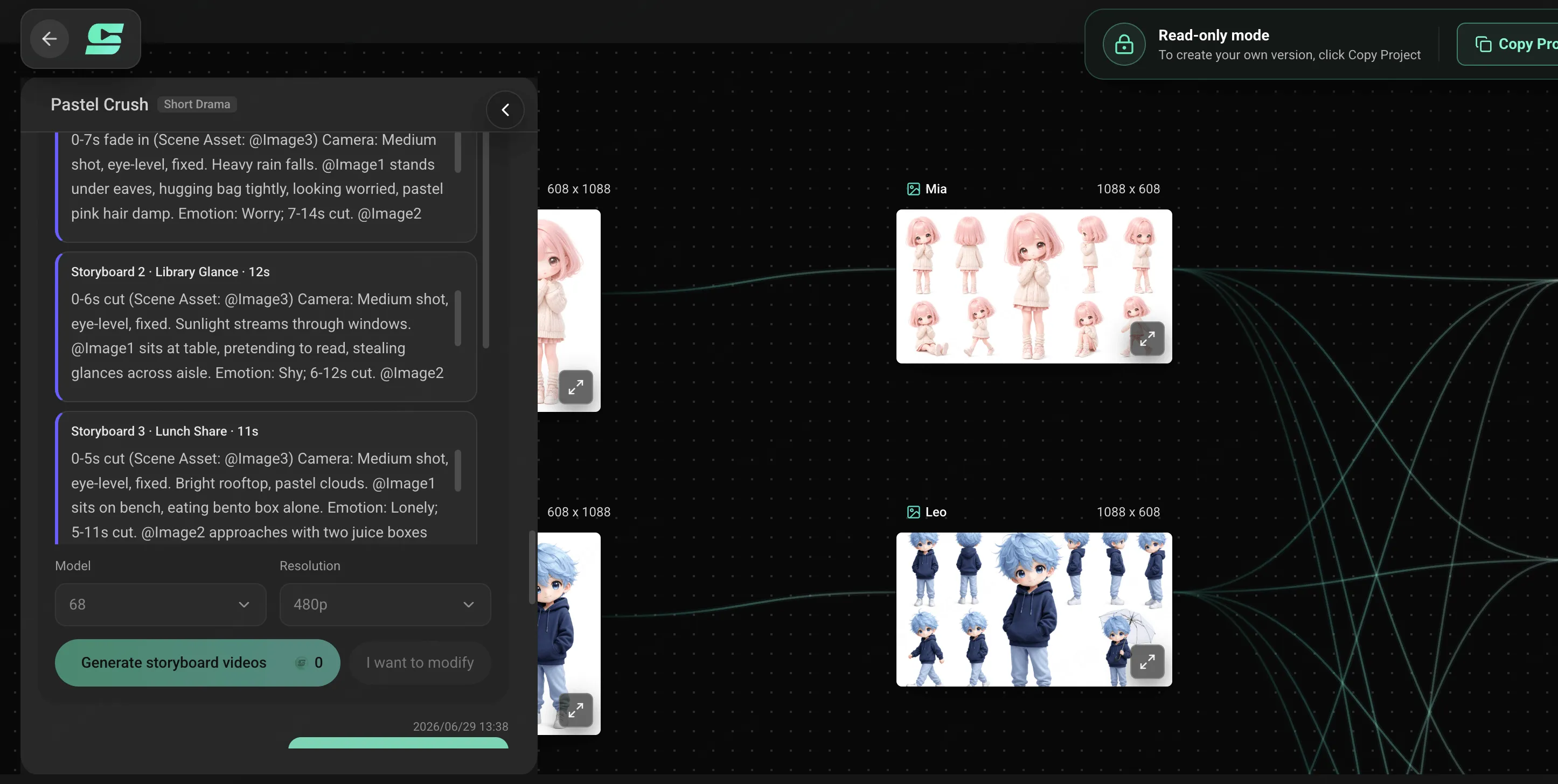
For the complete music-first process, read how to make an anime music video with AI.
Build one character across the whole song
Upload your track, define the character and anime direction, then shape verses, choruses, and transitions into one connected storyboard.
Create an Anime Music VideoConsistent Characters in Commercial Videos
Commercial videos often have two identities to protect: the person and the product. A model may stay recognizable while the handbag changes clasp, a shoe changes sole, or a device gains a button. That is still a continuity failure.
Create separate locks for:
- Person: face, age, body proportions, hair, wardrobe, makeup, and performance tone
- Product: shape, material, color, construction, hardware, packaging, and accurate logo
- Brand: palette, set design, typography space, lighting, camera language, and sound
- Interaction: believable scale, hand contact, weight, fit, and product behavior
Use the product reference as the source of truth, not an adjective such as "premium." If an ad needs several campaign versions, reuse the approved person, product, and brand assets while changing one variable such as audience, setting, opening hook, or aspect ratio.
Pay special attention to hands and contact. A correct face does not rescue a shot where fingers merge into a handle or a product floats without weight. Plan interaction shots separately and give them simpler camera motion.
Do not allow the generated video to invent product claims, materials, dimensions, logos, performance, or results. Visual consistency and factual accuracy are both part of commercial trust.
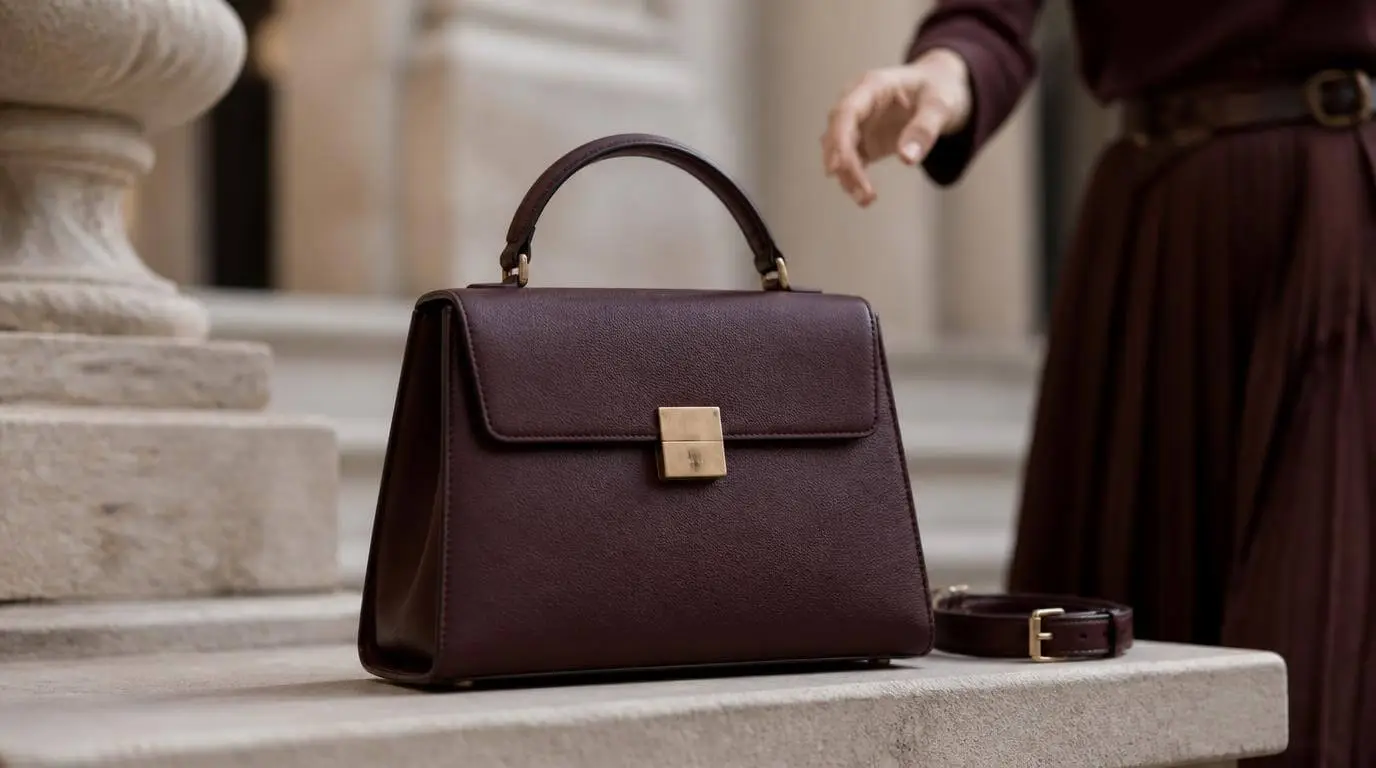
The AI product video guide includes a detailed six-shot fashion ad prompt with separate product and character locks.
Keep people, products, and brand direction aligned
Bring product images, character references, scripts, video, audio, and campaign direction into one editable commercial workflow.
Create an AI Commercial VideoCommon Character Consistency Mistakes
Repeating "same character" without visual evidence
The phrase does not tell the model which face to preserve. Reuse an approved reference and a compact identity block.
Uploading every image you like
More references are not automatically better. Remove different ages, old costumes, alternate colorways, incompatible art styles, and poorly lit images unless the video intentionally uses them.
Describing too many fragile details
Twenty accessories create twenty opportunities for mutation. Lock the silhouette, face, hair, costume blocks, and one or two signature objects first.
Asking one shot to carry a whole sequence
Split location changes, costume changes, and multi-step actions into storyboarded clips. Each clip should have a stable opening and ending composition that can be edited cleanly.
Approving style before identity
Beautiful light, weather, particles, and camera movement can distract from a changed face. Check continuity in a fixed order.
Regenerating everything after one failure
Keep the approved scenes. Repair the weak shot with the same reference pack and continuity notes.
Character Consistency Quality-Control Checklist
Before export, review the complete sequence against this list:
- The face remains recognizable in close, medium, and wide shots.
- Age, skin tone, height, build, and body proportions do not drift.
- Hair length, texture, part, and color follow the approved design.
- Costume changes happen only where the storyboard requires them.
- Signature objects remain present, correctly scaled, and attached to the right character.
- Multiple characters do not swap faces, voices, clothing, or screen positions.
- Hands, feet, eye lines, and object contact remain physically believable.
- The rendering style, palette, and lighting progression feel intentional.
- Location details and story evidence persist between connected scenes.
- Dialogue, voice identity, expression, and lip movement match the scene.
- Products, logos, and visible claims remain accurate.
- You have permission to use the character references, voices, music, artwork, products, and brand assets.
Consistency does not mean removing change. It means the audience can follow the same character through meaningful change without being distracted by accidental redesigns.
Keep References, Storyboards, and Revisions Connected
Character consistency becomes difficult when the portrait is in one tool, the costume notes are in a document, the storyboard is in a spreadsheet, and the generated shots are scattered across downloads.
SoulVid keeps the creative brief, uploaded references, character direction, storyboard, generated scenes, and revision requests inside a connected project. That structure supports three important habits: approve before multiplying, generate one shot for one job, and replace only what failed.
The generation model still matters, and no workflow guarantees a perfect result on the first attempt. The practical advantage is control. You can see what the character is supposed to be, where each shot belongs, and which detail needs repair without rebuilding the entire video.