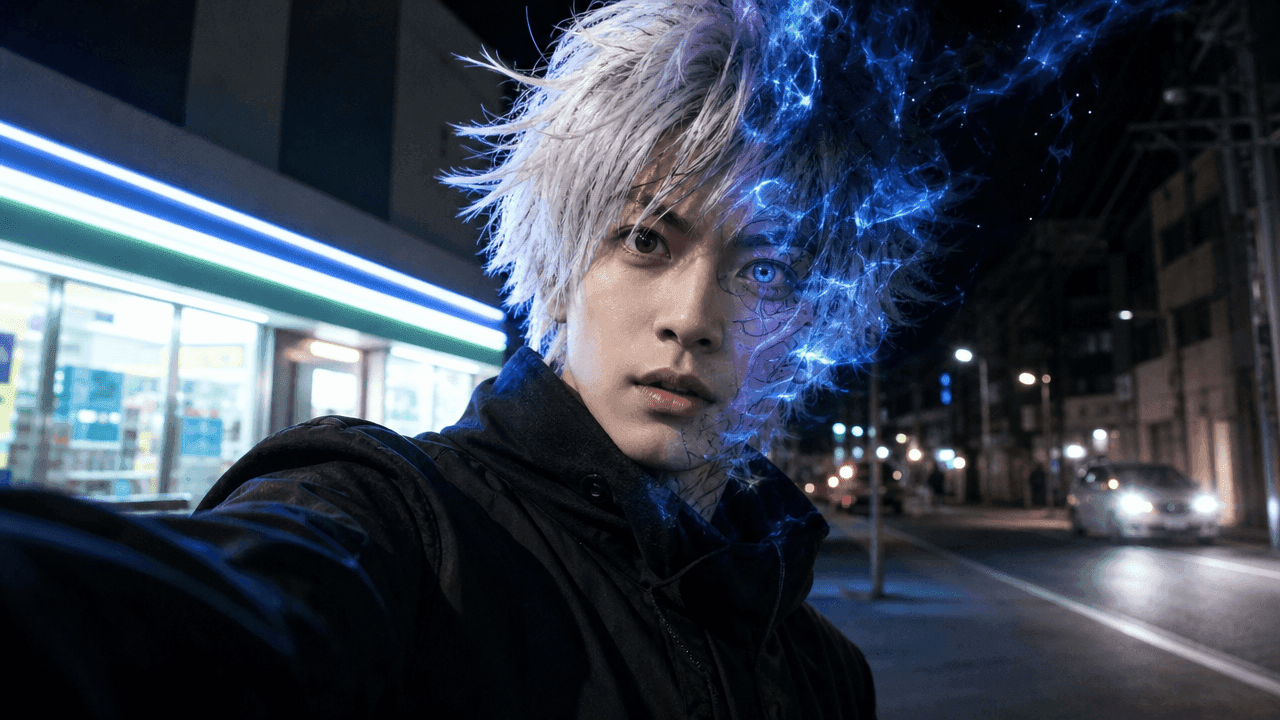
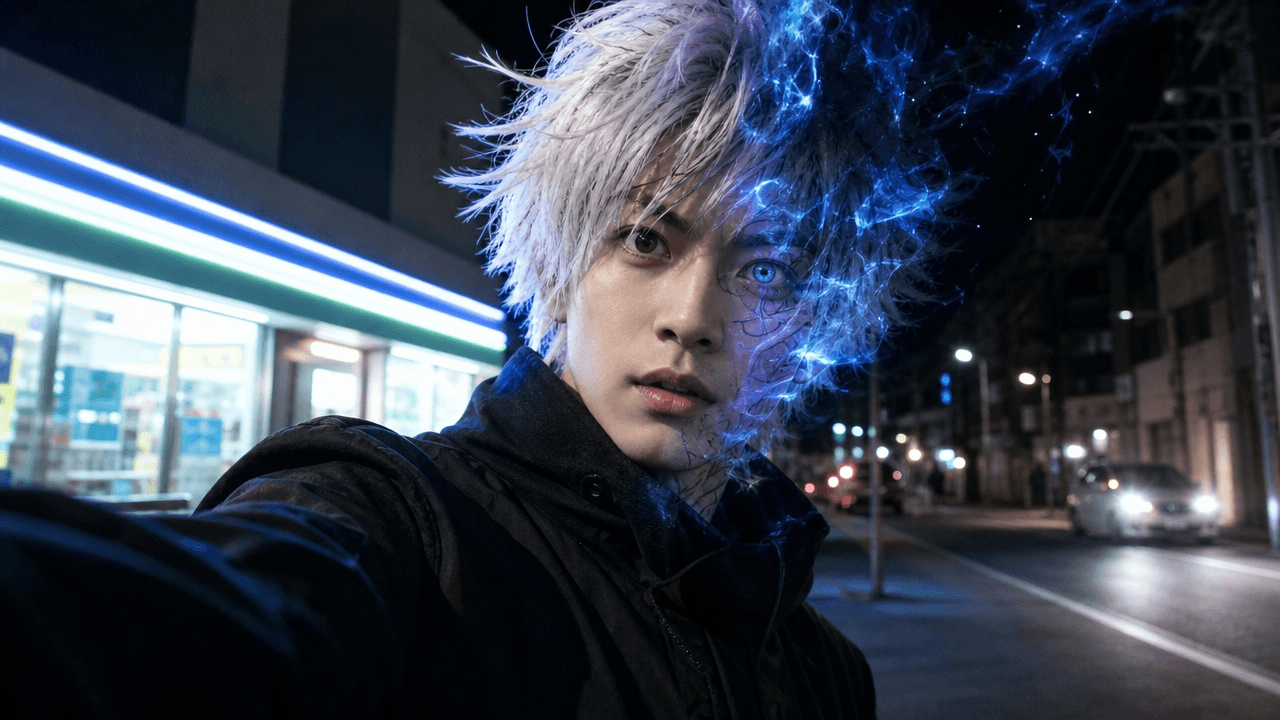
Anime characters already look cool in 2D. But when they suddenly turn into a realistic person standing in a convenience store, walking down a rainy street, or staring into the camera like they just got dropped into the wrong universe, the result is instantly watchable.
That is the fun behind an anime-to-real-life AI video: a short transformation clip where an anime-style character becomes a live-action-style person. It can be stylish, dramatic, awkward, ridiculous, or all of those at once.
This guide shows you how to make an anime-to-real-life transformation video with AI using SoulVid. We will keep the workflow simple: choose one character vibe, build a short reveal, add a real-world joke or reaction, then export it for YouTube Shorts, TikTok, or Instagram Reels.
What Is an Anime-to-Real-Life AI Video?
An anime-to-real-life AI video turns an anime-style character, illustration, original character, or fan-inspired design into a realistic live-action-style video.
It is different from a simple anime-to-real-life image. A still image can show the before and after, but a video adds the good stuff: movement, timing, facial expression, camera energy, and a tiny story beat. The character does not just become real. They enter a scene.
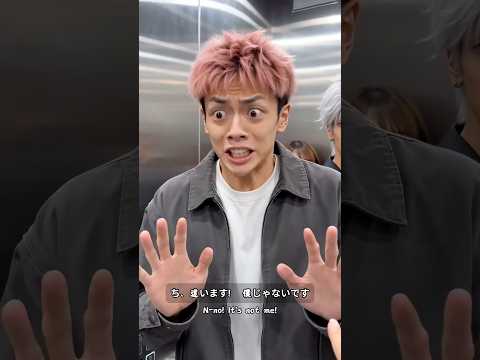
For a simple reference, watch the SoulVid AI Shorts example below. It has the same short-form energy this format needs: a character-forward visual, quick cinematic movement, and a scene that is easy to understand on a phone. For an anime-to-real-life transformation, you can use that same rhythm, but focus the idea around one clear reveal: anime vibe first, realistic version second, funny or surprising payoff last.
Here are the common terms you may see:
- Anime-to-real-life image: a static before-and-after conversion.
- Anime-to-real-life video: a moving transformation, reveal, or short scene.
- AI live-action anime short: a clip that feels like a tiny live-action anime adaptation.
- AI anime character skit: a transformation video with a joke, reaction, or mini-story.
How to Make a Viral Anime-to-Real-Life Video with SoulVid
A viral-style anime-to-real-life video usually does three things fast: it shows a recognizable anime vibe, transforms it into a real-life version, and gives viewers a reason to keep watching after the reveal.
The trick is not to make the most complicated video. The trick is to make the transformation easy to understand, easy to caption, and fun enough that someone wants to watch it twice.
Step 1: Pick One Clear Character Vibe
Start with a character type, not a giant lore document. Viewers should understand the joke or mood almost immediately.
Good starting vibes include:
- A white-haired overpowered mentor
- A dramatic shonen hero
- A cold final boss villain
- A magical girl after a long day
- A quiet school protagonist
- A mysterious street fighter
In SoulVid, prepare your character reference or generate an anime-style character concept first. Try to lock the big identity details before moving into video: hair shape, outfit, color palette, expression, and overall attitude.
Do not start with a whole squad. One strong character is easier to recognize, easier to transform, and easier to keep consistent. If identity drift keeps showing up, use this guide on how to keep AI characters consistent before building the final clip.
Step 2: Decide the Real-Life Scene
The setting is where the joke often appears. A super intense anime character becomes much funnier when they land somewhere painfully normal.
Real-world scene ideas:
- Convenience store at night
- Subway station
- Classroom
- Office interview
- Rainy street
- Phone-camera street interview
- Fast food counter
- Gym mirror selfie
Use the scene idea as part of your SoulVid video direction. The more ordinary the real-world place feels, the stronger the contrast can be. If the transformation needs a tiny joke, reaction, or two-scene setup, SoulVid's AI drama generator can help you shape it like a short skit instead of a single visual reveal.
A powerful anime villain waiting for bubble tea is already half a short video. Let the contrast do some of the work.
Step 3: Write the Transformation Prompt
Keep the prompt focused. You want the AI to understand the character, the transformation, the live-action result, and the mood of the scene.
Use this simple formula:
Example prompt:
In SoulVid, use this prompt to guide the transformation scene. If you already have a reference image, keep the prompt aligned with that character instead of inventing new clothing, hair, or props in every line.
Do not ask for transformation, fight choreography, flying camera, explosions, dialogue, and five background characters in one prompt. That is not a prompt. That is a traffic accident with adjectives.
Step 4: Build a Short Storyboard in SoulVid
Instead of generating random clips and trying to force them together later, build the short as a tiny storyboard. This helps the final video feel like one connected idea.
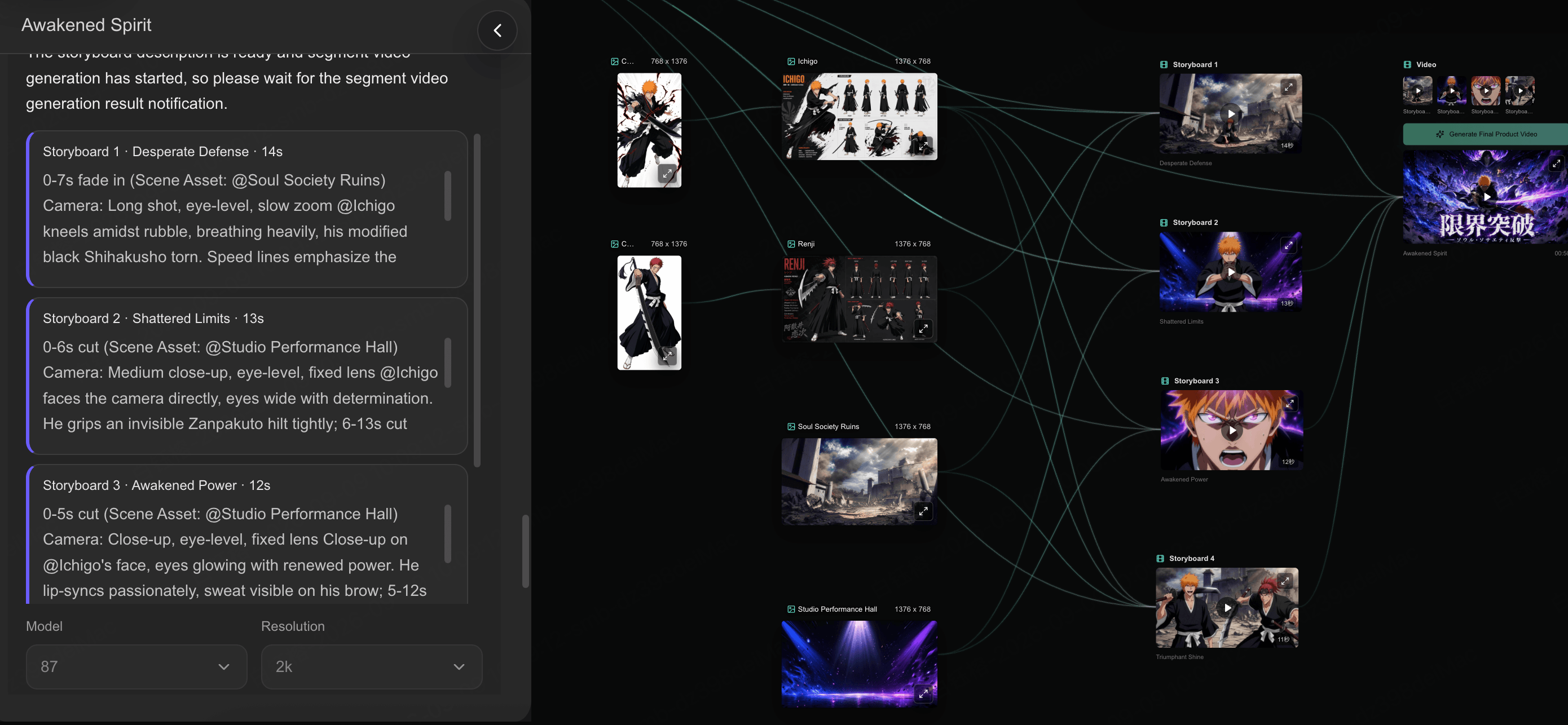
Use a simple 10-second structure:
| Timing | Scene role | What happens |
|---|---|---|
| 0-2s | Setup | Show the anime-style character or visual cue |
| 2-4s | Transformation | Let the character shift into a realistic version |
| 4-8s | Reveal | Show the live-action version clearly |
| 8-10s | Payoff | Add a reaction, caption, or awkward real-world moment |
In SoulVid, create the short around that sequence. Keep the character reference connected, keep the scene simple, and review the storyboard before generating the final video.
Build the transformation as a storyboard
Plan the anime setup, transformation beat, live-action reveal, and final joke in SoulVid before you generate the finished short.
Start a SoulVid ProjectFor Shorts and TikTok, the viewer should understand the idea in the first two seconds. If the setup needs a full anime wiki page, it is too much.
Step 5: Add Music or a Sound Cue
Audio makes the reveal land. You can use a beat drop, a transformation whoosh, a dramatic anime-style sting, a meme sound, or even awkward silence after the transformation.
Good sound ideas:
- A quick whoosh during the transformation
- A beat drop when the realistic version appears
- A dramatic sound followed by a very normal situation
- A short voiceover line
- An intentionally awkward pause after the reveal
In SoulVid, plan the reveal around the audio. The transformation should land on the beat, the drop, or the funniest moment.
If the video is funny, silence can be useful. A dramatic anime character standing in line for noodles without saying anything can be weirdly perfect.
Step 6: Export for Shorts, TikTok, or Reels
Most anime-to-real-life transformation clips work best as vertical short-form videos. Keep the final version clean and easy to understand on a phone.
Use these settings and habits:
- Format: 9:16 vertical for YouTube Shorts, TikTok, and Instagram Reels.
- Length: around 8-15 seconds for a simple reveal.
- Captions: large, readable, and short.
- Final frame: hold the realistic version long enough for viewers to react.
- Thumbnail: show the before-and-after contrast if possible.
Caption ideas:
- Bro spawned in the wrong universe
- Anime hair, real-life problems
- When the final boss gets a day job
- POV: your anime phase became real
- He has special powers but no subway card
Do not cut away from the realistic version too fast. If people miss the payoff, they will not rewatch because they are impressed. They will rewatch because they are confused.
Why These Videos Work So Well on Shorts and TikTok
Anime-to-real-life videos are built for short-form platforms because the idea is instantly understandable. Viewers do not need a long explanation. They see anime, then real life, then a joke or surprise.
The format works because:
- The before-and-after contrast is easy to understand.
- Anime fans recognize the character type immediately.
- The transformation creates a natural "wait for it" moment.
- Real-world settings make dramatic characters funnier.
- The format is easy to turn into a series.
- Captions and meme sounds make the video more shareable.
If you want to make a series, try repeating one clean format:
- Anime villains in normal jobs
- Anime mentors in everyday situations
- Anime characters as real-life students
- Anime heroes trying modern life
- Original anime OCs becoming real people
The best series idea is usually the one you can explain in one sentence. "Anime villains working customer service" is simple. "Multiverse lore transformation cinematic universe episode 1" is homework.
Frequently Asked Questions
What is an anime-to-real-life AI video?
Can I make an anime-to-real-life video with SoulVid?
What kind of image should I start with?
How long should the video be?
How do I make the video funnier?
Can I use famous anime characters?
Why does my character look different after the transformation?
Conclusion: Make It Short, Clear, and Fun
An anime-to-real-life AI video does not need a giant story. It needs one clear character, one satisfying transformation, and one real-world moment that makes people smile.
Start with a strong anime vibe, turn it into a believable live-action version, add a simple joke or reaction, and keep the clip short enough that people want to watch it again.
Create your first anime-to-real-life transformation video
Use SoulVid to plan the character, prompt, storyboard, music cue, and vertical short-form export in one connected workflow.
Try SoulVid AI Watch SoulVid AI on YouTube