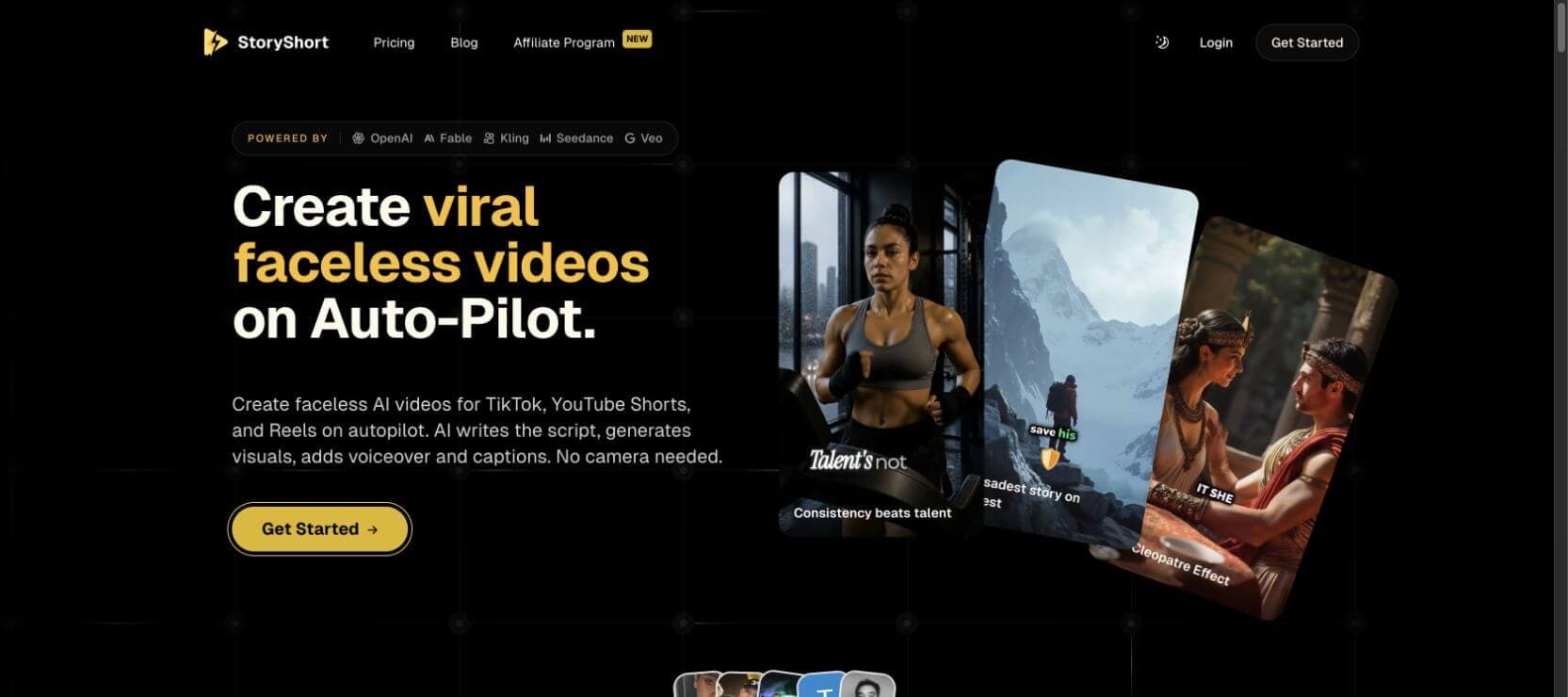
If you are searching for a StoryShort AI review, you are probably trying to answer a practical question: can this tool really turn an idea into publishable short-form videos, or is it only another template-heavy AI video app with nice demo clips?
StoryShort is positioned around faceless short videos, YouTube Shorts, TikTok, Reels, AI voices, captions, and automated publishing. It also has an AI short drama generator that promises to turn a simple premise into a vertical drama with characters, scenes, dialogue, and cliffhanger pacing. That makes it interesting for creators who want repeatable content, but it also raises the exact questions this review needs to answer: how much creative control do you get, what does pricing really depend on, and when would a storyboard-first alternative such as SoulVid make more sense?
One quick disclosure: this article is published by SoulVid, which is also mentioned as an alternative later in the review. The goal is not to pretend we have no product perspective. The goal is to be clear about where StoryShort fits, where it may feel limited, and which creator should choose which workflow.
Quick Verdict: Is StoryShort AI Worth It?
StoryShort AI is worth considering if you want a faster way to create faceless short videos, narrated shorts, simple AI story clips, or serialized vertical content without editing everything manually. Its biggest advantage is packaging the script, visuals, voiceover, captions, and short-form format into one creator-friendly workflow.
It is less ideal if you need deep scene-by-scene control, highly specific cinematography, or a production workflow where the story, characters, storyboard, and revisions are all shaped before video generation. For AI short dramas, that difference matters a lot. A drama creator usually does not only need "a video." They need repeatable characters, clear conflict, scene rhythm, and a way to fix weak beats without losing the whole structure.
| Review area | StoryShort AI takeaway |
|---|---|
| Best for | Faceless shorts, narrated story videos, social clips, and simple serialized drama concepts |
| Strongest advantage | Combines script, visuals, voice, captions, music, and publishing-oriented short video tools |
| Main limitation | More automation-led than director-led when you need precise scene control |
| Pricing risk | Credits and generation type matter as much as the monthly plan price |
| Best alternative to compare | SoulVid for storyboard-first drama production |
Want a more storyboard-first drama workflow?
If StoryShort feels too automated for your short-drama idea, SoulVid helps you shape the premise, characters, storyboard, scenes, revisions, captions, and export flow before the final video.
Create an AI drama with SoulVidWhat Is StoryShort AI?
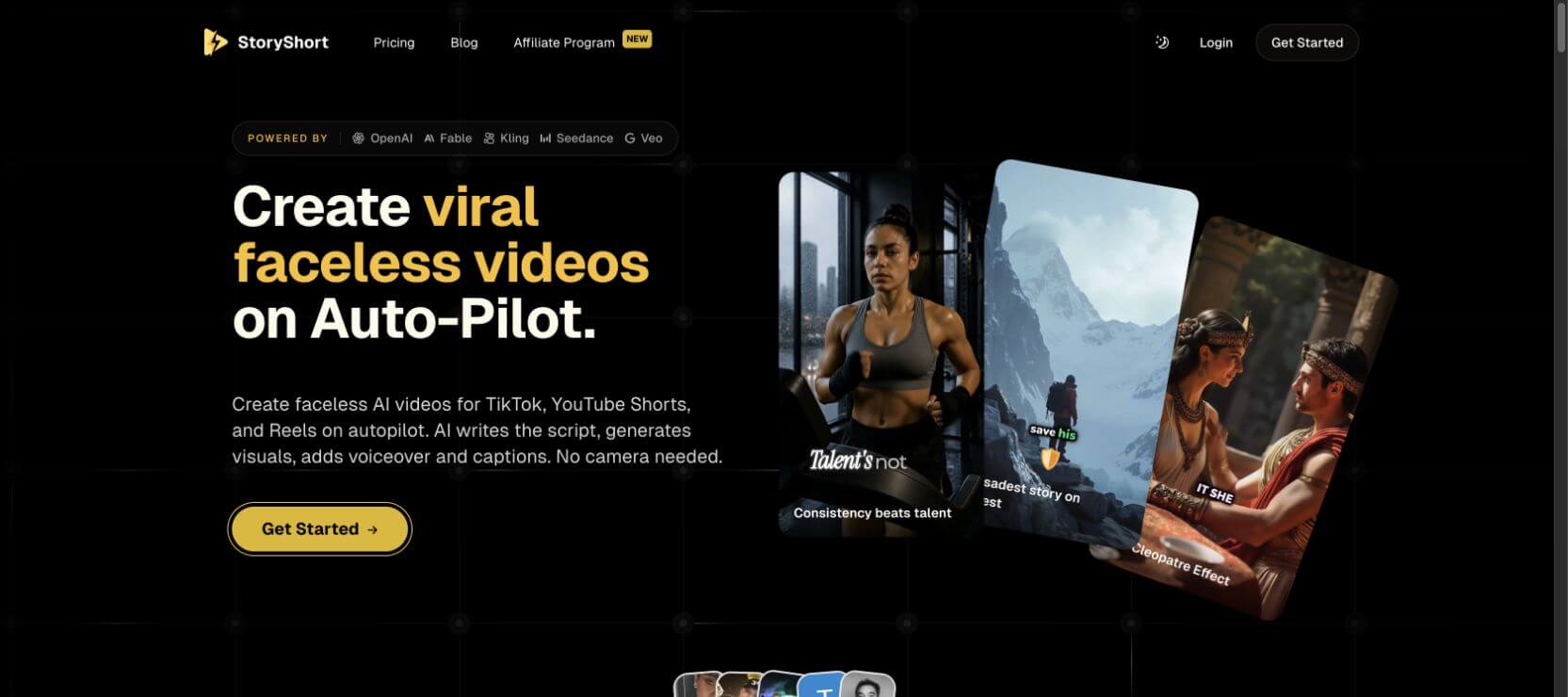
StoryShort AI is an AI short-video creation platform for creators who want to make videos without filming themselves. Its official positioning focuses on faceless videos for TikTok, YouTube Shorts, and Reels. The workflow is built around generating or assembling a script, visuals, voiceover, captions, background music, and publishable vertical video assets.
That makes StoryShort closer to an AI content production system than a single-purpose video model. Instead of only generating one clip from one prompt, it tries to cover the repeat creator workflow: idea in, short video out, then publish or repeat for the next piece of content.
For drama creators, the most relevant part is the AI short drama generator. That tool is designed for vertical drama ideas where a creator starts with a premise and wants the system to help turn it into connected scenes. It is useful for testing a serialized concept quickly, especially if you are building faceless or semi-automated content channels.
How StoryShort AI Works
The simple version is this: you give StoryShort a content direction, and the platform helps turn it into a short-form video package. Depending on the tool or template you use, the process can include script generation, image or scene generation, voice selection, captions, music, and export settings.
- Start with a prompt, topic, script, or story idea. This can be a faceless short concept, educational idea, narrated story, or short-drama premise.
- Let the system generate the structure. StoryShort can help build the script, scene direction, voiceover, and visual plan.
- Review the output before publishing. For drama workflows, check whether the hook, conflict, character logic, and cliffhanger are strong enough.
- Export or publish for short-form platforms. The platform is clearly designed around TikTok, YouTube Shorts, and Reels-style output.
The benefit is speed. The risk is that speed can hide weak story logic. If the first scene is not sharp, the character motivation is unclear, or the generated images drift from the story, a creator still needs to revise. AI can accelerate production, but it does not remove the need for drama judgment.
StoryShort AI Features Reviewed
Faceless Short Video Creation
StoryShort's strongest general use case is faceless content. For creators who do not want to appear on camera, this is attractive: the platform can combine generated visuals, narration, captions, and background music into a short-form video format. It fits niches such as mystery facts, Reddit-style stories, educational explainers, historical summaries, and quick entertainment content.
The biggest advantage is reduced production friction. You do not need a camera setup, lighting, voice recording, or manual editing timeline to start. The limitation is that faceless automation can become generic if the idea, script angle, or visual style is not distinctive.
AI Script, Voiceover, Captions, and Music
StoryShort brings several creator basics into one workflow: script writing, AI voiceover, captions, and music. This matters because short-form video performance depends on the whole package. A strong script with weak captions can underperform. A clean voiceover with random visuals can feel low-effort. A good idea without pacing may lose viewers before the payoff.
For beginners, having these pieces in one place is a real advantage. For advanced creators, the key question is control: can you make the voice, captions, and visual rhythm match the exact tone you want, or are you mostly selecting from preset behavior?
Automated Publishing Orientation
StoryShort also presents itself as a platform for creators who publish repeatedly, not only people making a single test video. That is useful for faceless channels because consistency matters. A channel usually needs a repeatable pipeline: idea research, script, generation, edit, upload, track results, and repeat.
Still, automation should be treated as a workflow helper, not a guarantee of channel growth. Publishing more videos only helps if the hook, topic selection, retention curve, and visual identity improve over time.
Long-Form and Multi-Format Tools
StoryShort's broader site includes tools for more than basic shorts, including long-form, ASMR, UGC-style content, AI movie-style videos, and other short-form niches. This breadth is helpful if you want one platform for different video experiments.
The tradeoff is focus. A broad tool can be convenient, but creators making serious short dramas may still need a more specialized workflow for characters, story beats, scene order, and revision management.
StoryShort AI Short Drama Generator Review
The short drama generator is the most interesting part for this audience. It targets a different job from basic faceless shorts. A short drama needs a hook, characters, conflict, reveal timing, emotional escalation, and a reason to watch the next scene or episode.
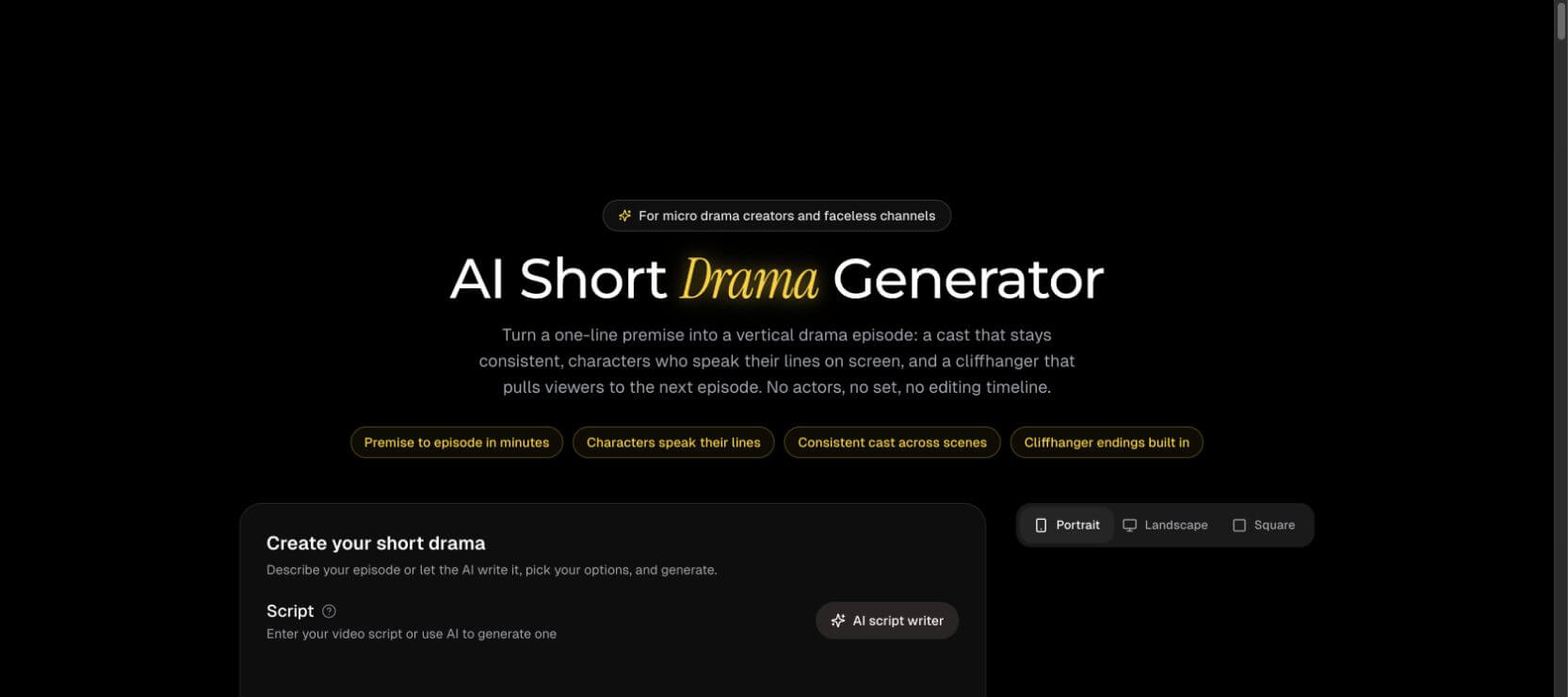
StoryShort's drama positioning is appealing because it lowers the blank-page problem. Instead of writing every scene manually, you can start from a premise and ask the system to produce a vertical drama direction. That is useful when you are testing multiple story hooks and want to see which one has potential.
But short drama quality depends on consistency. If the same character changes face, outfit, motivation, or emotional state from scene to scene, viewers feel the break immediately. If a cliffhanger arrives too late, the episode can feel slow. If the scene order is not clear, the output may look like related clips rather than a real drama.
So the best way to use StoryShort's drama generator is not to trust the first result blindly. Treat it as a fast draft machine. Review the premise, sharpen the first conflict, check whether every scene changes the power dynamic, and make sure the final reveal creates a real next-step question.
If you want a deeper planning workflow before generation, read how to make a micro drama series with AI. That guide focuses on turning one idea into characters, storyboard, scene generation, revision, and export.
StoryShort AI Pricing and Credits
StoryShort's pricing page shows several subscription tiers, but the plan price is only part of the decision. The more important question is how credits behave for the exact content type you want to create. A simple short, an AI image-based short, an ASMR video, an AI movie-style generation, avatar content, and long-form output can consume credits differently.
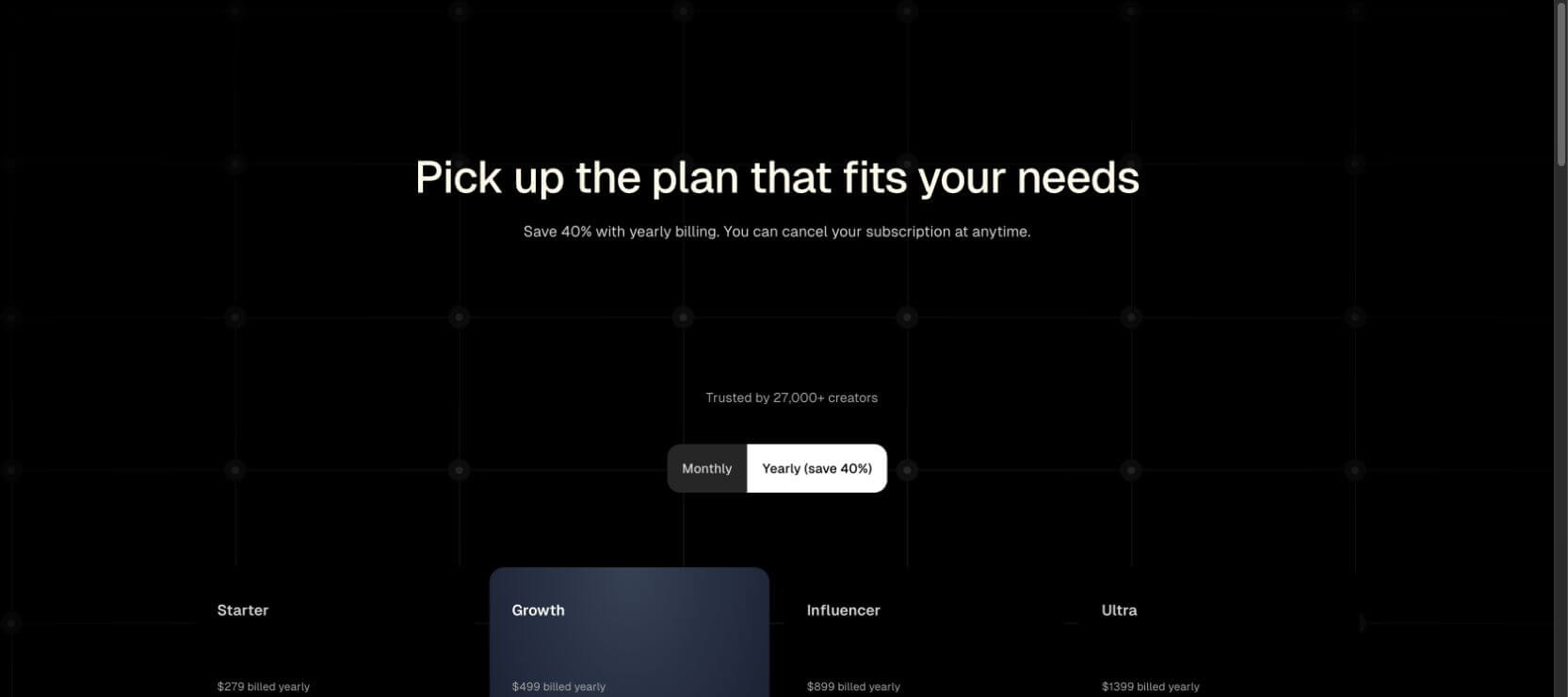
Before buying, check these points on the live pricing page:
- Monthly or annual billing. Some prices are shown with yearly billing assumptions.
- Credits per generation type. Drama, avatar, long-form, short-video, and image-based workflows may not cost the same.
- Regeneration cost. If a weak clip consumes credits every time you retry, testing can become expensive.
- Commercial-use terms. Confirm the latest rules for generated visuals, voices, music, and uploaded materials.
- Export quality and watermark rules. A plan can look affordable until the usable export tier is higher than expected.
For creators building a content channel, the pricing question is not simply "Can I afford one video?" It is "Can I afford enough tests to find a repeatable format?" That includes bad ideas, failed drafts, and versions you will never publish.
StoryShort AI Pros
- Fast entry point. It is built for creators who want to move from idea to short video without opening a traditional editor.
- Good fit for faceless channels. The script, voice, caption, and visual workflow matches social short-video production.
- Useful for testing story hooks. The drama generator can help creators turn rough premises into more structured content.
- Multiple content formats. StoryShort is not limited to one niche, which helps creators experiment.
- Beginner-friendly packaging. Many pieces that usually require separate tools are available in one platform.
StoryShort AI Cons
- Creative control may feel limited. Automation is convenient, but drama creators often need scene-level control.
- Credit usage can be hard to judge upfront. The real cost depends on the format, generation type, retry rate, and export needs.
- Output quality still needs manual review. AI-generated scenes, characters, and pacing can drift, especially in story-heavy formats.
- Not every creator needs the full platform. If you only want one cinematic shot, a specialized video model may be enough.
- Public reviews include complaints. Some users have reported issues around quality, support, refunds, or affiliate experience, so it is worth starting with a small test before committing heavily.
StoryShort AI vs SoulVid and Other Alternatives
StoryShort and SoulVid overlap in AI video creation, but they are not trying to solve the problem in exactly the same way. StoryShort is strongest when you want a short-form content engine. SoulVid is stronger when you want to shape a story or drama through a more conversational, storyboard-first workflow.
| Tool | Better for | Main tradeoff |
|---|---|---|
| StoryShort AI | Faceless shorts, quick narrated videos, short-form channel experiments | Less ideal when you need detailed scene-by-scene direction |
| SoulVid | Storyboard-first AI dramas, connected scenes, character planning, revision-led workflows | Better for creators who want to spend more time shaping the story before export |
| Runway or Kling | Cinematic single scenes, visual experiments, model-specific shots | You may need separate tools for script, voice, captions, and full episode structure |
| HeyGen or avatar tools | Presenter videos, dialogue delivery, business communication | Usually not built around serialized drama structure |
For a broader tool-by-tool breakdown, see our best AI drama generators comparison. If you are still at the idea stage, this list of short drama ideas can help you choose a stronger premise before testing any generator.
Is StoryShort AI Legit?
StoryShort is a real AI video platform with public product pages, pricing, tools, and visible positioning for short-form creators. It is not just a thin landing page. The more useful question is whether it is the right tool for your production style.
If you want quick faceless videos and are comfortable with an automation-led process, it may be worth testing. If you are producing drama content where characters, scene order, emotional escalation, and revision control matter, do a small paid or free test first and judge the final output carefully before building your whole workflow around it.
Who Should Use StoryShort AI?
StoryShort is a better fit for:
- Faceless YouTube Shorts, TikTok, and Reels creators.
- Beginners who want script, voice, visuals, captions, and music in one place.
- Creators testing many short-form content ideas quickly.
- Story channels that prioritize speed over detailed direction.
- Solo creators who do not want to manage several separate tools.
StoryShort may not be the best fit for:
- Directors who want precise camera, scene, and character control.
- Short-drama creators who need a detailed storyboard before generating clips.
- Teams that need repeatable visual identity across many episodes.
- Users with tight credit budgets and many expected revisions.
- Creators who only need one high-end cinematic shot rather than a full short-video workflow.
Final Verdict
StoryShort AI is a strong option for creators who want a faster short-form production system, especially for faceless videos, narrated shorts, and early short-drama experiments. Its main value is convenience: it brings script, voice, visuals, captions, music, and social-video packaging closer together.
Its main limitation is also connected to that convenience. The more serious your story becomes, the more you may want control over characters, scenes, conflict, revision, and pacing. For that, compare StoryShort with a storyboard-first tool like SoulVid before choosing your production workflow.
The fairest conclusion is simple: use StoryShort if you want fast AI shorts and faceless content automation; use SoulVid if you want to build the drama first, then generate the video around that story.
FAQ
What is StoryShort AI?
StoryShort AI is an AI video platform for creating faceless short videos, narrated clips, captions, voiceovers, and social-ready content for platforms such as TikTok, YouTube Shorts, and Reels.
Is StoryShort AI good for short dramas?
It can help turn a premise into a short-drama direction, especially for quick testing. For more serious drama production, review the storyboard, characters, conflict, and cliffhanger carefully before generating or publishing.
Is StoryShort AI free?
StoryShort has public pricing and credit-based plans. Free access, trial limits, watermark rules, and credit usage can change, so check the live pricing page before relying on a specific limit.
What is the best StoryShort AI alternative?
For storyboard-first short drama production, SoulVid is a strong alternative because it focuses on shaping the idea, characters, scenes, revisions, and export workflow before the finished drama is assembled.
Can StoryShort AI make videos for TikTok and YouTube Shorts?
Yes. StoryShort is clearly positioned around short-form platforms such as TikTok, YouTube Shorts, and Reels, especially for creators who want faceless or narrated videos.
Should I use StoryShort AI or SoulVid?
Use StoryShort if your priority is fast faceless short-video production. Use SoulVid if your priority is a connected drama workflow with stronger planning, storyboarding, character consistency, and revision control.