A convincing lo-fi scene does not need a character walking across the room or a camera circling the desk. It needs one strong still image, a few motions that can repeat without demanding attention, and enough restraint that the viewer can leave it playing behind an hour of music. This guide shows how to make a lo fi animation from one image through a practical rain-at-night case study.
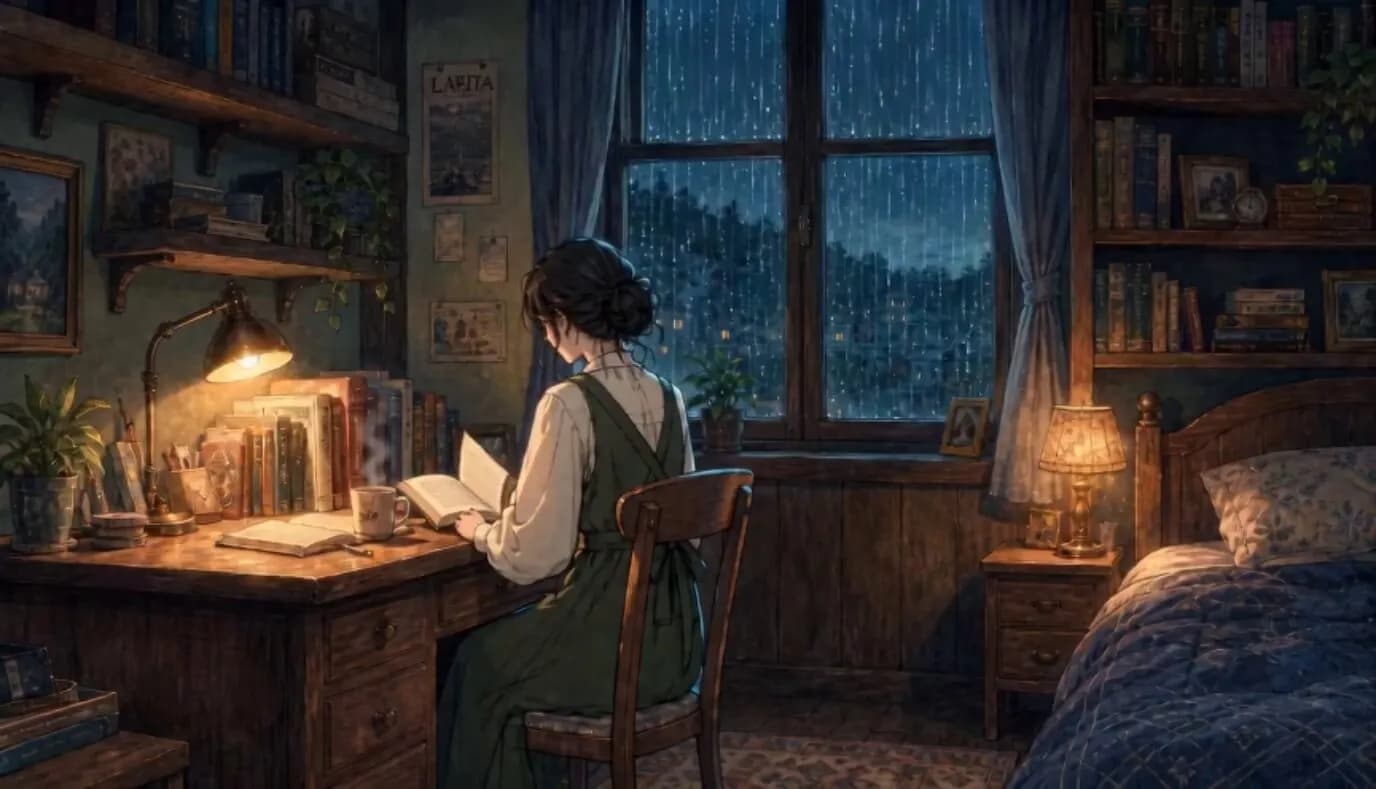
The example is called Rainlight Study: a student reads beside a rainy bedroom window while steam rises from a mug, the desk lamp breathes gently, and the edge of a curtain moves in a small loop. The room, furniture, camera, character, and drawing style stay fixed. We will build a 6-8 second visual that can repeat on YouTube, accompany a lo-fi track, or become a streaming loop.
- Case
- Rainlight Study, a fictional late-night study mix
- Source
- One approved 16:9 illustrated room scene
- Motion
- Rain, mug steam, lamp pulse, curtain and page detail
- Output
- A 6-8 second loop for a YouTube lo-fi music video
What Is a Lo-Fi Animation?
A lo fi animation is usually a short, limited-motion scene made to repeat. The background may be fully illustrated, but only a few details move: rain on glass, drifting clouds, steam, a lamp glow, hair, a sleeve, a page, or an idle character action. The image remains readable as artwork rather than behaving like a busy narrative sequence.
You may also see creators call this format a looping animation, limited animation, idle animation, background animation, or illustrated cinemagraph. The labels overlap, but they point to the same useful production rule: finish the scene first, then animate only the details that make it feel alive.
That makes this format different from a full music video. A conventional MV progresses through shots and events. A lo-fi loop protects continuity and avoids a visible ending. It should feel calm on the tenth repeat, not only impressive on the first play.
| Format | Main behavior | Typical duration | Best use |
|---|---|---|---|
| Lo-fi animation loop | One scene with limited repeating motion | 4-10 seconds | Study mixes, ambient channels, streaming loops |
| Animated cover | Motion supports an existing release image | 3-15 seconds | Album promotion and platform artwork |
| Visualizer | Audio-reactive graphics or repeated footage | Song length | Music uploads and live backdrops |
| Music video | Multiple shots, actions, or story beats | 30 seconds and longer | Artist releases and social campaigns |
If your starting point is already release artwork, this guide to animating an album cover with AI explains how to preserve an existing visual identity. The workflow below starts from a new scene designed specifically for a quiet loop.
Plan the Rainlight Study Scene Before Generating Video
The easiest way to lose control is to describe a cozy room and ask the model to "make everything move naturally." Video models treat that freedom as permission to shift furniture, reframe the camera, change the character, and invent new activity.
Instead, divide the image into a still layer and a motion layer before writing the prompt.
| Element | Keep still or animate? | Reason |
|---|---|---|
| Camera and composition | Keep completely still | Any reframing exposes the loop and changes the room |
| Student identity and posture | Keep still | Face, hands, and clothing are high-risk drift points |
| Desk, chair, shelves, window frame | Keep still | These objects define the room's spatial continuity |
| Rain outside the window | Animate | Continuous directional motion adds atmosphere |
| Steam above the mug | Animate | Small organic motion creates depth near the focal area |
| Lamp brightness | Animate subtly | A slow pulse supports the warm-versus-cool palette |
| Curtain edge and page corner | Animate minimally | One repeating movement keeps the character area alive |
Four motion details are enough. If the prompt also adds blinking, breathing, typing, hair movement, a moving cat, passing cars, drifting dust, a clock hand, and a camera push, the result stops behaving like limited animation.
Use One Clear Visual Hierarchy
Rainlight Study uses three levels of attention:
- Primary subject: the seated student and open book.
- Primary motion: rain moving down the window.
- Supporting motion: steam, a lamp pulse, and a tiny fabric or paper movement.
The viewer should notice the student first, feel the rain second, and discover the other motion only after watching for a moment.
Design for the Final Platform
Use 16:9 when the goal is a YouTube study mix. Keep the student and lamp away from the far edges so the same image can survive a thumbnail crop. If you also need a vertical streaming loop, approve a separate 9:16 composition rather than stretching the landscape frame. The platform-specific seam and crop checks in this Spotify Canvas guide are useful for that version.
Create the Source Image
Generate or illustrate the room as a finished still before thinking about video. A strong source image should already communicate time, place, mood, and focal point when nothing moves.
Use this image prompt as a starting point:
Create a clean 16:9 lo-fi illustration of a cozy small bedroom at night during steady rain. A young adult student is shown in three-quarter rear view, seated at a wooden desk beside a large window, quietly reading an open book. The character wears a simple dark forest-green sweatshirt and has short wavy dark hair. Their posture is relaxed and natural.Build a stable, readable room: one warm amber desk lamp, one ceramic mug, two small stacks of books, a dark wooden chair, a narrow bookshelf, a navy curtain, and a window divided into four clear panes. Outside, show a soft blue-gray city silhouette through rain. Use simple hand-drawn shapes, restrained detail, soft paper texture, muted navy and teal shadows, and one warm amber focal light. Calm contemporary anime-inspired lo-fi artwork, not thick oil paint, not glossy 3D.
Locked eye-level medium-wide composition. Keep generous negative space around the window and desk. No text, logos, watermark, extra people, pets, duplicate objects, distorted hands, extreme perspective, dramatic action, neon overload, photorealism, or motion blur.
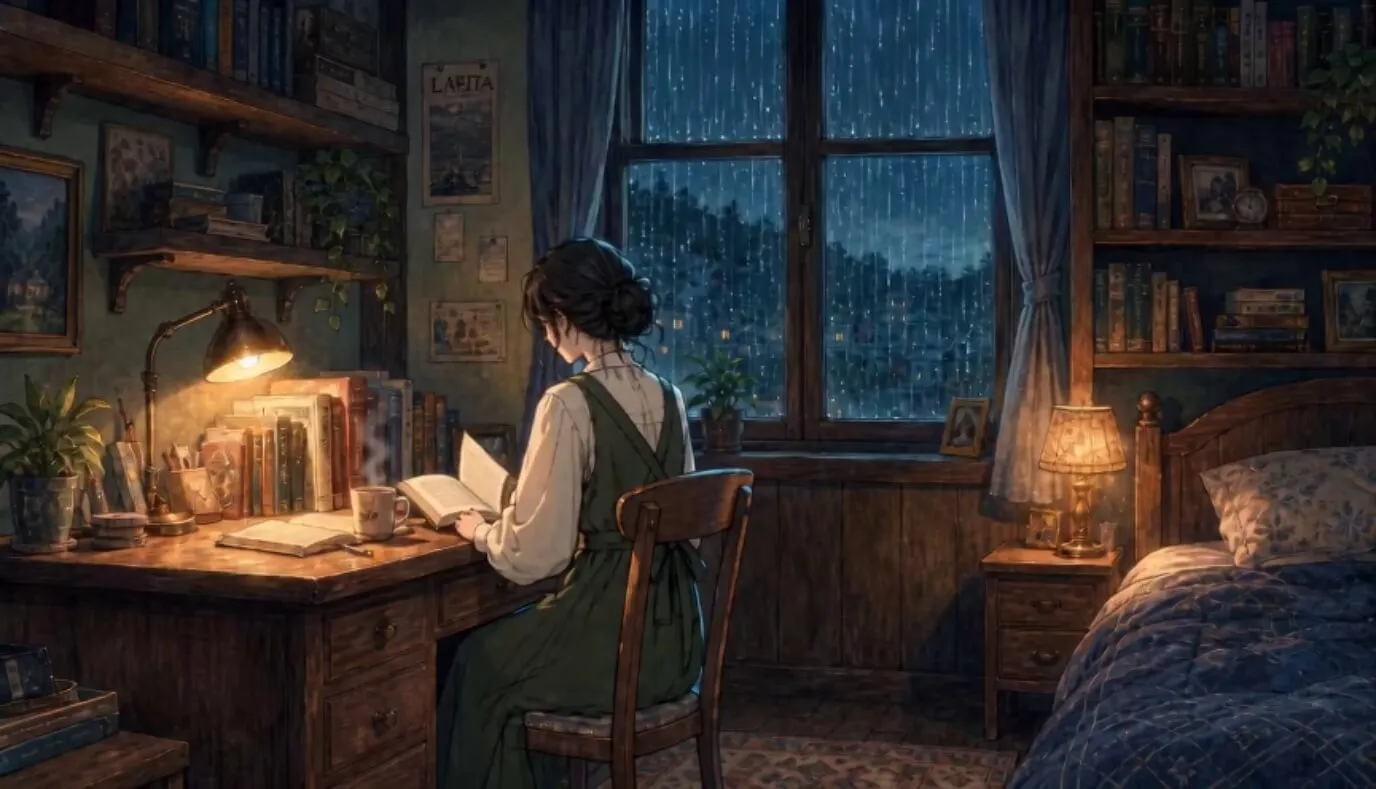
Check the source at full size before moving on:
- The hands, book, chair, desk edge, and window frame are clean enough to remain visible in motion.
- The lamp and student form one clear focal group.
- The window has enough contrast for rain to read without covering the subject.
- Small props are limited; every extra object is another opportunity for video drift.
- No title or channel logo is baked into the source. Add exact typography after animation.
Make the Lo-Fi Animation in SoulVid
SoulVid is useful here because the idea, music direction, visual references, storyboard, and generated clips stay visible in one workflow. For Rainlight Study, the goal is not to ask the system for a long narrative MV. It is to use that workflow to protect one visual idea from the initial brief through the final video card.
Start with the Complete Creative Brief
I entered the full case direction at the beginning: an 8-second 16:9 loop, one student, one room, a stable camera, a restricted palette, four motion details, and a calm instrumental lo-fi track. Naming the still elements is as important as naming the moving ones.
Use this brief in SoulVid:
Create an 8-second 16:9 lo-fi animation loop titled Rainlight Study. The visual is one cozy bedroom at night during steady rain. A young adult student is seen in three-quarter rear view, quietly reading at a wooden desk beside a window.Keep the room layout, desk, bookshelves, window frame, chair, character identity, face, clothing, posture, and camera completely stable. Use a clean hand-drawn anime-inspired lo-fi illustration with simple shapes, soft texture, navy-blue shadows, muted teal rain, and one warm amber desk lamp.
Animate only four small elements: rain sliding down the window, a thin stream of steam rising from a mug, an extremely subtle desk-lamp brightness pulse, and a small repeating movement at the curtain edge and one page corner. No camera movement, zoom, parallax drift, character turn, lip movement, extra people, new objects, text, logos, or scene changes. The first and final visual states should be as close as possible for a seamless loop.
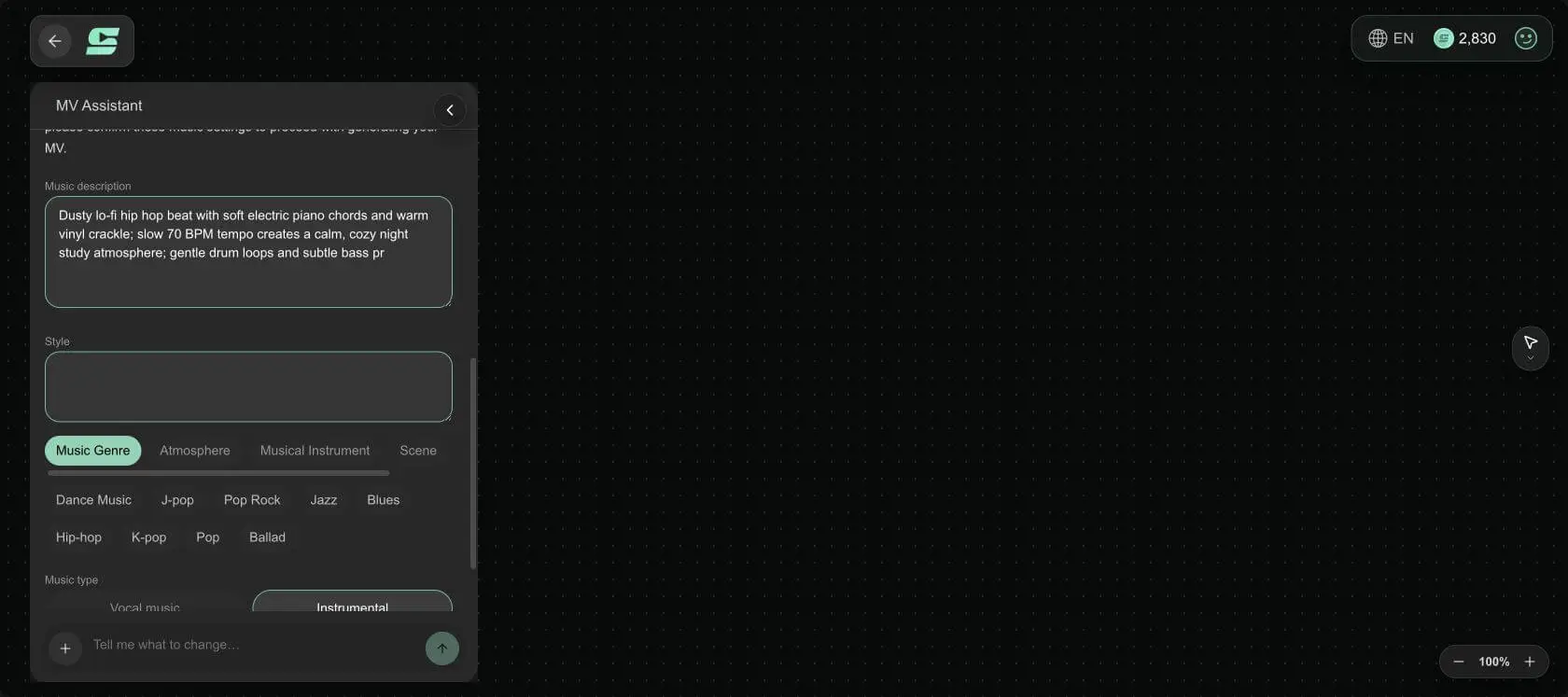
Pair it with a calm instrumental lo-fi beat: dusty drums, soft electric piano, warm vinyl texture, no vocals. The output should feel quiet enough to repeat under a long YouTube study mix.
Lock the Music Mood Before the Visual Pass
For this test, SoulVid translated the brief into a slow instrumental direction built around dusty lo-fi drums, soft electric-piano chords, subtle bass, and warm vinyl texture. Confirming the music first gives the visual loop a pace: slow enough that motion can repeat without turning into a noticeable event.
Reduce the Outline to One Visual Responsibility
Review the generated outline before approving assets. A lo-fi loop does not need an introduction, a character reveal, a montage, or a closing shot. The useful outline is one visual responsibility: establish the study scene and maintain its controlled environmental motion.
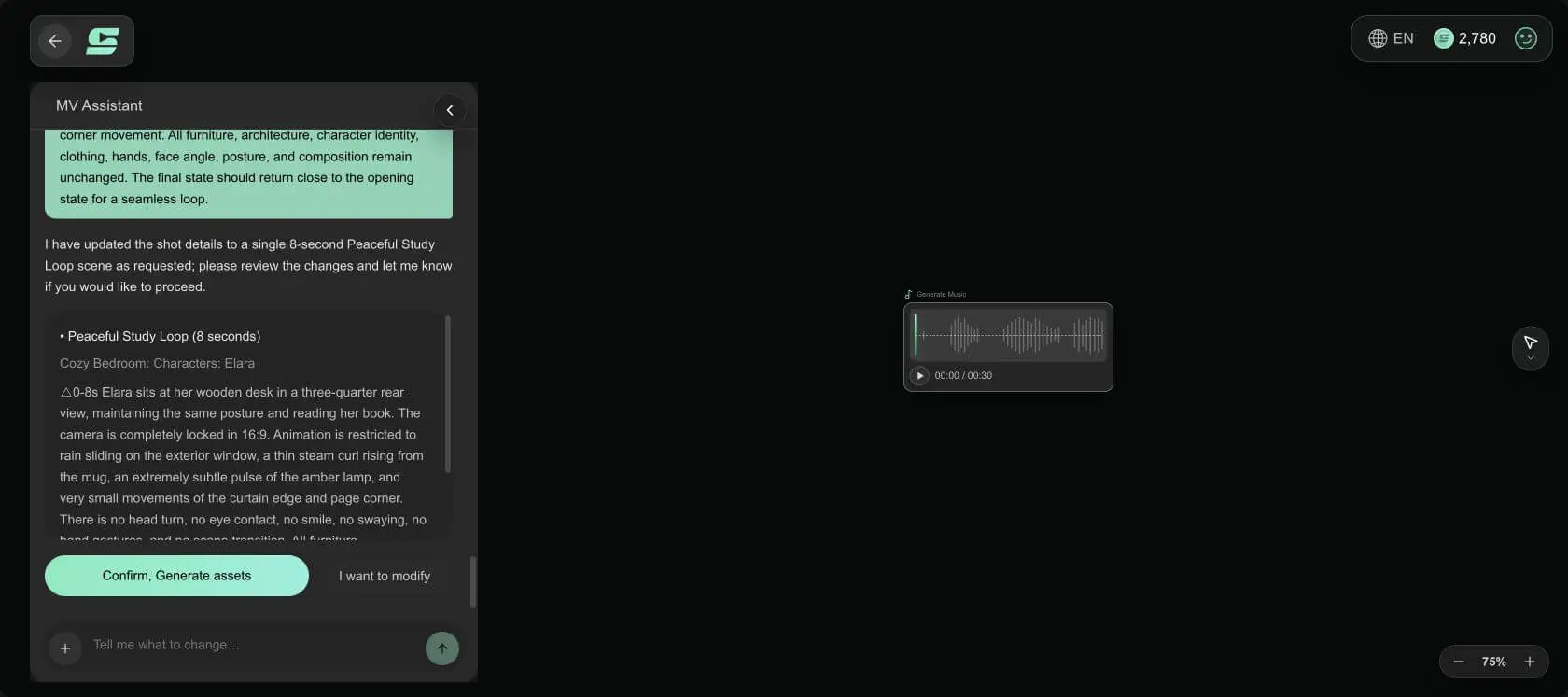
If the first plan expands the concept into multiple shots, revise it with a direct instruction:
Reduce the visual plan to one 8-second 16:9 scene. Keep the same student, bedroom, camera position, illustration style, and lighting for the entire duration. There is no opening montage, scene transition, camera move, performance, or ending shot. The only progression is a small repeating cycle in the rain, steam, lamp glow, curtain edge, and page corner.Keep the Format and Style Consistent
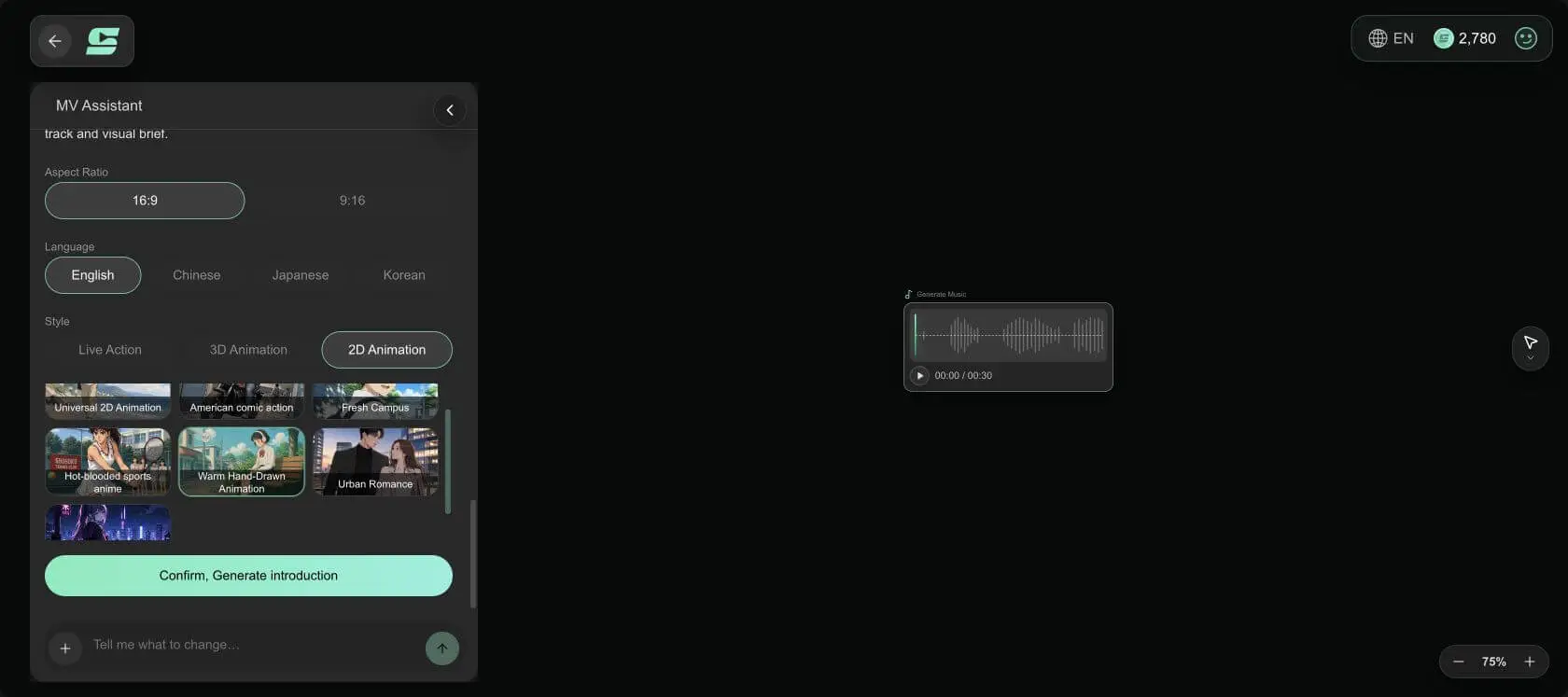
Choose the final orientation before generating visual references. Rainlight Study uses a 16:9 frame for YouTube and keeps the clean illustrated style through every prompt. Do not alternate between anime illustration, photorealism, and 3D realism during one loop.
Approve One Character and One Room Reference
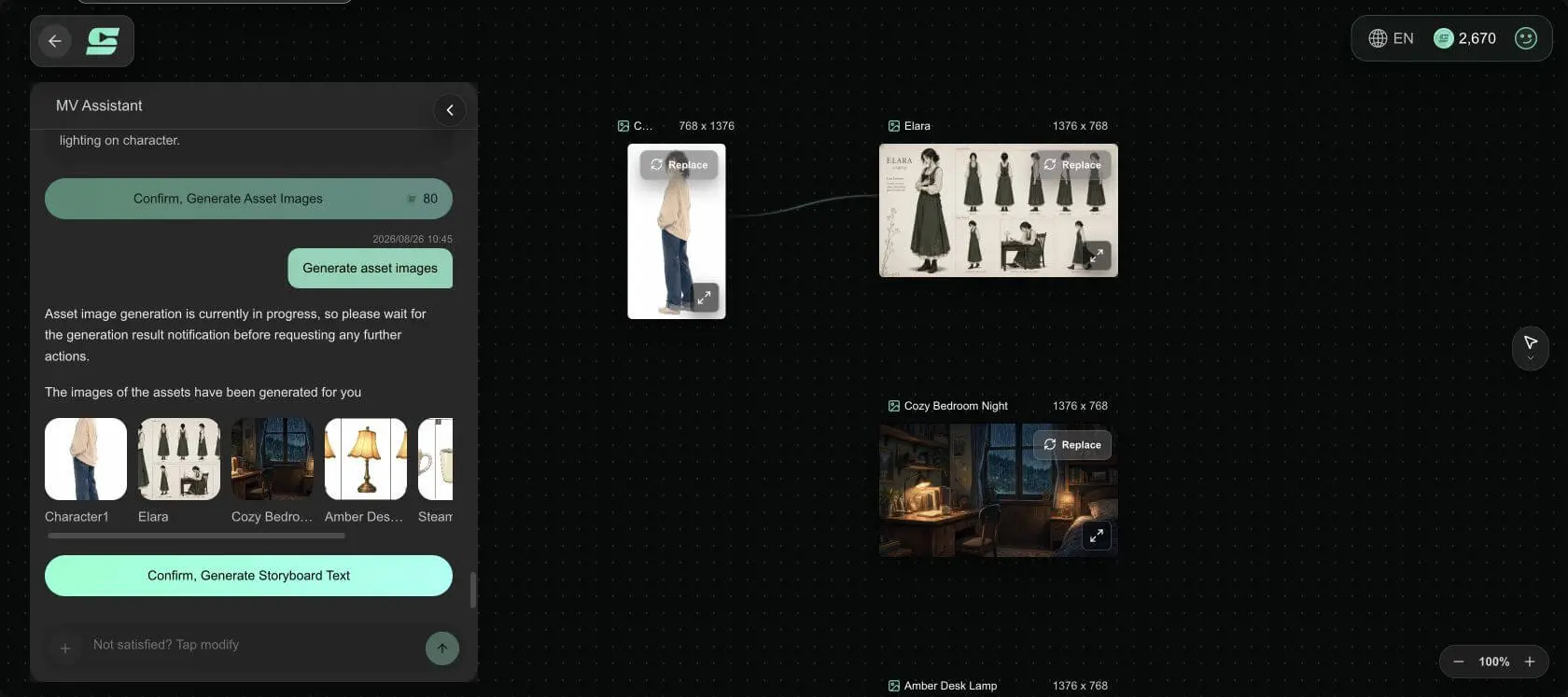
The asset stage should establish the student and the bedroom as reusable anchors. Reject variations that change the haircut, sweatshirt, desk layout, lamp design, or window construction. Too many near-duplicate references can make the final video less consistent, not more.
For scenes in which the person moves or appears in multiple shots, use the fuller reference process in this AI character consistency guide. In this loop, keeping the student nearly still removes most of that risk.
Generate One Locked Storyboard Card
The storyboard card should begin from the approved still and describe only the motion layer. This is where the negative constraints belong: no camera movement, no posture change, no object replacement, and no new action.
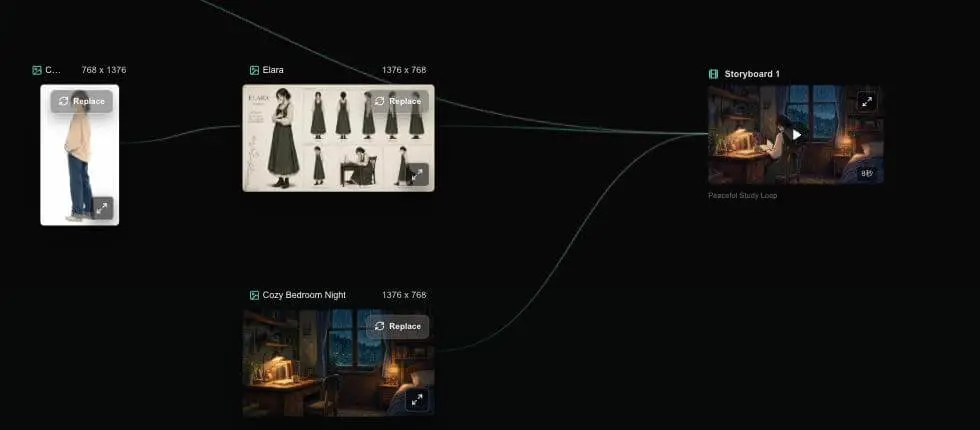
Use this video prompt on the approved image:
Create a seamless 8-second limited-animation loop from the approved Rainlight Study image. Preserve the exact character identity, hairstyle, dark forest-green sweatshirt, seated posture, hands, open book, wooden desk, chair, bookshelf, lamp, mug, curtain, four-pane window, room layout, illustration lines, paper texture, navy-teal palette, and amber light.Use a completely locked eye-level 16:9 camera. Animate only these elements:
- Fine rain travels steadily downward across the exterior side of the window.
- One thin stream of steam rises from the mug, curls once, and returns to its opening shape.
- The amber lamp brightness makes one extremely subtle slow pulse of less than ten percent.
- The curtain edge and one page corner lift by a very small amount and settle back.
The student does not turn, blink, speak, breathe visibly, type, or change pose. Furniture and architecture do not move, bend, multiply, or change texture. No camera movement, zoom, pan, dolly, parallax drift, depth shift, scene transition, extra objects, extra people, text, logos, flashes, or dramatic wind.
Return the curtain, page, steam shape, lamp brightness, rain density, and all visible objects as close as possible to their exact opening states by the final frame. Quiet contemporary lo-fi illustration, restrained motion, no obvious beginning or ending.
Build the Scene and Motion Plan in One Workflow
Bring your lo-fi concept into SoulVid, keep the references and storyboard visible, then generate the smallest motion system that makes the artwork feel alive.
Try the SoulVid AI Music Video GeneratorInspect the Result Before Extending It
Do not judge the first render only by whether it looks attractive. Compare it with the source image and ask whether it can survive repeated playback.
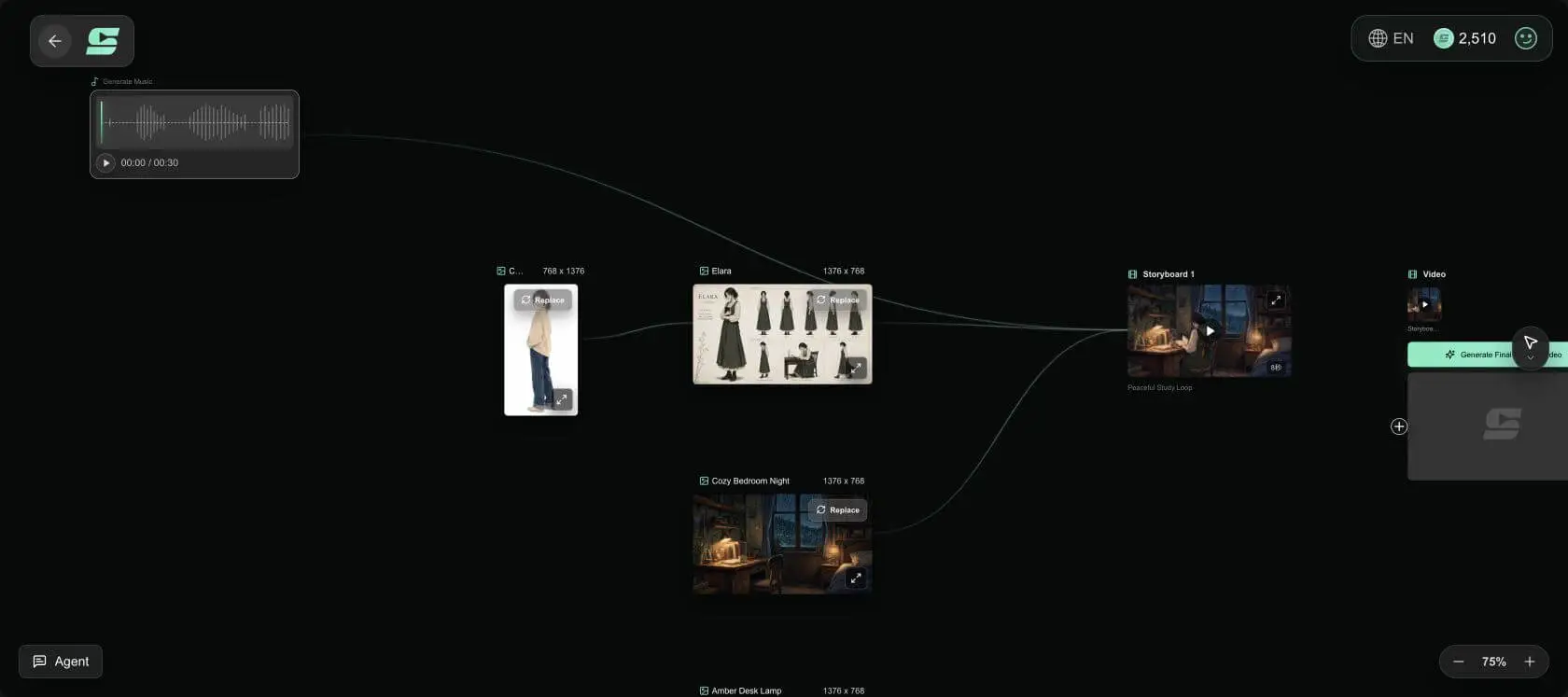
Check these details:
- The student keeps the same silhouette, clothing, hands, and position.
- The desk, window, shelves, chair, lamp, and mug do not slide or bend.
- The rain reads as exterior weather rather than streaks moving across the whole image.
- The lamp pulse stays subtle enough that it does not look like a flicker or exposure error.
- The curtain and page return near their starting positions.
- No motion pulls attention away from the music or reading pose.
Turn the Short Clip into a Seamless Loop
AI prompts can make the end resemble the beginning, but the final seam should be checked in an editor. Put the last frame directly beside the first and watch the join repeatedly with the soundtrack muted.
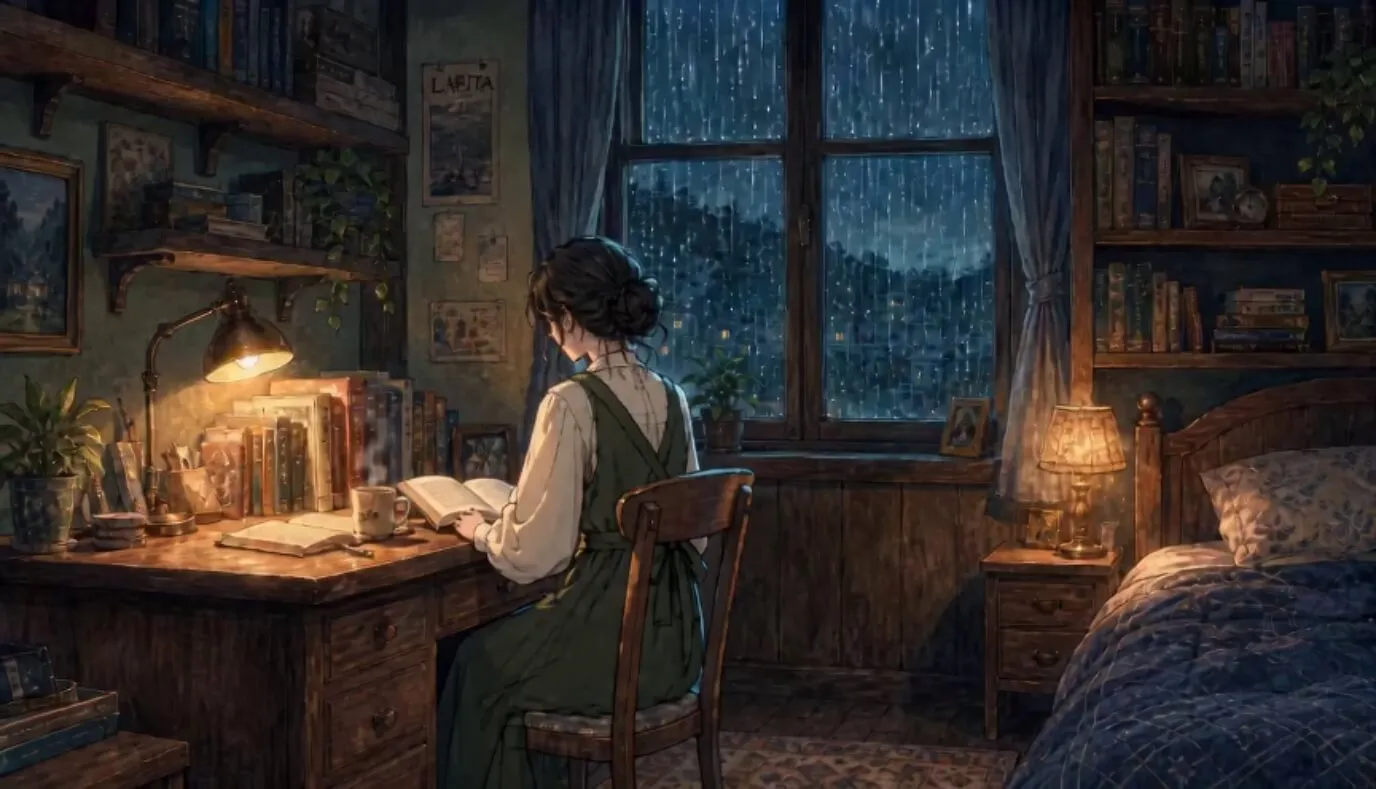
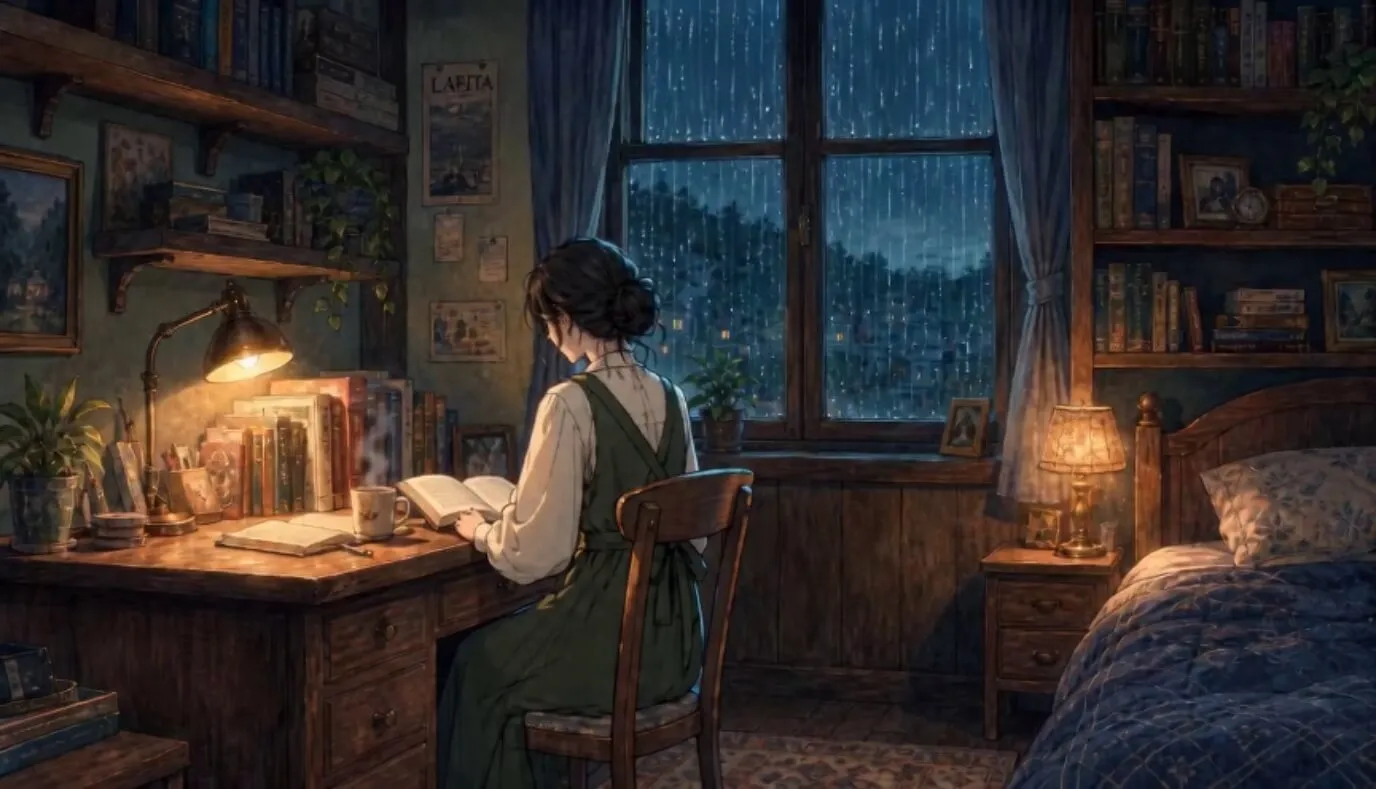
There are three practical ways to close the loop.
Continuous Loop
Use this when rain, steam, light, or another motion can finish in the same state where it began. It gives the most natural result, but it needs the strictest first-versus-last-frame match.
Rebound Loop
Play the clip forward and then backward. This automatically returns to frame one and works well for a curtain sway, breathing light, gentle reflection, or small body idle. Avoid it for falling rain, rising steam, typing, blinking, or any action that looks physically wrong in reverse.
Hidden-Cut Loop
Hide the seam behind a moment that covers most of the frame: a dark foreground wipe, a passing shadow, a brief defocus, or another transition that belongs to the scene. Use this only when the visual idea supports it. A large wipe added only to conceal a weak loop can become more distracting than the original jump.
For Rainlight Study, the best structure is continuous motion for rain and lamp light, then a carefully timed return for the steam, curtain, and page. If the steam cannot match, shorten its visible life so it fades before the seam instead of asking one complex curl to reproduce itself exactly.
Extend the Loop into a YouTube Lo-Fi Video
Once the 6-8 second seam works, duplicate the visual to the full track length. Do not generate an hour of new animation. A stable short loop keeps the scene consistent, renders faster, and is easier to replace if you later improve the artwork.
Use this finishing sequence:
- Export the clean visual loop at the final 16:9 resolution.
- Place it on the timeline and duplicate it until it covers the track.
- Listen at several joins to confirm that the visual seam does not create an audio click.
- Add the original lossless or high-quality music file as one continuous track.
- Overlay the exact channel name, mix title, and logo in the editor rather than asking AI to redraw them.
- Create a separate thumbnail from the clean source image with larger, manually set typography.
- Export a short test and watch it on both desktop and phone before rendering the full duration.
If you want the loop to grow into a sequence of several musical environments rather than one study room, use this AI music video workflow to plan how each scene changes with the track. For more visual directions, the lo-fi section in these music video prompts by genre can help you change the palette and setting without losing the limited-motion rule.
Fix Common Lo-Fi Animation Problems
The Whole Image Drifts
Repeat the locked-camera instruction and name the architecture that cannot move. Remove camera words such as cinematic push, dynamic, orbit, handheld, or parallax. If necessary, crop and stabilize the selected clip in the editor, but reject any version where the room visibly changes shape.
The Character Changes Even While Sitting Still
Use the approved source as the video reference, reduce character motion to zero, and repeat the identity anchors: hair, clothing, pose, hands, face angle, and position. Animate the weather and props around the character instead.
Too Many Objects Start Moving
Replace atmospheric wording such as "everything gently comes alive" with a closed list of two to four moving elements. Follow it with an explicit still list. Video prompts become more controllable when freedom has visible boundaries.
The Loop Has an Obvious Jump
Compare the first and final frames instead of judging the clip from the middle. Shorten or remove the motion layer with the largest mismatch. Then choose continuous, rebound, or hidden-cut construction based on the physics of the remaining action.
The Result Looks Like a GIF Sticker
Use motion at different depths: rain outside, steam near the desk, and a small light response across the room. Keep each movement slow and low-amplitude. The scene feels richer because the layers relate to the same atmosphere, not because more objects move.
The Scene Becomes Too Bright or Saturated
Lock the palette in the source image and ask for less than a ten-percent light change. Lo-fi does not require muddy brown grading or neon colors. Rainlight Study uses cool navy and muted teal for the room, then reserves warm amber for one focal lamp.
FAQ
Can I make a lo-fi animation from one image?
How long should a lofi animation loop be?
What should move in a lo-fi background?
Does a lo-fi animation need an anime character?
How do I stop AI from moving the whole picture?
Can I use a short lo-fi loop for a one-hour YouTube video?
Can SoulVid make a complete lo-fi music video?
Make Less Move, but Make Every Motion Belong
The core of a good lofi animation loop is not the number of effects. It is the relationship between the still image, the music, and a few motions that can repeat without breaking the scene. Finish the artwork first. Lock the camera, character, architecture, and palette. Animate two to four details, inspect the first and final frames, and remove anything that competes with the mood.
Rainlight Study works because the rain, steam, lamp, curtain, and page all describe the same quiet night. Once that short loop feels natural, it can support a long YouTube mix without needing an hour of new visuals.
Turn One Quiet Idea into a Complete Visual Workflow
Start with your scene and soundtrack direction, review the references and storyboard, and use SoulVid to turn the strongest visual idea into video.
Create an AI Music Video with SoulVid