A useful music video storyboard does not begin by making every frame look polished. It begins by deciding what the audience should see change as the song moves from one section to the next.
For an AI music video, a storyboard is a production plan you can inspect. It organizes the music segment, visual subject, setting, action, camera movement, and continuity so that every generated clip has a clear job. You are not asking a model to guess an entire video from a full song and a long list of adjectives.
This guide starts from two common situations: you already have music, or you have an idea but no music yet. The second route follows a complete 30-second SoulVid concept MV called Museum of Echoes, from the creative brief and generated music to the MV outline, assets, Storyboard Text, three storyboard clips, and final composition.

- Music ready
- Lock the song version, then plan the MV around its structure
- No music yet
- Create the music, storyboard, and video in SoulVid
- Case study
- Museum of Echoes, a 30-second postmodern electronic art MV
- Visual core
- White marble bust, contemporary gallery, chrome, cyan, and magenta light
How to Storyboard a Music Video
When you search for how to storyboard a music video, templates, shot sketches, and equipment lists often appear first. Before opening a template, answer four questions:
- Music range: Are you planning the full song, or starting with the most visual 15 to 30 seconds?
- Emotional change: What state does this section begin in, and what should it feel like when it ends?
- Visual anchors: Which subject, space, prop, material, color, or light must return across scenes?
- Section job: Does each section establish the world, introduce a change, expand the climax, or close the sequence?
Write the job before the image. "Cinematic, dreamlike, high quality" describes a style. "The camera slowly pushes from a gallery-wide view toward the bust while the cold spotlight stays fixed" can actually guide a shot.
A concise MV storyboard can use this structure:
MV goal:
This music video shows [subject] in [setting], moving from [opening emotion] to [ending emotion].Music segment:
[Song title and exact time range]
Visual anchors:
[Subject, setting, props, materials, colors, or light that must return]
For each storyboard section:
Name:
Duration:
Visual job:
Setting and subject:
Visible action:
Shot size and camera movement:
Detail that must carry into the next section:
You do not need drawing skills or professional storyboard terminology to use this format. You only need one visible change in every section and a shared detail that can continue into the next one.
If You Already Have Music: Lock the Song Before Planning the MV
If the song is finished, first lock the exact audio version you will use, then choose the section with the strongest visual potential. For a first project, start with 15 to 30 seconds. That is enough time for a beginning, a change, and an ending, while making character and art direction easier to hold than across a three- or four-minute song.
If the music comes from Suno, the complete workflow also includes exporting the song, preparing lyrics, selecting a segment, and bringing the story and visual direction into an MV. Those actions are covered in the Suno song-to-MV tutorial, so they are not repeated here.
Whatever the source, prepare the final MP3 or WAV, confirm the time range, and lock the subject, place, and change in one visual promise. For example: "The same cyclist rides home through a rainy city while the streetlights gradually shift from cold blue to warm yellow."
For the complete sequence, follow the full Suno MV guide from song export and segment selection through the MV storyboard and generated video.
If You Do Not Have Music: Make the Song, Storyboard, and Video in SoulVid
If you only have a scene, an emotion, or an art direction, turn it into a complete brief first. The goal is not to ask AI for a finished video immediately. It is to make the music and visuals begin from the same concept.
Museum of Echoes deliberately avoids human performers. Its only subject is a white classical marble bust. An after-hours contemporary gallery, polished black floor, chrome frames, and cyan-magenta reflections create a postmodern electronic-art atmosphere. As the pulse builds, the space and materials transform, before natural daylight returns the gallery to silence.
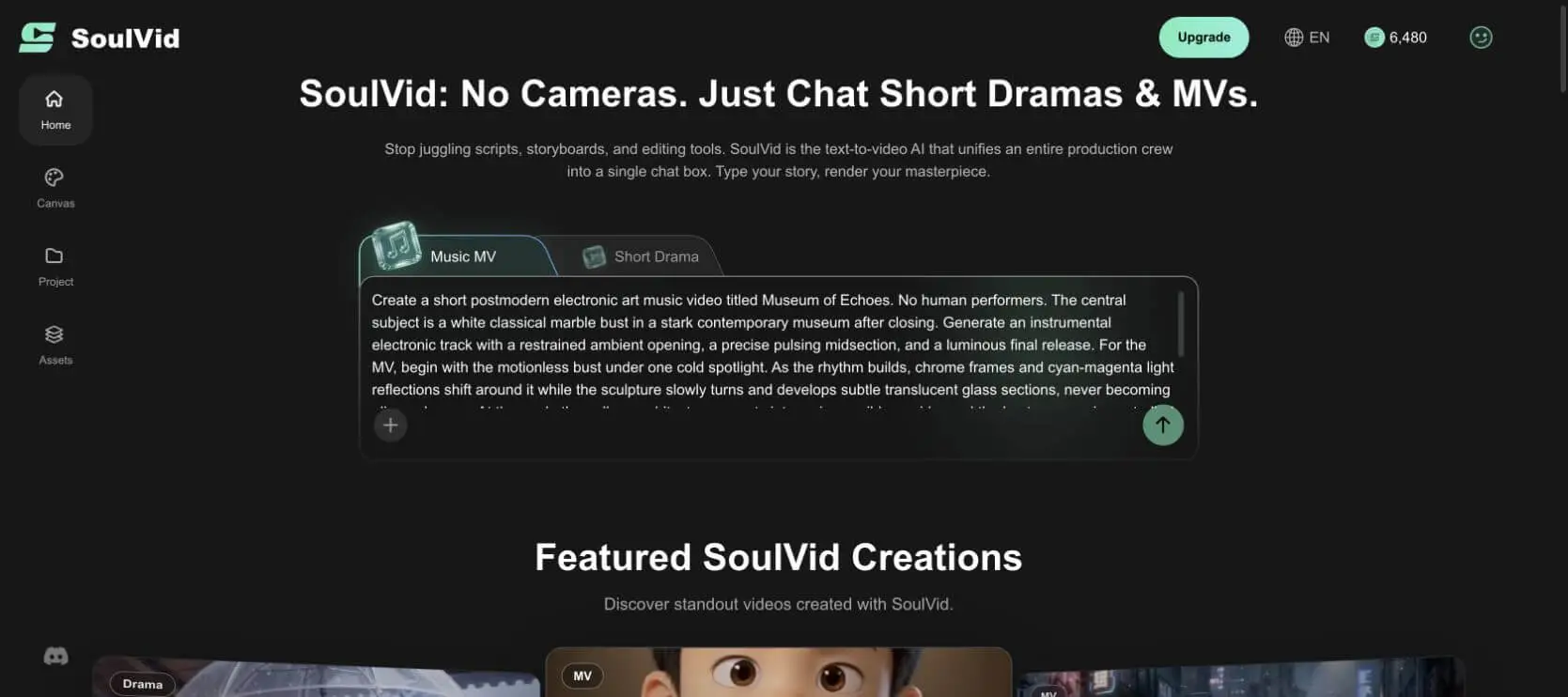
Copy-ready Museum of Echoes project prompt
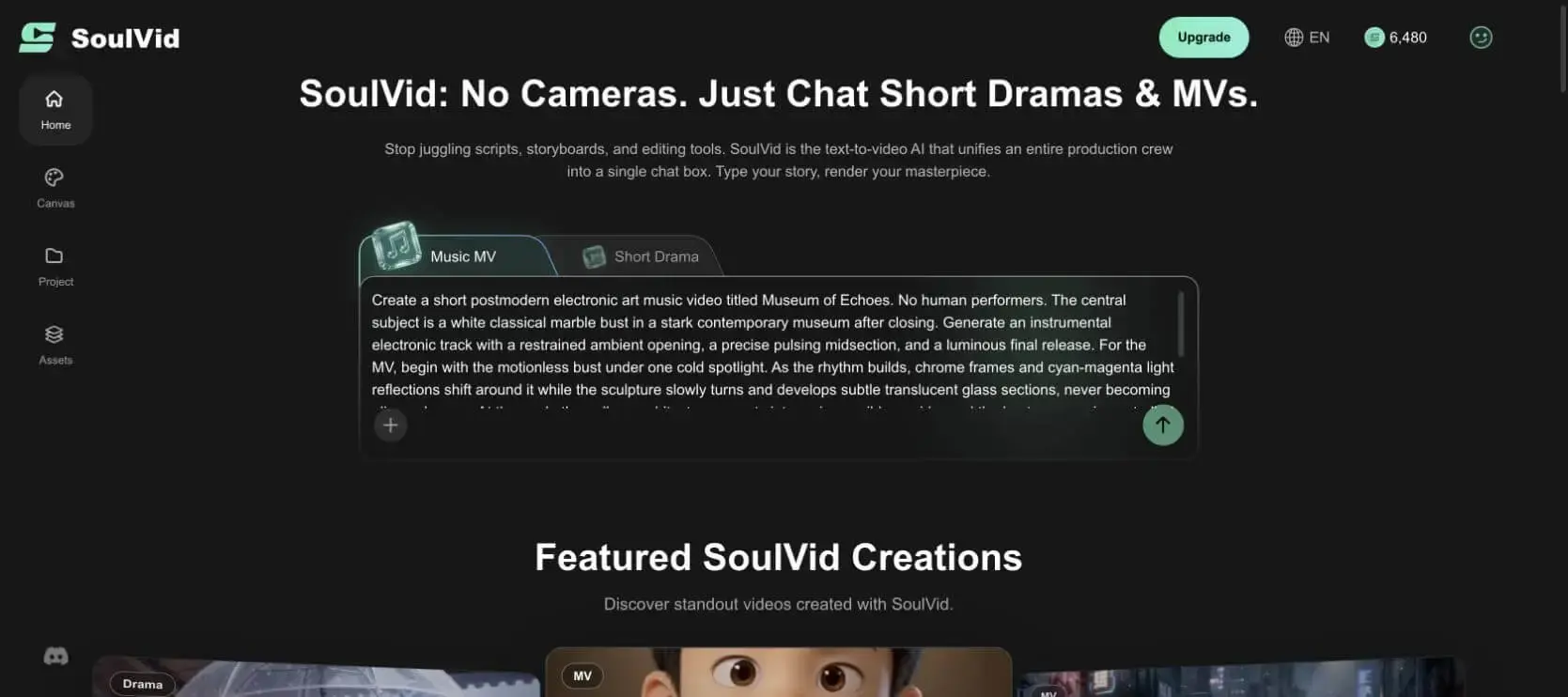
Create a short postmodern electronic art music video titled "Museum of Echoes." Do not include human performers. The only subject is a white classical marble bust placed inside a clean-lined contemporary museum after closing time.First generate an instrumental electronic track. Begin with restrained ambient textures, build into a precise and persistent pulse, then end in a bright, spacious release.
Open the MV with the bust standing still beneath one cold spotlight. As the rhythm builds, chrome architectural frames and cyan-magenta reflections move around it. The sculpture slowly rotates and develops subtle areas of translucent glass, but it must never become a living person or an anthropomorphic character.
At the highest-energy moment, repeat and extend the museum architecture into an impossible corridor. Make the controlled transformation of the bust respond to the rhythm. End by returning to the original sculpture as natural daylight enters the gallery.
Use a clean postmodern editorial aesthetic throughout: white marble, chrome, black gallery floors, cyan and magenta accents, cinematic 16:9. Do not add text, logos, visitors, or other people. Use a 30- to 40-second music segment and plan three to four connected scenes.
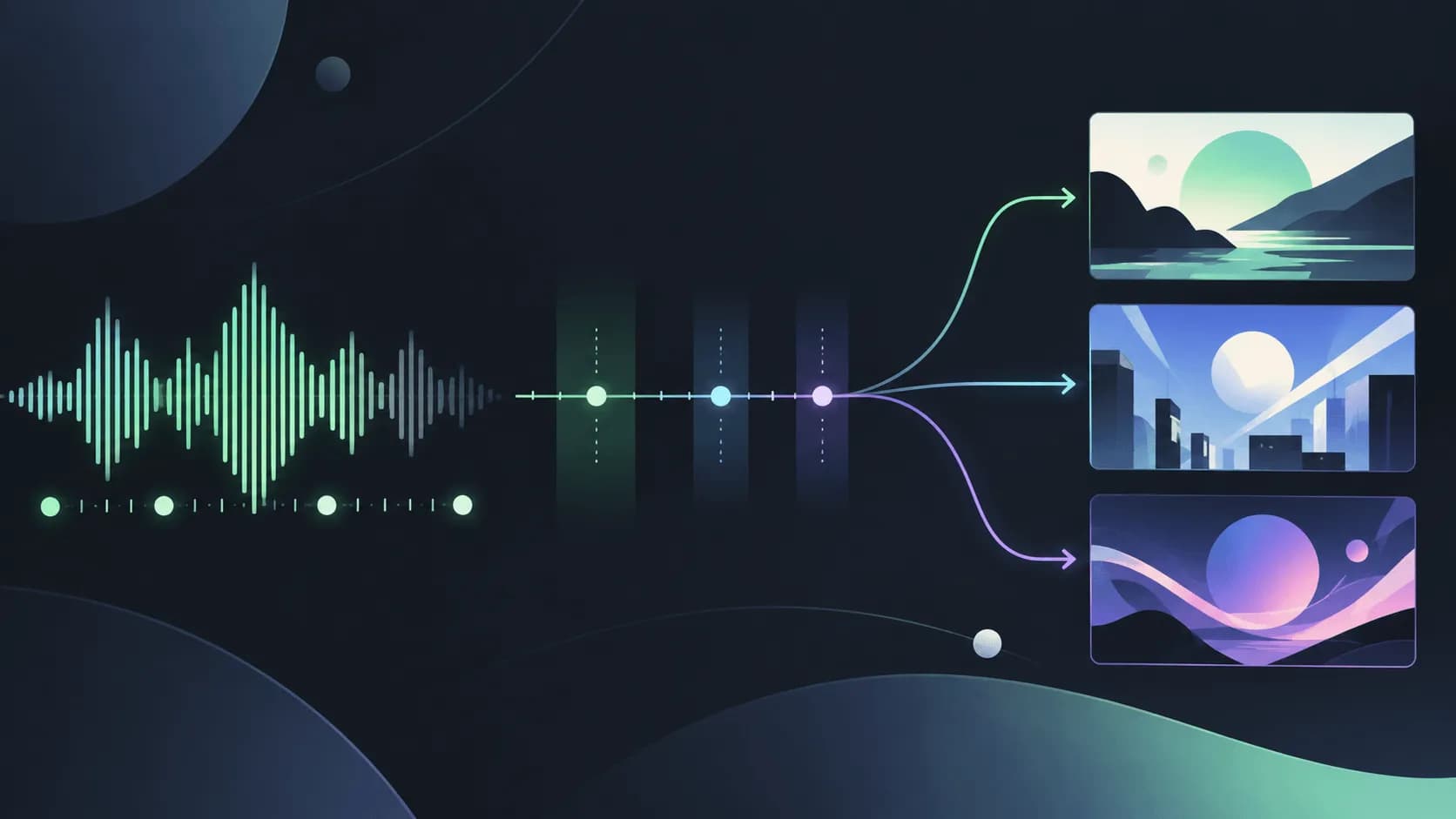
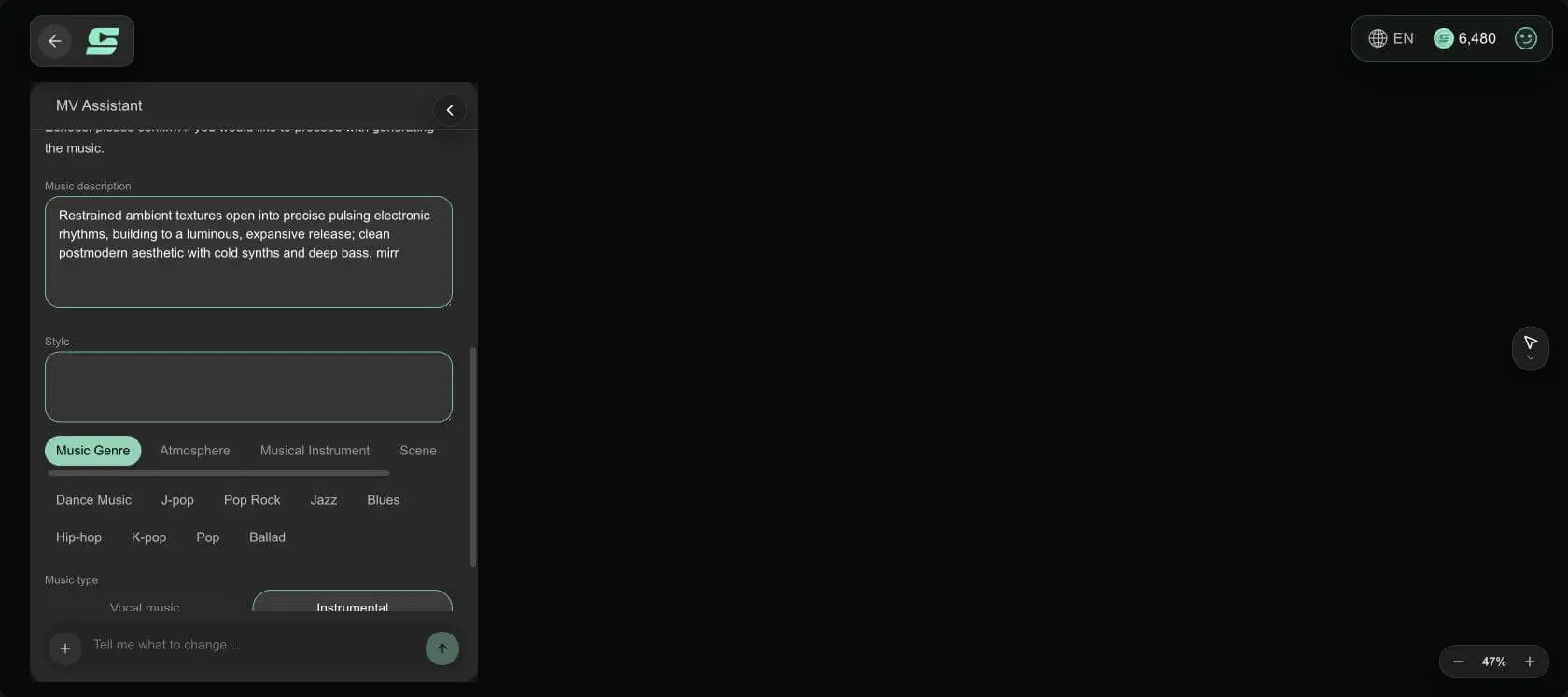
This prompt defines both the music arc and the visual arc. The track moves from ambience to pulse to release. The image moves from a still bust to color and spatial distortion, then returns to solitude in daylight. Because the two arcs travel together, the storyboard does not need to invent a new theme later.
Generate the Music and Lock the Segment
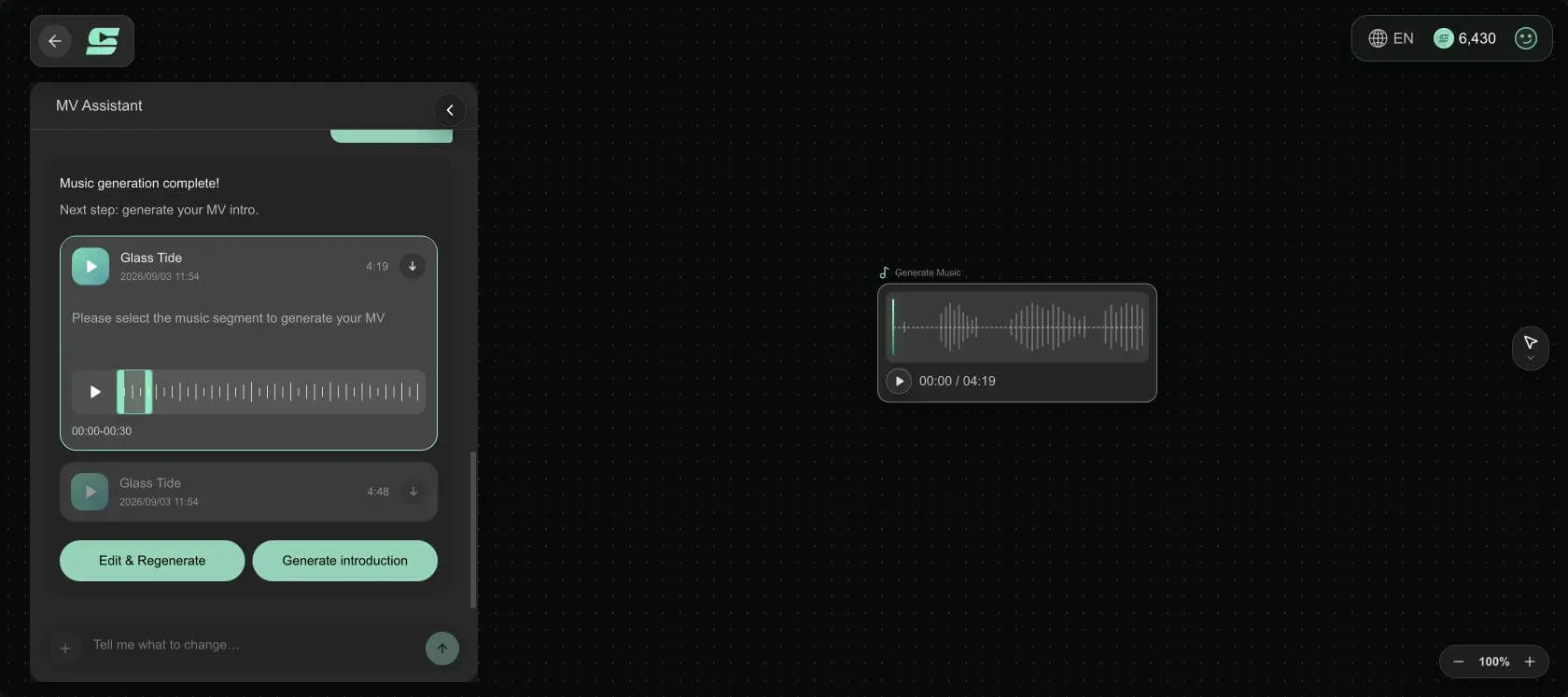
SoulVid first turned the brief into an instrumental direction and generated two candidates after confirmation. Both results were titled Glass Tide, with durations of 4:19 and 4:48.
For this project, the first Glass Tide track was selected from 00:00-00:30. The rest of a four-minute song could still be used, but these 30 seconds already contain a complete miniature arc and give every later scene a clear total time limit.
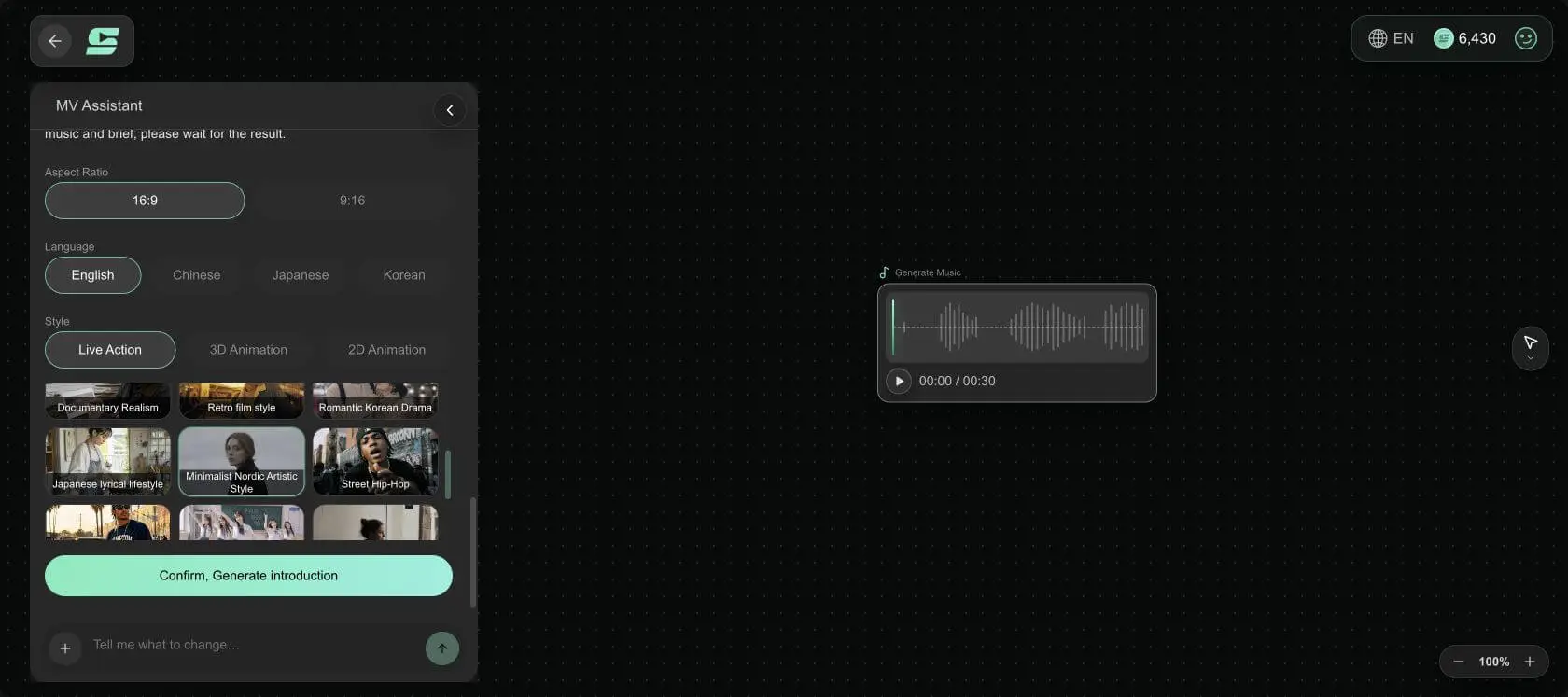
Generate and Review the MV Outline
This case used 16:9, English, Live Action, and Minimalist Nordic Artistic Style. These settings do not hand all creative decisions to a preset. They establish shared boundaries for the outline: widescreen framing, restrained realism, clean space, and quiet light.
Review the outline before expanding it into shots
The generated MV outline preserved the center of the brief: an after-hours contemporary gallery, cold spotlight, marble bust, chrome frames, cyan-magenta reflections, an impossible corridor, and daylight at the end. It did not add performers or dialogue, and it did not rewrite the concept as an unrelated story.
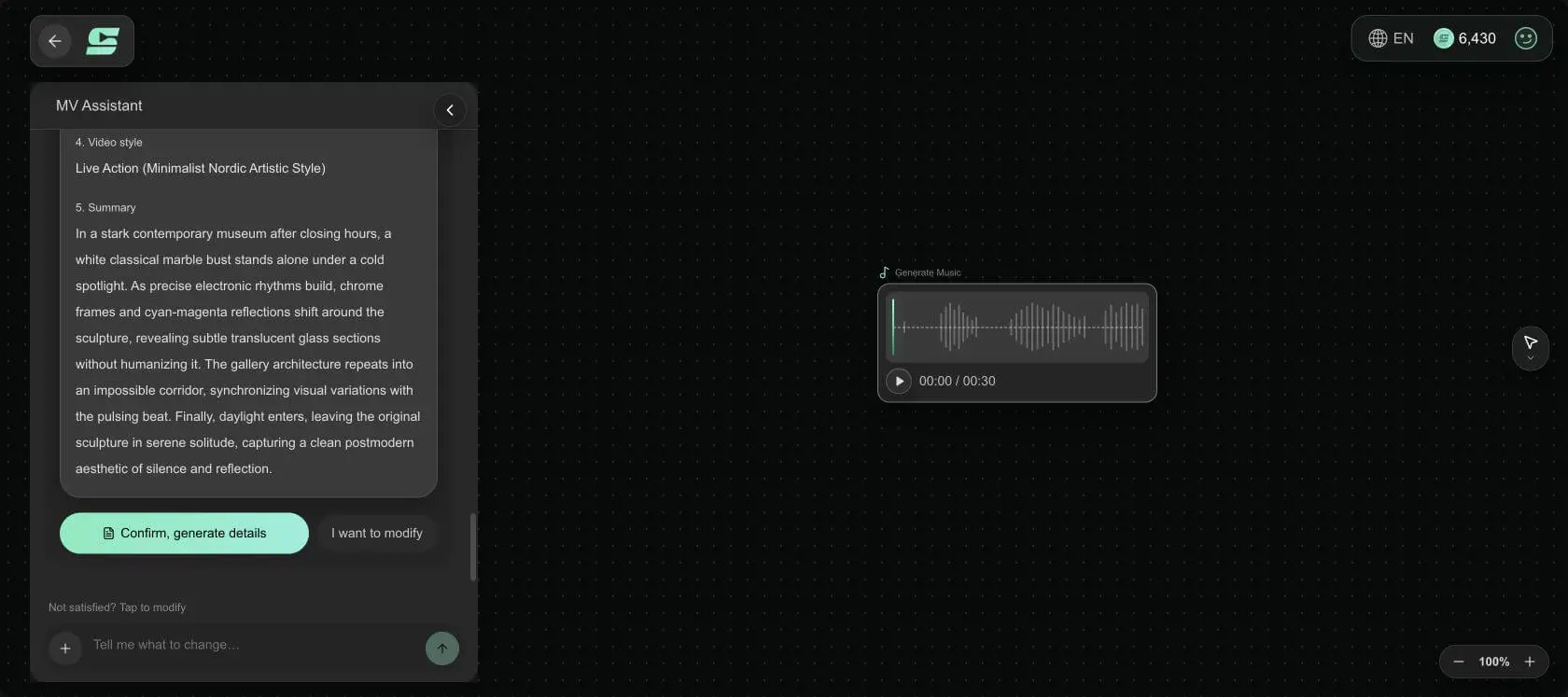
Review the Detailed Shot Breakdown
After the outline was approved, the system divided the 30 seconds into three sections whose durations exactly matched the selected music segment. These are not three unrelated art images. They follow the order of establishment, transformation, and resolution.
| Storyboard section | Duration | Visual job | Shot size and visible change |
|---|---|---|---|
| Silent Marble | 12 seconds | Establish the only subject and the cold gallery | 0-6 seconds: slow push-in from a medium shot; 6-12 seconds: locked close-up confirming the sculpture material |
| Chromatic Shift | 10 seconds | Let the pulse change material and color for the first time | 0-5 seconds: slow side orbit; 5-10 seconds: close-up of stone, glass, and cyan-magenta reflections |
| Daylight Solitude | 8 seconds | Remove the artificial transformation and return to a quiet ending | 0-4 seconds: slow wide pullback; 4-8 seconds: locked long shot and fade out |
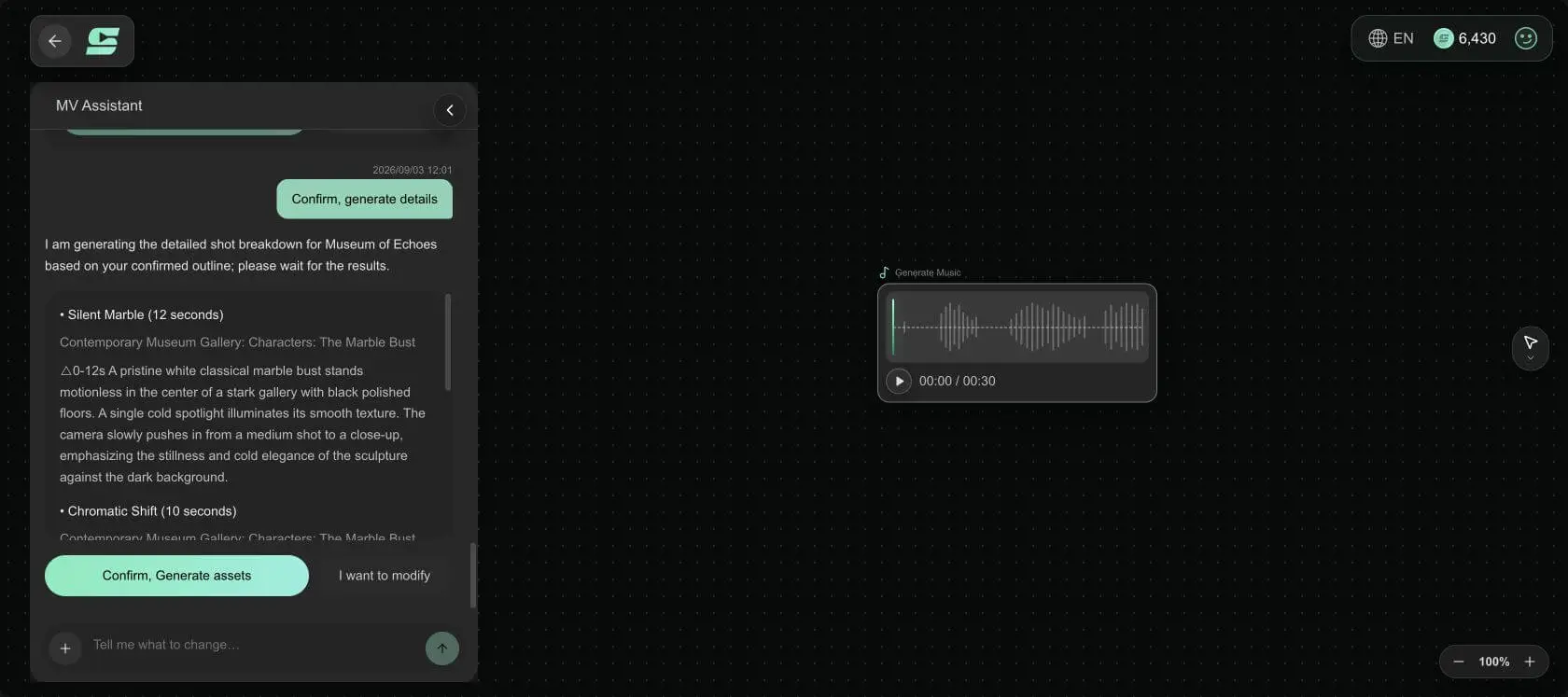
This music video storyboard works because each section changes the meaning of an element established earlier, not because it contains many shots. Without the stillness of Silent Marble, the material shift in Chromatic Shift would not feel significant. Without the color and spatial distortion in the middle, returning to the original bust in Daylight Solitude would not feel like a resolution.
If your first draft has six images that all do the same job of establishing atmosphere, combine the repeated sections. To check shot size, movement, and continuity in more detail, use this AI video storyboard guide alongside the workflow.
Generate Subject, Setting, and Prop Assets
After the detailed shots were confirmed, SoulVid listed five named assets and their image descriptions before generating them:
- The Marble Bust: The only subject, fixed as white marble with classical proportions and localized translucent-glass material.
- Contemporary Museum Gallery: The main night setting, with a polished black floor, white walls, chrome frames, and cold reflections.
- Impossible Corridor: The peak setting, using a symmetrical vanishing point and repeating architecture to amplify the rhythm.
- Daylit Gallery: The ending setting, replacing artificial color with soft natural daylight and open negative space.
- Chrome Architectural Frame: A recurring prop that maintains the cold postmodern material language.
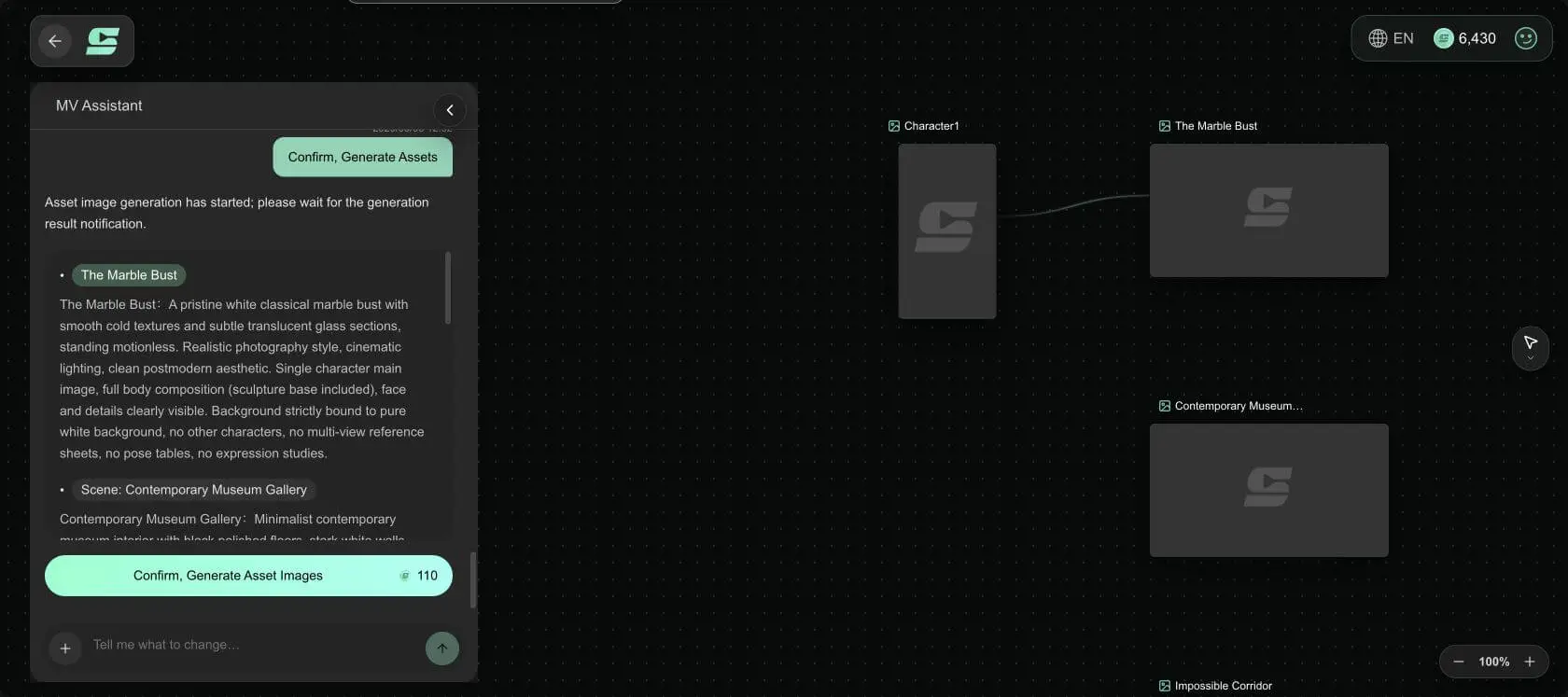
After approval, the assets were generated as separate reference images and connected on the canvas. The value of this stage is not adding more material. It is giving different storyboard sections the same visual vocabulary to reuse.
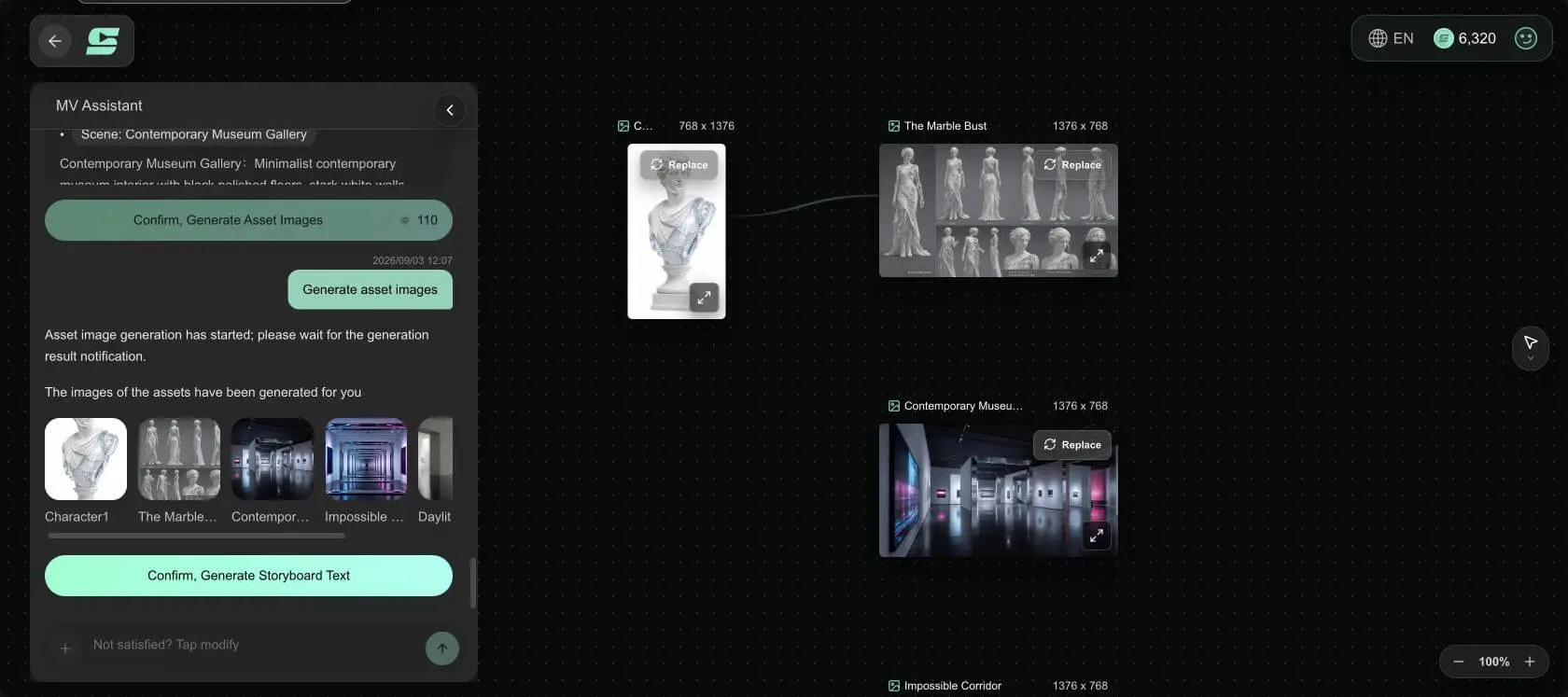
Assets still matter in an abstract MV without a recurring human character. Spatial scale, floor reflections, chrome surfaces, and the core palette determine whether all three sections feel like one work.
Build Storyboard Text and Storyboard Clips from the Assets
Once the assets were approved, SoulVid rewrote each section as generation-ready Storyboard Text. It specifies timing, transitions, scene assets, shot size, angle, camera movement, and visible action.
For example, Silent Marble is more precise than "a sculpture in a museum." Its first six seconds use an eye-level medium shot with a slow push-in, followed by a locked eye-level close-up. Chromatic Shift uses a slow side orbit in a medium shot, then cuts to a material close-up. Daylight Solitude ends with a wide pullback and a locked long shot.
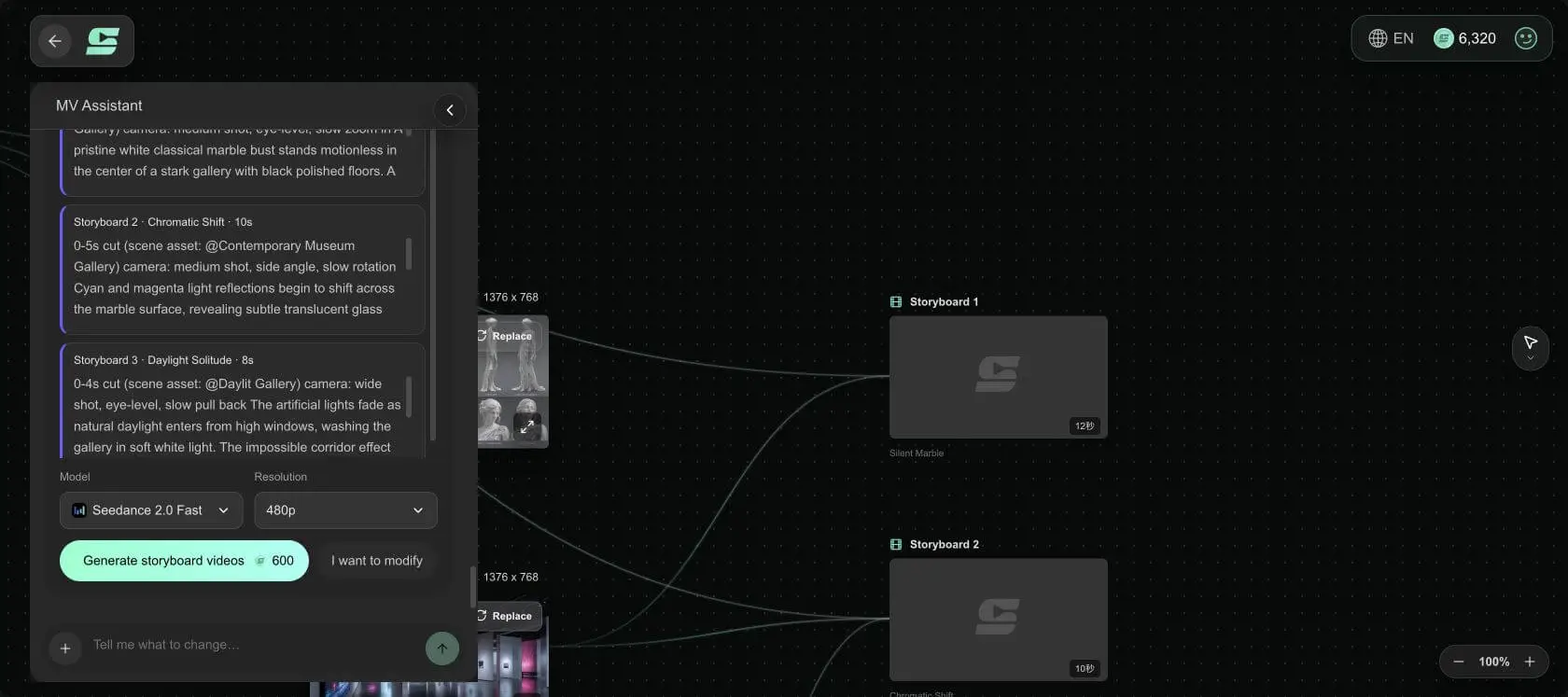
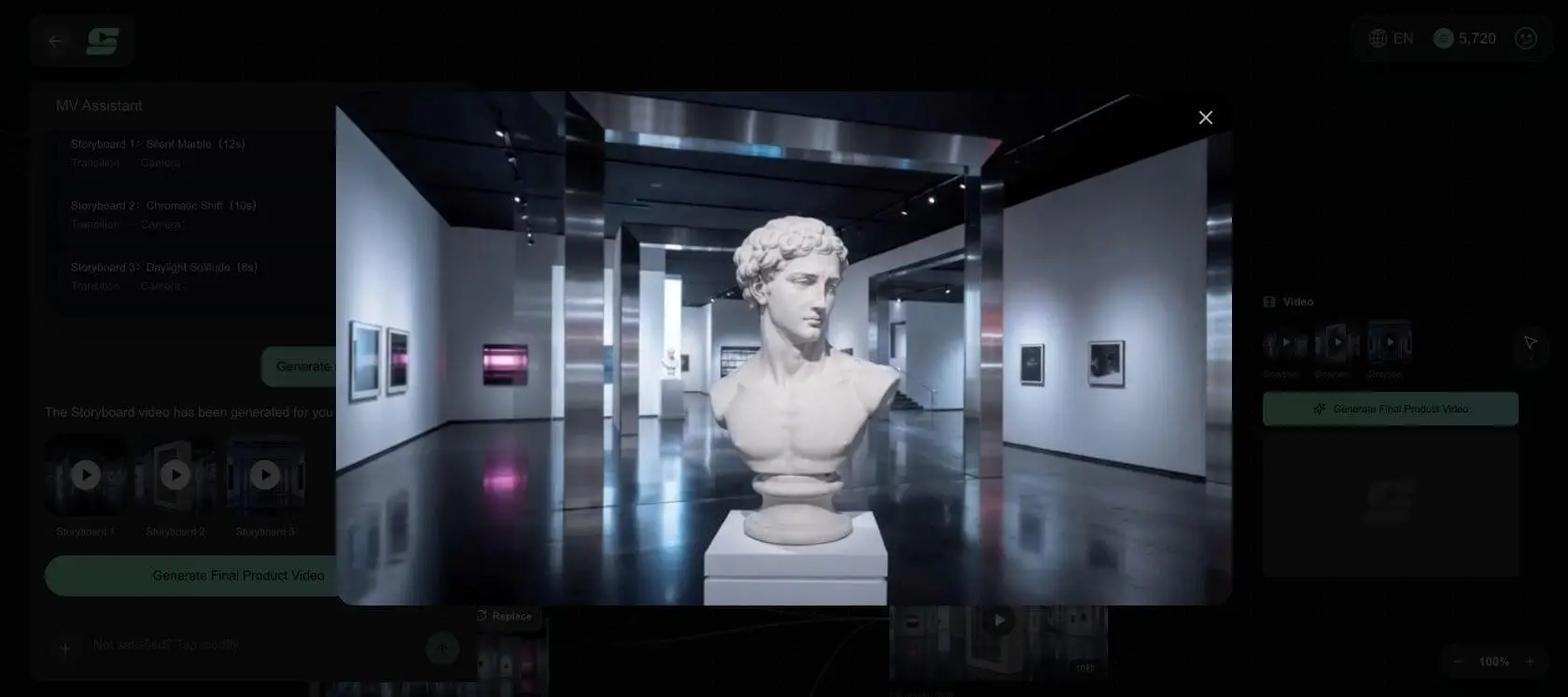
The three previews were generated with Seedance 2.0 Fast at 480p. This preview pass tests the storyboard direction: whether the subject remains the same sculpture, the scenes belong to one MV, and the color and spatial changes happen in the intended order. Once the direction is confirmed, you can revise one section or move to the final composition.
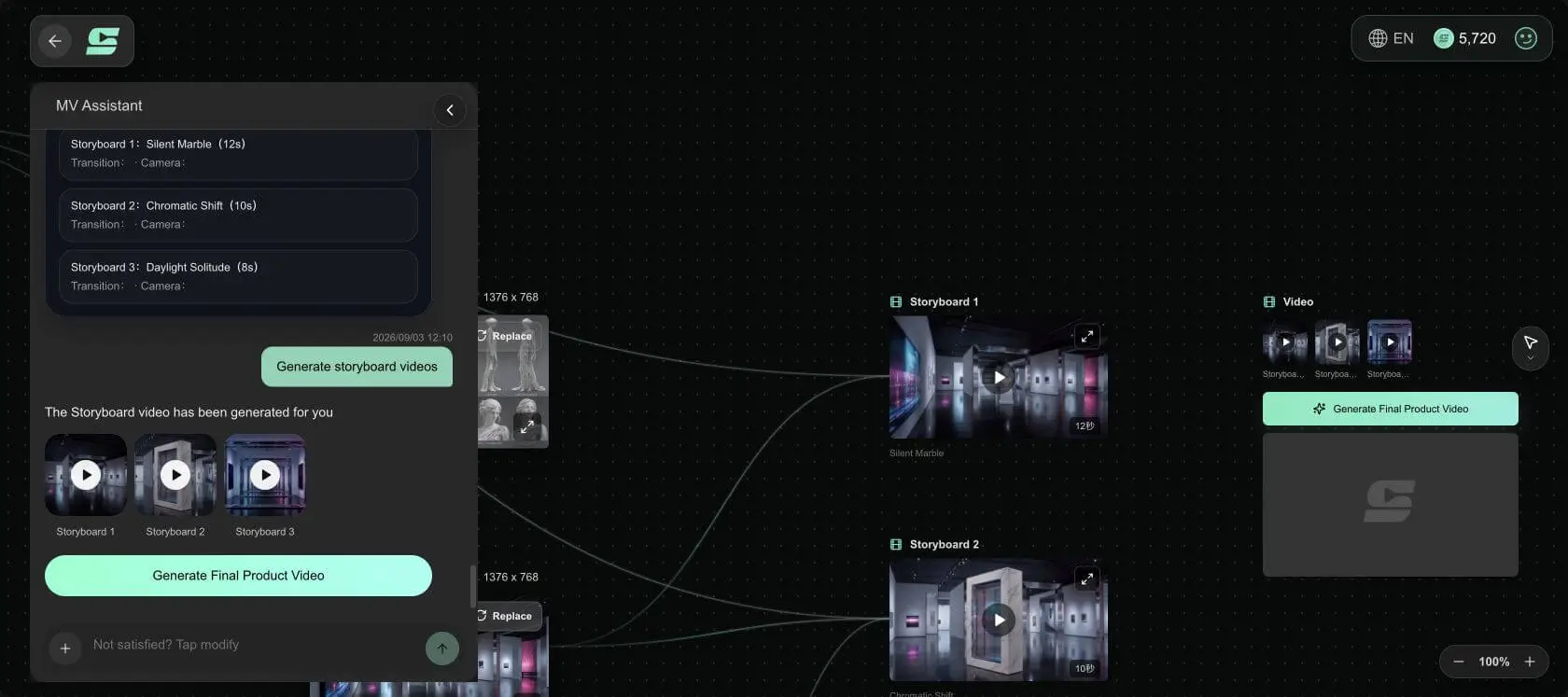
Confirm the Storyboard Delivers Its Original Promise
A storyboard is ready for final composition because the sequence works, not because it uses a large vocabulary of shot terms. After playing the three sections in order, you should be able to answer:
- Does the opening establish the only subject and location within a few seconds?
- Does the middle contain one clear, visible change that matches the energy of the music?
- Does the ending answer the opening instead of jumping into another visual world?
- Do marble, chrome, the black floor, cyan-magenta reflections, and daylight appear in the right sections?
- Do the three durations add up to the exact song segment you selected?
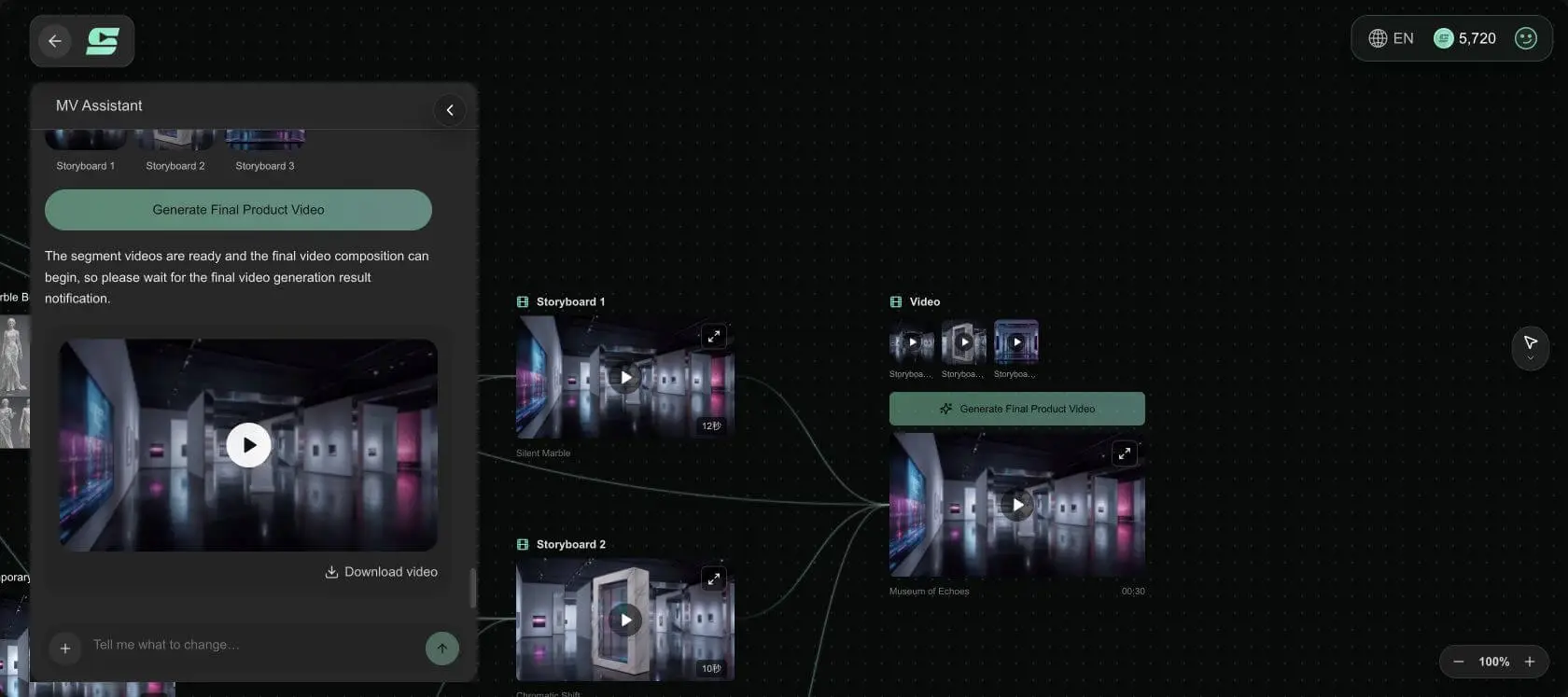
The 30-second Museum of Echoes plan spends 12 seconds establishing the still bust, 10 seconds making color and material answer the pulsing rhythm, and 8 seconds returning to solitude in a daylight long shot. It is a concept MV. It does not need a human performance or a complex plot to create a clear beginning, transformation, and ending.
Choose the Right Production Route
If you already have music: Lock the final audio, select the section with the strongest visual potential, then bring the song, lyrics, and visual direction into SoulVid. Do not change the song version after storyboarding, or the approved segment and shot durations will need to be checked again.
If you do not have music: Use a creative brief to establish the song direction, confirm the music and exact segment, then extend the same concept into an MV outline, assets, Storyboard Text, and storyboard clips.
Both routes share one principle: give every section a job before giving every shot an image. When the music, assets, and storyboard all point toward the same change, generating, comparing, and revising clips becomes more specific.
To explore visual anchors for different genres, read this collection of music video prompts. When you are ready to build, bring a song or one complete concept into SoulVid.
Turn a Song or Concept into an Editable MV Storyboard
Review the music, outline, and assets before generating each section. Keep what already works and revise only the shots that need attention.
Create a Music Video with SoulVid