If you are looking for the best AI platform to make music videos for social media, the word platform matters. A clever generator can make one beautiful clip. A useful platform helps you turn one song into a repeatable stream of TikToks, Reels, Shorts, teasers, lyric moments, and alternate visual ideas without rebuilding the project every time.
That is a very different job. Social media rewards a strong opening, a clear visual identity, enough variation to keep posting, and a workflow fast enough that you do not disappear for three weeks while perfecting one 12-second chorus. Pretty pixels are welcome. A system you can actually direct, revise, and reuse is better.
We reviewed five music-video platforms in August 2026: SoulVid, Freebeat, Neural Frames, BeatViz, and Rotor Videos. This guide compares their public workflows, creative controls, social formats, and ability to carry an idea from song to publishable content. SoulVid publishes this article and is included in the comparison, so we will be direct about where it fits and where another platform may suit you better.
Quick Answer: The Best AI Music Video Platforms for Social Media
| Platform | Best for | Strongest platform advantage | Main compromise |
|---|---|---|---|
| SoulVid | Story-led social campaigns | Chat direction, batch options, editable storyboards, and scene-level revision | Not a dedicated automatic caption-timing tool |
| Freebeat | Fast, beat-driven music content | Music-first automation, performance modes, lyrics, and social formats | More automation can mean less deliberate story control |
| Neural Frames | Art-directed generative visuals | Expressive music visuals with iterative creative direction | Requires more taste, review, and hands-on direction |
| BeatViz | Creating music and video in one place | AI music, storyboarding, visuals, and video in one connected workflow | Broader feature set may be more than a finished-song creator needs |
| Rotor Videos | Quick promotional assets | Music videos, lyric videos, Spotify Canvas, and stock-based promo formats | Less suited to original character-led storytelling |
Our short version: SoulVid is the best overall fit when you want to direct a visual story, generate several options, and turn one creative world into multiple social posts. Freebeat is the stronger choice when automatic music response and quick performance-style output matter most. Neural Frames is compelling for musicians who want to art-direct expressive visuals. BeatViz makes sense when the song and video both need to be created. Rotor Videos is the practical pick for straightforward promotional content.
What Does "For Social Media" Actually Require?
A full-length music video and a social campaign are cousins, not twins. A social-first platform has to solve a few extra problems that a one-shot video generator can happily ignore.
A Hook Before the Scroll Wins
The opening needs to communicate a mood or question almost immediately. That could be a character reveal, a striking lyric, a visual transformation, or the moment before the chorus lands. A platform should let you replace or redirect that opening without forcing you to remake everything behind it.
More Than One Usable Version
One song rarely needs only one post. You may want a 12-second hook, a 30-second story cut, a lyric clip, a character edit, a release-day teaser, and a calmer visual loop. Batch creation matters because it gives you choices. Instead of accepting the first result, you can compare several directions, keep the strongest one, and reuse the good ideas later.
A Visual World People Can Recognize
Social accounts become easier to remember when the character, palette, typography, and overall mood feel connected. Randomly generated clips can look impressive one by one while making the feed feel like five unrelated channels. Storyboards, visual references, and controlled revisions help turn isolated posts into a recognizable series.
A Story Worth Sharing
A music video does not need a complicated plot, especially at 20 seconds. It does need movement: a setup, a change, and a payoff. Story gives viewers a reason to stay for the next shot and gives them something to send to a friend besides "this AI effect is neat." No platform can promise virality, but a coherent emotional arc gives the video more to work with.
Formats That Do Not Need Emergency Cropping
Vertical 9:16 is the default for TikTok, Reels, and Shorts. Square 1:1 can still be useful for feed posts, while 16:9 remains the natural home for widescreen YouTube releases. The best workflow makes framing a creative decision early, not a painful crop after the faces, lyrics, and important action have already wandered outside the safe area.
Platform vs. Tool: Why the Difference Matters
A generator gives you an output. A platform remembers the creative context around that output.
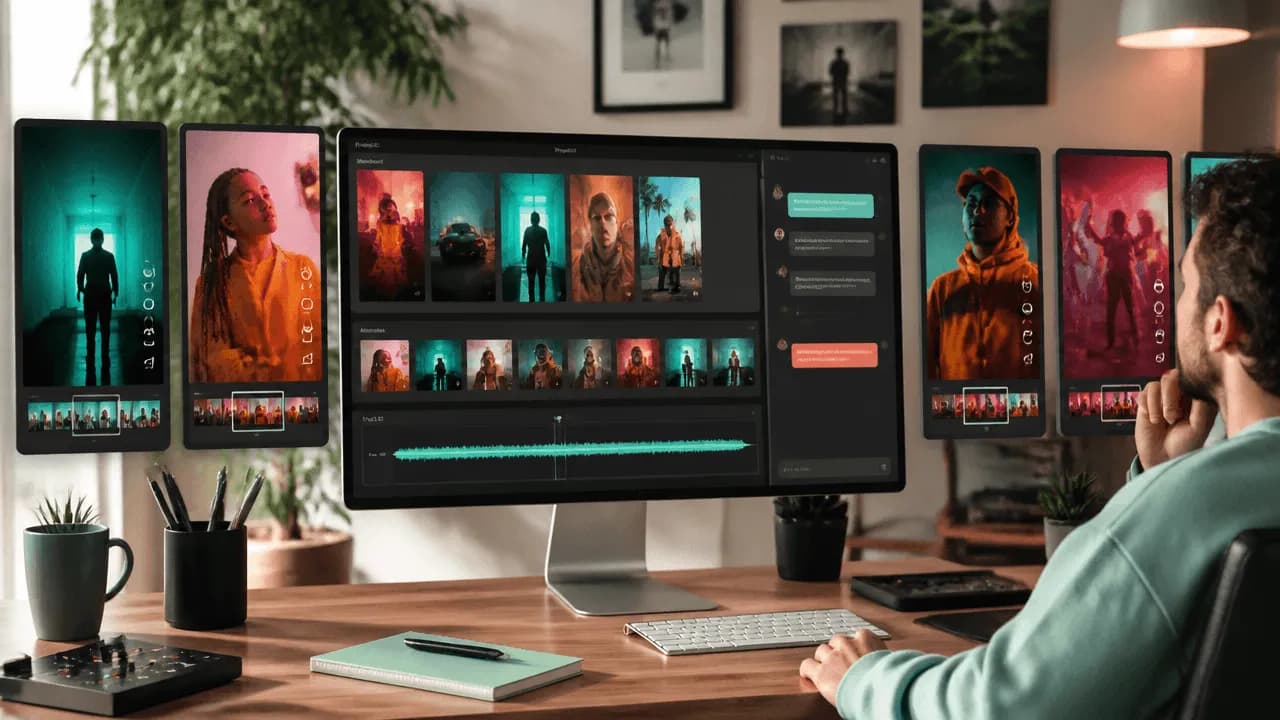
For social music videos, that context may include the track, lyrics, visual references, characters, style, scene order, framing, previous attempts, and selected shots. When those pieces live in one workflow, you can move from "make me a cool clip" to "keep this character, make the chorus brighter, give me three alternatives, and turn the strongest version into a vertical release teaser."
General editors such as Canva or InVideo can still be useful for resizing, captions, stock footage, and final packaging. They are simply solving a different part of the job. If you mainly want a feature-by-feature list of generators, our AI music video generator comparison covers that angle. Here, we are judging the platform around the generation.
How We Reviewed the Platforms
We used six criteria that directly affect social-media production:
- Workflow depth: Can the platform carry a project from song and idea to planned scenes and export?
- Creative control: Can you direct the result in plain language and adjust specific parts?
- Option volume: Can you generate and compare enough candidates to make a real creative choice?
- Story continuity: Can scenes share characters, visual rules, and an intentional arc?
- Social adaptability: Can the same project support short hooks, alternate edits, and multiple aspect ratios?
- Revision cost: Can you fix the weak part without throwing away the good parts?
We did not give points for volatile prices or repeat marketing claims as test results. Features and plans change quickly, so check the current product and terms before publishing commercial work.
1. SoulVid - Best Overall for Directed Social Music Video Campaigns
SoulVid treats the music video as a project you direct through conversation. You can begin with a song or music idea, describe the story, lyrics, mood, character, and visual style, then move into an editable storyboard instead of asking one giant prompt to carry the whole video.

Why It Works for Social Media
- Conversation is the control layer. You can ask for a clearer hook, a different atmosphere, a stronger character moment, or a new framing direction without translating every thought into production jargon.
- Batch options make selection faster. Generating several candidates at once gives you material to compare, combine, or save for another post.
- Story comes before random motion. Scenes can be planned by turning lyrics into visual moments, then matching those moments to mood changes and the structure of the track.
- Individual scenes remain editable. A weak shot does not require sacrificing the rest of a promising sequence.
- The same creative world can travel. Style, character, story direction, and framing can be adjusted for TikTok, Reels, Shorts, or a wider release.
Where It May Not Fit
SoulVid is not a dedicated automatic word-by-word caption editor. If perfectly timed karaoke text is the main deliverable, add a caption-focused editor after the visual sequence is ready. It is also more useful for creators who want an intentional visual concept than for someone who only needs a stock-footage background in five minutes.
Best Social Use Case
Start with the strongest chorus and ask for three directions: a character-led narrative, a performance-focused version, and a visual-metaphor version. Keep the best direction, refine its opening, then reuse the same character and visual world for a lyric post and a release-day teaser. That is where a platform starts saving more time than a generator.
2. Freebeat - Best for Fast, Beat-Driven Social Output
Freebeat is built around music-first automation. Its public workflow emphasizes uploading a song, choosing a video mode and style, generating a storyboard, refining scenes, adding lyrics, and publishing in social formats. It also offers performance, dance, storytelling, abstract, and beat-effect directions.

Why It Works for Social Media
- The workflow is designed to get from uploaded audio to a complete video quickly.
- Beat-aware and performance-style options suit dance clips, electronic releases, and lyric-led posts.
- Publicly documented support for vertical, square, and horizontal formats makes multi-channel publishing straightforward.
- Short-form and longer output options cover both social hooks and full-track releases.
What to Consider
Freebeat's strength is automation. That is excellent when speed and music response are the priority, but creators building a specific multi-post story should still inspect how much control they have over alternate candidates, scene logic, and continuity before committing to a full campaign.
Best Social Use Case
Use Freebeat when you have a finished track and need a beat-responsive dance clip, lyric video, or fast performance-style post without building the edit by hand.
3. Neural Frames - Best for Art-Directed Generative Visuals
Neural Frames is aimed squarely at musicians who want original generated imagery. Its workflow moves from uploading a track to directing the visuals and exporting the final video, with chat-based refinement and an emphasis on high-resolution output.

Why It Works for Social Media
- Original generative visuals can give a release a stronger identity than familiar stock footage.
- Iterative direction helps musicians shape mood, movement, and style instead of accepting a fixed template.
- High-quality output can support both vertical excerpts and a polished main release.
What to Consider
Art direction is a feature and a responsibility. A creator with a clear visual point of view may love the flexibility. Someone who wants the platform to propose, batch, and organize several social concepts may prefer a more guided story workflow.
Best Social Use Case
Use Neural Frames for electronic, ambient, experimental, or visually expressive releases where atmosphere matters more than a literal character story.
4. BeatViz - Best When You Need the Music and Video Together
BeatViz positions itself as an all-in-one music and video environment. Its public feature set includes music generation, an AI director, storyboard delivery, audio-visual editing, upload-and-sync tools, and access to multiple generation models.

Why It Works for Social Media
- A creator can start before the song is finished and develop the audio and visual concept together.
- Storyboard and director features aim to connect individual clips into a larger idea.
- Model choice and built-in editing provide room to explore different aesthetics.
What to Consider
An all-in-one studio can reduce tool switching, but breadth can also add decisions. If you already have a mixed track and only need a focused system for creating several social cuts, some of the music-generation layer may go unused.
Best Social Use Case
Use BeatViz when the social campaign begins as a loose creative idea and you want to develop the song, mood, and video direction in the same place.
5. Rotor Videos - Best for Fast Promotional Assets
Rotor Videos takes a practical route. It focuses on music videos, lyric videos, Spotify Canvas, album motion, a large clip library, and audio-reactive effects. The result is less like directing an original AI character film and more like having a fast promotional production desk for a release.

Why It Works for Social Media
- Several release formats can be produced without learning a professional editor.
- Stock footage and effects keep turnaround predictable.
- Spotify Canvas and album-motion options fit the practical needs around a music launch.
What to Consider
Rotor is not primarily a generative story platform. If your campaign depends on a recurring original character, a custom illustrated world, or conversational scene direction, its stock-led workflow will feel more limited.
Best Social Use Case
Use Rotor when the track is ready, the deadline is close, and you need a clean set of promotional visuals more than a custom narrative universe.
A Better Social Workflow: One Song, Several Posts
The platform advantage becomes obvious when you stop treating every post as a separate project. If your starting point is a Suno track, this Suno music video workflow covers the song-specific setup. Then use the same campaign process for any finished or AI-generated song:
- Choose the hook. Start with the 10 to 30 seconds that carries the strongest lyric, change, or emotional turn.
- Write one visual rule. Define the character, setting, palette, and recurring symbol before generating; these music video prompt directions can help you make that rule concrete.
- Generate several directions. Compare a narrative version, a performance version, and a more abstract visual version.
- Select before polishing. Spend refinement time on the strongest candidate instead of repairing the first thing the AI produced.
- Build a small story arc. Give the clip an opening image, a change at the chorus, and a final visual payoff.
- Create the content set. Turn the selected world into a hook video, lyric moment, character edit, teaser, and wider release cut.
- Revise locally. Replace weak scenes while preserving the character, palette, and shots that already work.
This is why conversational control and batch generation matter together. Conversation makes changes easier to describe. Batches make creative choices easier to compare. Storyboards keep those choices connected.
Which Platform Should You Choose?
- Choose SoulVid when you want a directed story, several candidate options, and a reusable visual world for multiple social posts.
- Choose Freebeat when automatic music response, dance, performance, or quick lyric output matters most.
- Choose Neural Frames when you want to art-direct expressive generative visuals around a finished track.
- Choose BeatViz when the music and video both need to be developed from the same initial idea.
- Choose Rotor Videos when you need fast, dependable promotional formats built around an existing release.
The best AI platform to make music videos for social media is not necessarily the one with the longest feature list. It is the one that matches the way you publish. If your goal is to turn a song into a connected series rather than a single disposable clip, prioritize direction, options, continuity, and revision over one-click novelty.
For a story-first workflow, try the SoulVid AI music video platform. Start with one chorus, describe the visual world in plain language, and build outward from the strongest candidate.